“What cables do I need to connect the Surface Dock to a monitor? From monitor to Surface Dock and Surface Dock to Computer? Thanks.”
Answer This Question
1-5 of 5 Answers
This applies to Surface Pro 3, Surface Pro 4, Surface Pro, Surface Laptop and Surface Books. You might need an adapter to connect your monitor to the dock station, depending on the monitor and the cables/connectors it came with. The needed connector looks like a half sized USB connector with angled corners on the bottom two sides. The cable to connect the dock station to your "surface" product is packaged with the dock station.
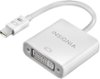
Sorry, there was a problem. Please try again later.You will need to have a Mini-Display to DVI adapter, I am using the one recommended with this answer, and a DVI cable to connect to the monitor. IMPORTANT: you will need a DVI Dual Link Cable (see attached image). If you use a passive link cable the screen would either cut off, flicker or not work at all. It's a poor design for a $200 dock but that how it is. Hope this helps. Please note, that even if you are connecting the monitor to your Surface directly via Mini-Display port (as in a Surface Book) and the screen works fine, YOU WILL STILL NEED A DVI DUAL LINK cable to make the Dock operate the monitor.
I would recommend:
Sorry, there was a problem. Please try again later.the monitor connections (there are 2) are a mini display port connector, the other end would be based on the type of monitors you have. The surface dock has a single "fin" connector to connect it to the surface device that is the same type connection as the included power cord.
Sorry, there was a problem. Please try again later.You will need a minidisplay port adapter to connect your monitor to this surface dock.
Sorry, there was a problem. Please try again later.Hi there, You can connect the Surface Dock to your Surface with a MiniDisplay Port. Hope this helps! Kindly, Victoria Surface Customer Care
Sorry, there was a problem. Please try again later.