A:AnswerThe remote makes things much easier but if you have a Bluetooth mouse and or keyboard, you can pair and navigate. Though it might be difficult to accomplish some things such as input switching.
A:AnswerYes. The Android wireless screen mirroring does not require the Miroir wireless app and this type of wireless connection will just mirror what is on your screen. Mirroring with an Apple device is not available and requires the use of the Miroir wireless app.
A:AnswerSame problem but can’t find an answer. I worked fixing computers before and if I have to guess the issue here. It would be a bad power supply board. Check under the device and see if the bottom cover is pushing up. If it is, the battery is not good and is expanding. I think that in my case the battery fried the power supply board and needs replacing. Unfortunately, I haven’t been able to find parts for this device so I can’t tell you if I solved the problem. I will keep You updated if I find parts.
A:AnswerHi Kandy,
I recently used the same projector to do a window projection for Halloween.
If it is a video or pictures on your Camera Roll, you can use the miroir wireless App although I didn't find it very useful: https://itunes.apple.com/us/app/miroir-wireless/id1030403836
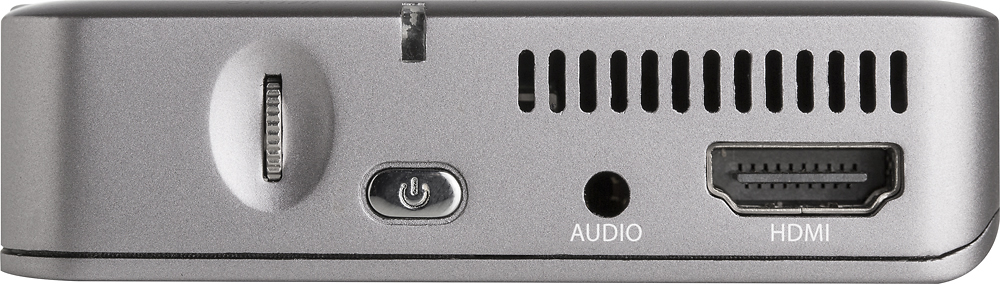
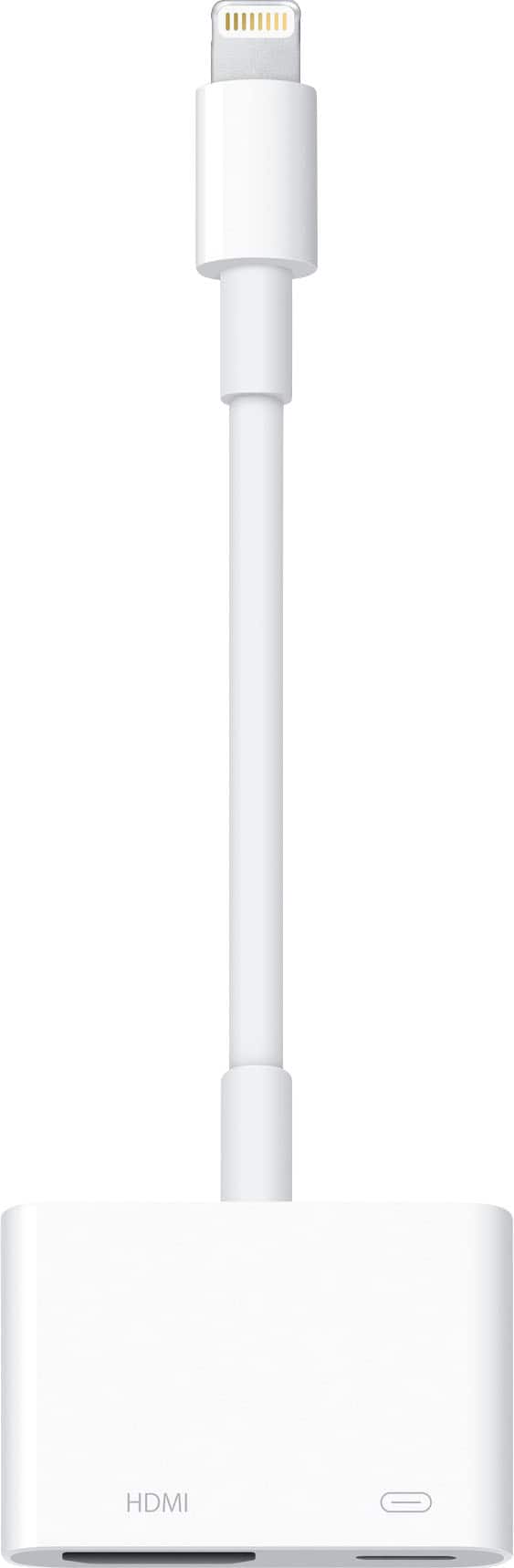
You can connect your iPad using an adapter cable directly to the HDMI connector on the projector and mirror your iPad screen. The following page on miroir support specifies what cable you need depending on your iPad version/generation http://miroirusa.com/ios-connectivity-with-wireless/
If you want to mirror the iPad screen using wireless, then a setup similar to the classroom would be better using an Apple TV (even 3rd gen) connected to the projector.
Temoc Hernandez
A:AnswerYou can, but you will want to consider whether or not this is bright enough for your purposes. If you plan to use it for a small group in a room where the lights can be dimmed or turned off, I think you will be fine. However, if you are using it in a conference room with some overhead light or a lot of natural light from windows, it may not be a good fit for you.

A:AnswerI am having the same issue. I have contacted customer support for Miroir. They dont have a number you can call, it's all through email, so taking some time. I can let you know how it goes. I think there's something wrong with the battery not holding a charge, that's my guess.
A:AnswerYes you can use this projector very similar to a smart TV. The Netflix app can be installed on the projector. Note: Netflix doesn't come pre-installed so you will have to connect the projector to your wireless network, download and install Netflix, and then enter your Netflix access credentials.
A:AnswerYes you can connect a Samsung phone with a wireless connection (not Bluetooth for video because Bluetooth bandwidth isn't sufficient for video) or you can install the Netflix app directly on the projector so you do not need to connect anything to the projector at all :)
A:AnswerThe projector does have a bluetooth remote and can be synced with other bluetooth devices such as a keyboard (which can be helpful when inputting passwords or login information in some applications) or a bluetooth speaker.
A:AnswerIf you are using the PowerPoint app the easiest way is to login to your Microsoft OneDrive account from the app and it can then open the presentation directly from there. You can also copy the files to the projector from dropbox, onedrive and other cloud drive programs which will allow you to open local files from the app.
A:AnswerYes it'll work. Anything with an HDMI will project on it. The power cord is standard length. Maybe 3-4ft or so. But it's normal micro USB so you can buy a longer cord or just use an extension cord.
A:AnswerThis will work with anything able to provide an HDMI out, Comes with a cable that includes a micro-HDMI adapter. I believe the Surface uses a miniDisplayPort so you would need an adapter that could go to HDMI