“How do I connect this projector to my iPad? I have a video that I want my students to watch.”
Answer This Question
1-1 of 1 Answer
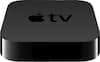
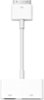
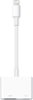
Hi Kandy, I recently used the same projector to do a window projection for Halloween. If it is a video or pictures on your Camera Roll, you can use the miroir wireless App although I didn't find it very useful: https://itunes.apple.com/us/app/miroir-wireless/id1030403836 You can connect your iPad using an adapter cable directly to the HDMI connector on the projector and mirror your iPad screen. The following page on miroir support specifies what cable you need depending on your iPad version/generation http://miroirusa.com/ios-connectivity-with-wireless/ If you want to mirror the iPad screen using wireless, then a setup similar to the classroom would be better using an Apple TV (even 3rd gen) connected to the projector. Temoc Hernandez
I would recommend:
Sorry, there was a problem. Please try again later.