“Why do I need to provide a modem for time warner I have a router”
Answer This Question
1-2 of 2 Answers
Modems are always required to connect to the internet. A router is a completely different device.
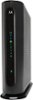
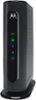
Sorry, there was a problem. Please try again later.A cable modem is a type of device that connects a computer or local network to broadband Internet service through the same cable that supplies cable television service. Typically, your cable company uses a digital coaxial cable (the same cable that connects to the back of your TV or DVR) to provide broadband internet capability. Routers are devices that send and receive data between two or more networks. Some routers come with a cable modem "built-in" to the device. Typically these routers will have a digital coaxial connection somewhere on the device. If your router has this kind of connection, it can send and receive data between your private home network (either on WiFi and / or on RJ45 Ethernet which looks like a fat telephone cord) and the cable company's network over the digital coaxial connector. If your router does not have a connector that looks like the round connector on the back of your TV that you use to connect to cable TV, then its likely it doesn't have a built-in cable modem. If this is the case, its not a big problem, it just means you need to buy the cable modem separately or get one from your cable company. Cable modems typically have both the digital coax connector, as well as an RJ45 Ethernet connector. You basically plug the cable from the cable company into the cable modem, and the RJ45 into your router's WAN port and you're done. Another problem you might run into is the cable modem that's built into your router might not be on the newest "standard" for broadband access over digital coax. At this time, most of the modern cable companies are using a technology called DOCSIS 3.0. If you already have a cable modem, or if your router uses a built - in cable modem, it might have to support this technology to work with the cable company's braodband signal. If your cable modem is on the DOCSIS 2.0 or 1.0 standard, it may not work. Typically you can call your cable provider to find out what standard they use. I've provided two examples of what I'm talking about attached to this review. One is a simple cable modem, one is a router with a cable modem built into the device. Of course, the latter is a little more expensive than the former. Both are DOCSIS 3.0 compatible, and perform fairly well for the price. I know this might sound confusing, but I'm sure the folks at Best Buy can walk you through it. And if you need them to come out and hook it up for you, I'm pretty sure they'll help with that too. Its actually pretty simple and shouldn't take a lot of fuss. In either case, make sure you have your user name and password ready from your cable company for your account. Typically this is what you use to pay your bill online. If you don't have this, give them a call before you do anything and save yourself a headache. Hope this is helpful!
I would recommend:
Sorry, there was a problem. Please try again later.