Questions & Answers
- Model:
- GS208100PAS
- |
- SKU:
- 7902458
Highly rated by customers for: Ease of use, Speed, Performance
Page Showing 1-10 of 10 questions
Q: QuestionWhat's the difference between the GS208 and GS608? Which is better? Which is Faster? I had a 4-port GS600 series...I switched to a 8-port GS200 series...it almost seams like it lags or runs slower than the GS600.
Asked by Shadow.
- A:Answer I wondered the same before I made a recent purchase. The models appear to be nearly identical on paper. I consulted the NETGEAR forums for more information. Here is an excerpt that came directly from the NETGEAR® Community Team: "all PROSAFE line has a higher MTBF compared to the SOHO versions and it has a lifetime hardware warranty that is why the price is a little different. Performance should be the same though they may have different hardware and chipsets, the GS208 is the newer version of the GS608 you may consider it as a cheaper hardware update." It seems that for most normal use-case scenarios, the GS208 is the better choice. Strange then that Best Buy typically only stocks the more expensive model on the store-shelves. You usually have to order the cheaper version if you want it, in spite of it offering practically the same performance at half of the cost.
Answered by DukeSparrow
Q: QuestionOK stupid question if I have cable internet can I use this product
Asked by JohnWJ.
- A:Answer Hi, probably yes but it depends what you want to use it for and what existing equipment you have. If you cable company has provided you with a model/router and the router doesn't have enough ports for cable connections for your needs, this type of device will allow you to have more wired connections. It does nothing to speed up your cable internet speed but does allow you to have a larger wired network. A switch like this is typically 'better' than a hub as a hub shares the speed on the cables where a switch does not. If all your traffic is going to the internet that wont matter so much but if you have data going between devices at home it can make a difference.
Answered by DCM7004
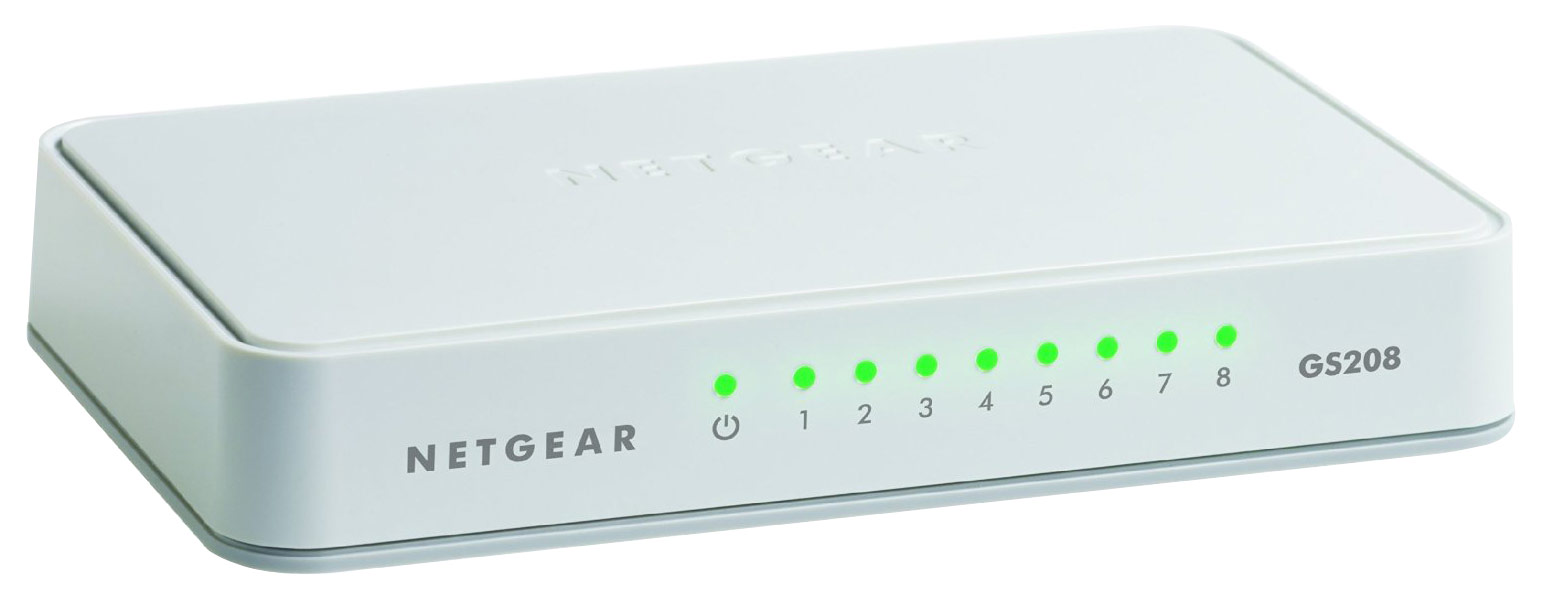
Q: QuestionI know this is an unmanaged switch, but does the LED's change color based on the type of device connected? For example, the devices that are connected that are gigabit the LED is green, but for the 10/100 devices the LED is Amber.
Asked by jthorpe.
- A:Answer They stay green, I connected a 10/100 switch to it just to be sure.
Answered by larr32
Q: QuestionDoes this switch come with supports of some kind, that will allow it to stand upright ? On edge ? I reaaly need an ethernet switch that will stand erect.
Asked by JustRay.
- A:Answer Hi JustRay, Unfortunately, it doesn't have a stand to be placed in an upright position. You may also check our click switches that are originally placed in an upright position. If you have any questions, you can also check out our NETGEAR community. Best regards, NETGEAR Amazon
Answered by Netgear Support
Q: QuestionCan it be mounted on a wall?
Asked by gbriseno15.
- A:Answer I don't see any obvious slots for screw heads. (I suppose you could still use double-sided tape or the like, though!)
Answered by Aaron
Q: QuestionIn the specifications it states this switch weighs in at 6.7 pounds. That seems pretty heavy, is it really 6.7 pounds?
Asked by Bob.
- A:Answer No even close. Less than a pound for sure.
Answered by Jeremy
Q: QuestionI bought this to go with my Google WiFi and cable modem. I ran the ethernet cable from the modem to the router. I then ran a cable from the router to the switch. When I hook up cables to my Xbox and TV box,it says the cable connected but no internet.??
Asked by Rick.
- A:Answer A couple of things that might be the problem. 1. The cable from the modem to the router has to be plugged into the Wan port on the router. 2. The router has to be allowed to issue IP addresses on the LAN side of the network. Without knowing more about the router and how its setup, its hard to know how to help. The cable setup sounds right. It's an unmanaged switch so its plug and play.
Answered by Pd2020
Q: QuestionAB SWITCHI NEED TO CONNECT 2 DEVICES ( DVD & DVR) USING A RCA MINI COMPONENT VIDEO/AUDIO CABLE TO MY TV WITH AN AB SWITCH
Asked by RON.
- A:Answer This product is an Ethernet switch - not what you want.
Answered by dlubin
Q: QuestionCan we able to set our own password?
Asked by stavangadhi.
- A:Answer I don't think there were any passwords at all, (thankfully).
Answered by William
Q: QuestionCan I connect my wireless router to one port and other devices to the remaining ports?Will the wireless router continue to perform correctly? Will there be any interference with the other devices
Asked by Rudy.
- A:Answer Yes - that's what the switch is for. You plug all your network devices into the switch and the switch allows traffic to flow between the different devices. In order to reach the Internet, you have to have one of the connections go thru your cable router at some point, whether it's thru that switch, thru the wireless router, or another switch, or via a shared computer's network cards (which in essence is acting as a switch). I have cable internet (DSL is same connections after the router) and cable comes into my cable modem and out of it into my wireless router and out of my wireless router I have hard wired connection to my two switches and two hard wired computers. The switches hook up to several other computers/devices (Playstation/Wii/xbox/blurays/etc) and wireless gets all the wireless devices. I've noticed no interference hooking up with the switches. The only issue you might experience would be on your ISP side - ie. if you don't have enough throughput coming into/out of your house. ie. DSL is slower than cable. If you have 20Mbps or higher you shouldn't experience any lags (if you're not overburden with internet devices that is). But under 20Mbps (ie. most DSL) then you might if you have a lot of devices. But the switch won't be the issue unless it's defective.
Answered by Purchaser
Page 1, Showing 1-10 of 10 questions
Best-selling Best Buy
- $299.99$299.99The price was $349.99
- $59.99$59.99The price was $99.00
- $199.99$199.99The price was $349.99
- $14.99$14.99The price was $19.00
- $24.99$24.99The price was $29.99
- $14.99$14.99The price was $19.00
- $139.99$139.99The price was $149.99

















