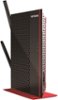
“can you use this to wirelessly connect a wired security dvr? I have a netgear n and two dvr's ones directly wired to the router and the other is in my garage. I would like to hook the garage unit up to my network but it is also wired and i have weak wireless access in my garage. Thanks to all”
Answer This Question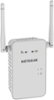
1-7 of 7 Answers
I got this for the same thing... you can get a long cable... and plug directly into it.. the extender stays in the house plugged in closest to the garage... But otherwise no.. You purchase a Wi-Fi antenna with a USB...( outdoor) it has a long cable with a USB on the end and a Flat Square solid panel. it can attach right out the window of the garage and plug into your Netgear. It will pick up the working routers in your house and give you what you need in the garage.
Sorry, there was a problem. Please try again later.I did this in my house. My router is on the second floor and I installed this on the first floor and hard wired it to my TV. Works great.
Sorry, there was a problem. Please try again later.If you have wifi capabilities on the DVR in the garage then yes this is what you are needing for that area. To boost the signal that is weak within the garage. Make sure that if your NetGear WiFi router has dual band capabilities then connect to the 5G version of the two connections available since it will perform better for your device. Good Luck....
Sorry, there was a problem. Please try again later.No, I don't believe so.
Sorry, there was a problem. Please try again later.If I'm reading into your question correctly, yes it should work fine. I have several devices in my living room, such as PS3, Blu-Ray player and the such that are not wireless and need a wired connection. I use this as a bridge to connect the internet to those devices. It has 4 LAN inputs for wired connections.
Sorry, there was a problem. Please try again later.The NetGear AC750 does not support connection of wired Ethernet devices, but the NetGear AC1200 does. It's kind of like an AC750 on steroids! I own both units. Both units can significantly improve your wireless signal strength and coverage.
I would recommend:
Sorry, there was a problem. Please try again later.The garage unit, being a wired unit, needs to be directly wired to the router, just like the other dvr. If the garage unit can also be configured to use a wireless signal, then reconfigure it. Try it without the range extender first; the signal may be strong enough. If not, put the range extender somewhere between the router and the garage dvr to boost the signal getting to the dvr. This will only work if the garage dvr can be configured to work wirelessly!
Sorry, there was a problem. Please try again later.