Black Friday is hereShop new DoorbustersShop now

Main Content

Questions & Answers

Page Showing 1-6 of 6 questions
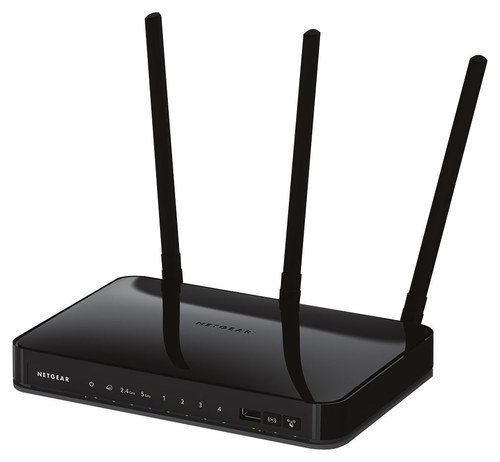
  • QuestionDoes the Netgear - AC750 have an on/off button to turn off the wireless?

    Asked by cooldudess.

    • Answer Yes, it does, the wireless can be turned with a button on the front of the router.

      Answered by cavan3

  • QuestionCan this router be set up as a bridge? My apartment complex has the R7000 so I would be tring to bridge to that router.

    Asked by Jayman.

    • Answer This router does have a bridge mode function in the settings. As far as the functionality of it I haven't had the need to find out. My modem has worked flawlessly so far without a hitch as far a reliability.

      Answered by Xxpacker

  • QuestionWhy should I Purchase an AC router?

    Asked by Anonymous.

    • Answer speed and range are better than the 802.11n standard, not to mention it will propagate a higher signal strength in your device's direction instead of outputting signal equally in all directions. http://www.forbes.com/sites/gordonkelly/2014/12/30/802-11ac-vs-802-11n-wifi-whats-the-difference/#773937ca3785 explains it well.

      Answered by Anonymous

  • QuestionWill this router be compatable to G.C.I.

    Asked by Anonymous.

  • QuestionWhat is distance in feet this router will effectively send wireless signal to a computer in a different floor of a house

    Asked by Distance.

    • Answer The answer is... it depends. 2.4Ghz will travel farther, but at slower speeds 5ghz will not go the distance 2.4ghz can, but will be higher speeds it depends on the construction of the home it depends on router placement. i.e don't put it under a desk or on the bottom floor it depends on the gain of the antenna on the device receiving Wi-Fi. yes all devices have antennas they are just mounted internally it also depends on interference from other routers, such as your neighbors. Also for all frequencies of Wi-Fi, speeds drop off the farther you are away from the router. for example say you have a 300Mbps router, at 150ft you might be getting 100Mbps, then at 300ft you might get 12Mbps.

      Answered by Dude

  • Questiondoes this router have security?

    Asked by Earl.

    • Answer By their very nature NO router has security, unless you configure it. However, virtually all new wireless routers, including this one support a variety of technologies for securing your network, which can easily be configured during the self-guided setup process included with this router. I personally recommend the latest and most secure, which is WPA-2. This router also has an additional security option allowing you to configure a guest wireless network, which allows you to have one password for you and one for visitors. I STRONGLY recommend doing so, because it will allow you to grant access to friends and family, while not compromising the integrity of YOUR network or devices. So while security is technically "not included" the ability to support it very much is. Just follow the on screen, step by step instructions when you configure your network and you will have a secure wireless environment.
      Answered by Michae