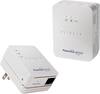
“Will Netgear - Powerline 1200 Gigabit Ethernet Adapters (2-Pack White) Work Better With Frontier Netgear 7550 Modem/Router? We have WiFi dead zones in our 2000 sq ft. home -- older home where each room is separate by walls and hallways. I use my wireless laptop in all rooms except in bedroom where the netgear 7550 modem/router is hooked up to a Desktop PC. I usually get only 1 bar in all other rooms and don't think about using any wireless device on the patio outside of the family room. Would this Extender provide me the extra connection?”
Answer This Question
1-10 of 10 Answers
This product is *not* a wireless extender, but it can still be used to accomplish what you want. What it does is convert the powerlines in your house to Ethernet cables, allowing you to extend your wired network. You have a couple options if you want to extend your wireless network. You can get an access point. To use that, you need to put the access point within range of your wireless network, connect to your network, then with any luck, that will give you the range you want. Only problem is that can slow down your network quite a bit. The ideal solution is a powerline adapter which also acts as a wireless extender, paired with one of these 1200 units. Reason being is it will use the powerline for transmitting and receiving data, which will then allow for the full bandwidth of your wireless network to be realized. Netgear makes a product that will do this. Take the powerline 1200, connect it via the provided cable to your router, then plug it in. Then take the access point and plug it in close to where you need the wireless signal. With any luck, the 2 adapters will pair up and you will have full bandwidth wireless in your dead zones. You will need to use the second plug if you are plugging the 1200 into a 2 plug recepticle as it is pretty big. In the event you have one of those cords that lay flat rather than stick out plugged into the same plug, you will have to get creative to make it work. One more thing, don't plug these adapters into a surge protector as the surge protector will filter out the signals these devices use. At the minimum, it will slow down the network, at the worst, they won't work. If you are concerned about a surge hitting your router, consider getting an additional Ethernet cable and a surge protector or UPS that has rj45 jacks.
I would recommend:
Sorry, there was a problem. Please try again later.If you have a 3-prong AC outlet where you want to use your device, and your device has an Ethernet port, this should work. I'd try it out and if it doesn't work return it.
Sorry, there was a problem. Please try again later.It doesn't extend the wireless signal. It provides an ethernet line over the power line in your house that allows you to hook up wired. The speed is about as fast as that going to the router. You made prefer a router extender which picks up the router signal wirelessly and boosted the signal to the other parts of the house, but it's not as fast.
Sorry, there was a problem. Please try again later.This has nothing to do with wireless. It gives you an Ethernet port wherever you want it to go. So, yes, it gives you an extra connection. If the electrical wiring path is very long then I have seen speed through the device being slower than wireless. I know it looks like a quick fix, but may not do the job. All wireless is not created equal. Older laptops and routers use old, slow, feeble signals. Having a wireless router with Wifi n/a/c and nodes supporting Wifi n/a/c made a huge difference for me. I put my older (just two years on Wifi n) next to my newer laptop with Wifi n/a/c and saw 100% performance improvement on the newer Wifi protocol. So, consider that, too. Cheers!
Sorry, there was a problem. Please try again later.I'm not familiar with your router. If it can handle the faster speed of the Powerline 1200, then try it. I use a Netgear AC3200 router which can handle the faster speed so it works well in my 2500 sq. ft. house.
Sorry, there was a problem. Please try again later.This product isn't a WiFi extender, in my opinion it is much better. It basically uses the power lines in your house to send the internet signal through them. You will plug in one of the adapters directly into a plug socket by your modem/ router. These connect to each other with the provided Ethernet cable. 2. Where you need your internet, you plug the other adapter directly into a plug socket. From this adapter you can attach the second provided Ethernet cable into your laptop/ device. My Wifi speed before in my bedroom was 10mbs, with the 1200 adapter it is not 110mbs. I hope this helps in your decision.
Sorry, there was a problem. Please try again later.Yes, it absolutely will provide an extra connection. However, you must remember that you require an electrical outlet at the location where you will connect and that you will be tethered to a Cat5E Ethernet cable. The adapter works amazing and as long as you are good with being "plugged in" versus Wi-Fi. If this is ok then you will be very happy with your purchase!
Sorry, there was a problem. Please try again later.It should do fine. Old homes used plaster and lath for walls, and older wiring was post and knob. You should make sure you use the same circuit on both devices, as they use your home wiring for the connection.
Sorry, there was a problem. Please try again later.look for my review once published, I use it for the exact scenario you are describing. Get another cheap wireless router for the other side of the house, setup as an Access Point only (disables the routing portion of the device), set up the other router with a different SSID (wireless network name). plug in this adapter and put the wire into the WAN connection on your new (cheap wireless) router.
Sorry, there was a problem. Please try again later.I lived in a pre WWII home and had the same issues. The powerlines worked seamlessly.
Sorry, there was a problem. Please try again later.