A:AnswerPlease contact our technical support team for assistance on how to reset the system to factory settings. They are available via phone at 1-866-390-1303 or email at [email protected]. Thank you for choosing Night Owl.
A:AnswerGood Afternoon, we would recommend contacting your local best Buy for more information regarding stock of the product. Thank you for choosing Night Owl.
A:AnswerYou may change the recording settings to have the DVR only record when the cameras sense motion. We also recommend verifying the resolution that it's recording on, the lower the resolution more space will be free in order to keep more recordings. Lastly, we recommend doing manual backups to a flash drive and save the files on a computer. For any additional questions feel free to contact our technical support team. Thank you very much for choosing Night Owl.
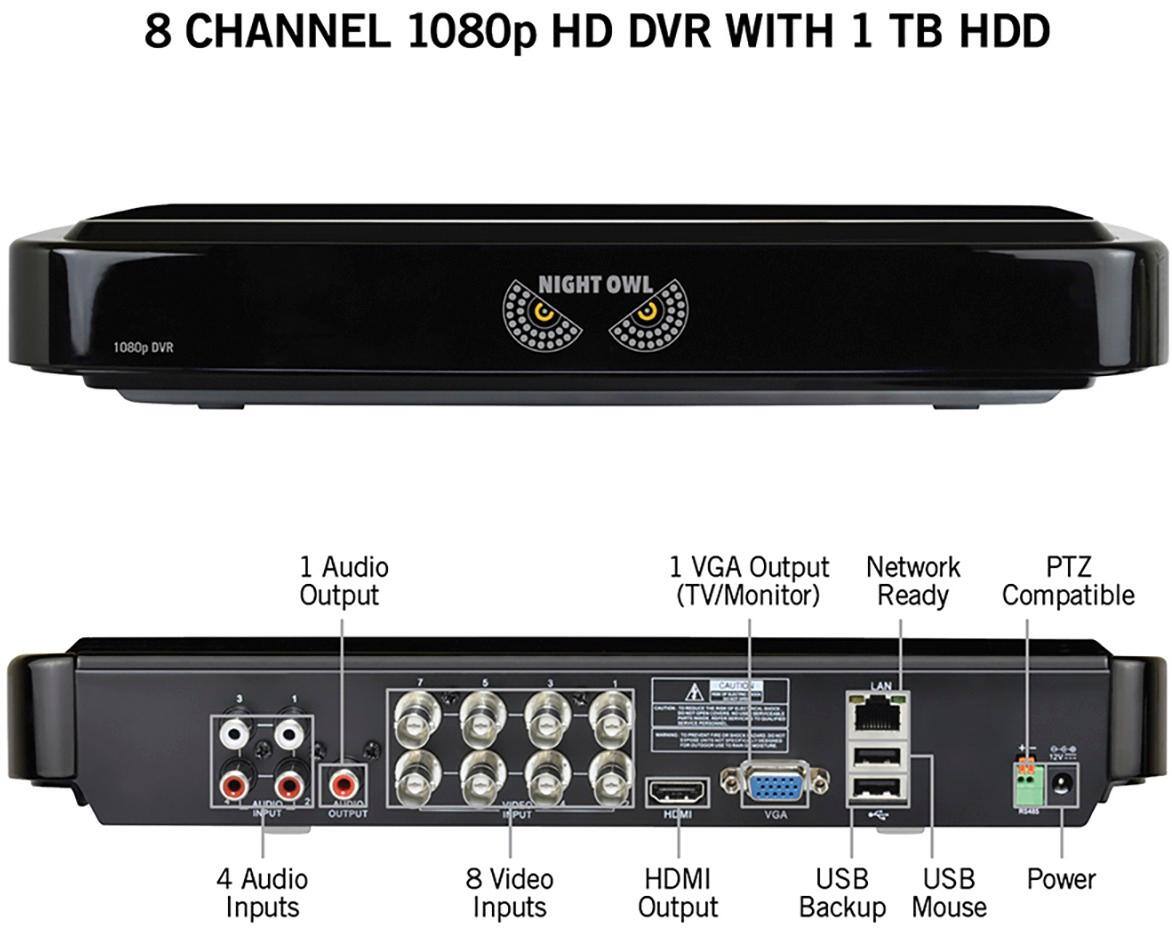
A:AnswerFor view access: I’ve used two 100ft HDMI (200ft) due to bad planning (needing a 50 and a 100 ft ) cables and have not had any problem. You can hook it up to any vga or HDMI monitor. The system will recognize and will adjust the resolution based upon whichever monitor is plugged in.
For camera input: I wouldn’t recommend any camera cables over 100ft that require an adapter to join (combine/loop) two separate cables into one. for example: if you need to run a 300ft cable so the camera can reach your desired position, then look for a solid 300ft cable that will not require any adapters to join cables.
If you can’t find any cables that long, then maybe consider a WiFi wireless unit..
Cables that are combined by adapters provide corrupted signals and will show a interference in the view . Hope that helps. Good luck
A:AnswerCheck the dvr output signal to that of the monitor it’s connected to.
It could have been that the previous owners, may have not used the hard wired output and may have been accessing the dvr remotely via internet