A:AnswerThe Nikon COOLPIX AW130 digital camera does have a dedicated macro setting which can be found by pressing the flower icon found on the multi selector. The On/Off option will popup on the right hand side of the screen. Select "On" and press the "OK" button. You will then be able to take images as close-up as 1cm (0.4 In.) from the lens. Macro setting may not be available when you are using some shooting modes.
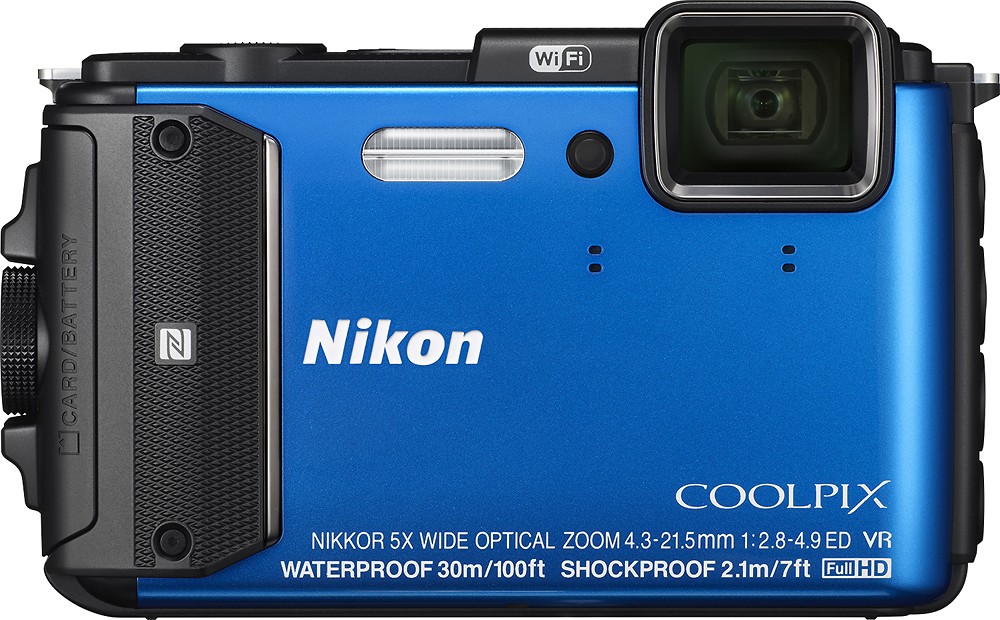
A:AnswerThe COOLPIX AW130 is rated for depths up to 30m (100ft) for up to 60 minutes. The use and cleaning instructions listed in the AW130 manuals should be followed carefully in order to ensure waterproof performance. Detailed specifications regarding the AW130’s waterproof capabilities can be found in the AW130 Reference Manual.
A:AnswerThe Nikon Wireless Mobile Utility app (WMU) is compatible with iPhones, iPads, and iPods with an iOS system of 6.0 or later. The app name of WMU is the same for all compatible smart devices. If you are using iOS 6.0 or later on your iPad and continue to have trouble using the WiFi option on your Nikon COOLPIX AW130 digital camera, please contact Nikon Support for further assistance.
A:AnswerThe Nikon COOLPIX AW130 digital camera does not have an interval timer option for stills, however, a time-lapse movie can be created which will allow the camera to automatically capture 300 still images at a specified interval that are approximately 10 seconds long. Recording time can be changed by changing to a different time-lapse type such as Cityscape, Landscape, Sunset, Night Sky and Star Trails. Interval times vary depending on which time-lapse type is chosen. To learn more about specific features that this camera has to offer please contact Nikon Support.
A:AnswerI assume that you formatted the SD card before using it. If your computer can accept SD cards you may want to insert the card and check the DCIM folder for any photos. It there are any photos on the card you will see them in one of the sub-folders. If the card is functioning properly you will be able to see how much space is available on the card using the camera.
A:AnswerYes. The Nikon COOLPIX AW130 digital camera does have an option for imprinting a date and time on the image as it's taken. The option to turn this feature on and off can be found in the camera's Setup Menu. Imprinted dates form a permanent part of image data and cannot be deleted. Date and time cannot be imprinted on images after they have been captured.
A:AnswerI bought this camera two days ago. Yesterday I noticed that flash is not working most of the time. You will have a problem with taking pictures with flash during concert.
I will return camera today and buy different brand.
A:AnswerThe Nikon COOLPIX AW130 digital camera is able to shoot vibrantly sharp images and video underwater at a depth of 30 meters or 100 feet for up to 60 minutes and is designed for travel and adventure.
A:AnswerThat is correct, you can dive with it, up to 100ft. There are some limitations and they are outlined at the enclosed link: http://cdn-4.nikon-cdn.com/e/Q5NM96RZZo-YRYNeYvAi9aeqFMY3fvEkMLBDAiSy_A36wiKOSbvIjR4DZpDyzSuC/PDF/AW130-Limitations.pdf.
















