A:AnswerWe used the red/white cable that came with the unit into our Boise speakers and we were up and running. Here is the manual URL: https://www.uk.onkyo.com/downloads/1/1/7/3/4/21475167_f93b86d5b1.pdf
A:AnswerThe "random" button on the CD changer switches between CD's (usually about a 6 to 10 second pause between selections). It's a nice feature when you like to listen to all styles of music mat once.
A:AnswerNot familiar with the exact configuration on the rear of the Bose, but should be easy.
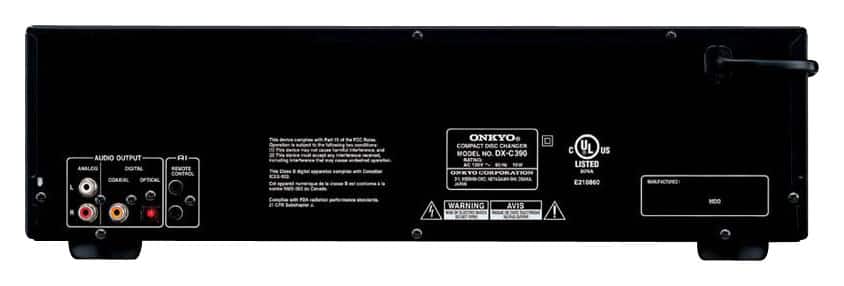
Just connect the left and right outputs on the Onkyo using standard RCA cables to the audio, cd or aux. input jacks on the Bose unit. If your unit doesn’t have separate left and right inputs you can get a converter or specific cable to step down the twin in/out cables on the Onkyo to fit a single aux input jack on the back of the Bose.
A:AnswerI have owned one of these great cd changers for a while now, and I highly reccomend it. I'm not sure what type of connections your sound bar and speaker set up have, but the only connections the onkyo has are the red and white audio type connections on the rear of the unit. Mine is connected to a Sony 5.2 receiver. In answer to your second question, All the Cd changer component units I know of require an actual receiver to connect through. If you dont neccesarily need a large cd changer you probably have a USB port on your sound bar you could connect an Ipod, or other portable device, possibly even a compact stereo with the built in cd changer. Don't forget you can always play your cd's through a dvd or blu ray also. The bottom line is if you want to use this you are going to need a stereo receiver.. A 2 channel receiver will set you back about $100 to $200.. Good luck with everything I hope this helps you out.
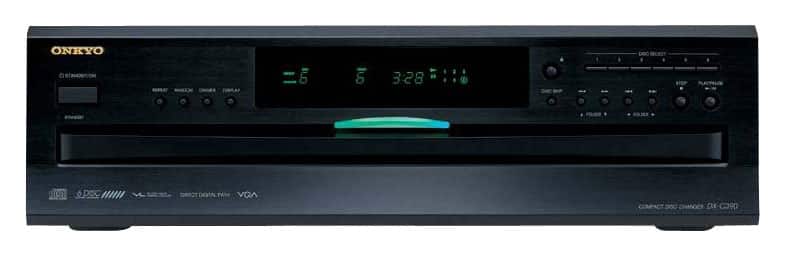
A:AnswerI would say it is ok to put your receiver on top of the cd player, but would recommend against putting the receiver under it. Receivers can generate a fair amount of heat, and you generally want to have good airflow on the top and sides of the receiver.
A:AnswerCD players are designed to be connected to stereo or home theater receivers. It is the receiver that provides the power to drive your speakers for great sound. Today's CD players can give you the best analog sound by using good quality analog stereo cables for the richest sound. Certainly you can also use digital optical cable also from the DX-C390 to your receiver and that will give very good sound, but you might find that it is a little "bright" in playing your CDs. You may like the more mellow analog quality of soundtrack playback a little more. You can probably switch back and forth between the analog CD receiver selector and the digital BD selector to see which you prefer.
A:AnswerYou can use the random button and then listen to various CD songs and tracks. You do not need to listen just one CD through if you don't want to. Great product
A:AnswerI think you should be able to. There is a red and white cable to connect speakers.
It will depend on what type of speaker hook up you have on the PA system.
A:AnswerI have mine connected to a set of powered speakers and it works fine. A soundbar is essentially a powered speaker so it should work the same way mine is working for me. The CD changer will be the source for the speaker. Most users have a receiver or pre-amp/amplifier set up or a large screen high definition television with a soundbar, but it doesn't matter. The speaker will work with any source you choose.