No content
Questions & Answers
- Model:
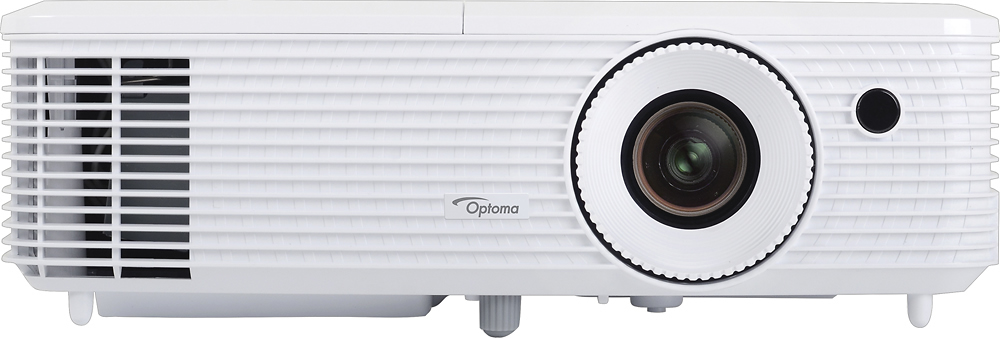
- HD27
- |
- SKU:
- 5571500
Highly rated by customers for: Picture Quality, Brightness, Ease of use
Page Showing 1-19 of 19 questions
Q: QuestionCan the projector work for 230 Volt
Asked by Rafpal.
- A:Answer I have not tried it but the manual says its compatible for 110V or 230V
Answered by rodpf1
Q: QuestionCan you connect speakers via Bluetooth?
Asked by SueM.
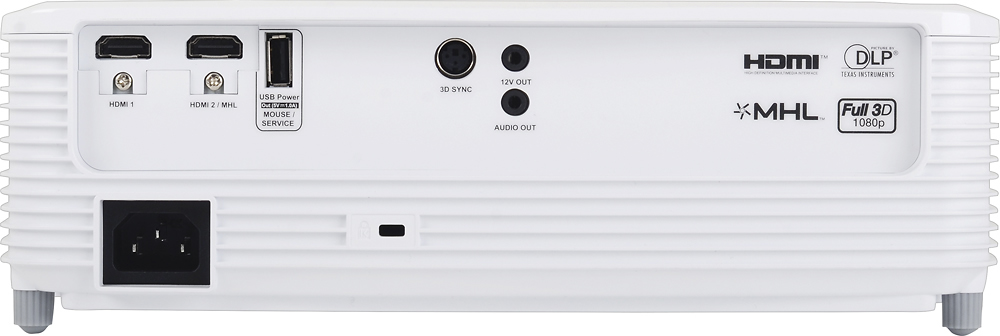
- A:Answer I have connected my Optoma 27 projector sound via a Bluetooth transmitter dongle (Aluratek ~ $30.00 at. Best Buy) to a Bluetooth speaker. Charge the transmitter for a couple of hours on your lap top. Plug it into the AUX on the back of the projector. Turn on your Bluetooth receiver sound system (mine is an LG wireless sound bar from Best Buy). Turn on the Bluetooth dongle transmitter at the projector and you should get sound from your Bluetooth speakers. (Good quality) I also tried a Bluetooth connection to my older LG surround sound system by plugging in a Bluetooth receiver to the sound system. It works but the sound quality is really bad because you lose resolution by transmitting through several connections. Note: You connect a laptop to the projector via HDMI 1 port. You must select the Optoma speaker on your laptop sound to send sound to the projector; then the dongle transmits to the sound bar. And remember Bluetooth only transmits 12 to 50' depending on your transmitter; the Aleurstek is good for 15'.
Answered by Maverick
Q: QuestionHow far back do you need to be for a 110 inch diagonal projection?
Asked by jafoalter.
- A:Answer 12.5. feet back. this is the measurement from your 110" screen back to the front of the lens of the projector. At least according to projector centrals calculator. Here is a screen shot attached.
Answered by Eitenne
Q: QuestionDoes it supports 5.1 surround system ?
Asked by Bharath.
- A:Answer yes it does. normally the common application would be -- one would run their source content via an HDMI cable to a receiver for surround sound, and out of the receiver to the projector for the video signal. that is how I have my system set up, and I mute the speaker built into the HD27 projector. this particular model from Optoma does not have a Optical port as other have stated, there probably are other models that do include that option, but the way to get audio out of this projector is via a 3.5mm audio jack (think headphone jack) and that would only be stereo not surround sound. Hope that helps.
Answered by Optoma Support

Q: QuestionI’m trying to connect a DVD player to my optima projector? I have volume but can’t get picture
Asked by Anonymous.
Q: QuestionCan I hook this up to my MACBOOK AIR and project power points on WHITE WALLs with no screen?
Asked by hey.
- A:Answer The answer for your Mac book Air is yes you can you just need the appropriate adapter. Ideally we recommend a screen to project onto but you may use a white wall as well. With the wall you are using a smooth wall is recommended for the best image. Yet Select texture is acceptable.
Answered by Optoma Support

Q: QuestionI now have a gray or silver screen. With this projector should I get a white screen for better picture?
Asked by JohnnyD5150.
- A:Answer Hello, screen gain and color depends on personal preference. Gray Screen will yield better blacks in ambient light than a white screen. If you have total control over the light in the room, a white screen is just fine. But if you will deal with ambient light, a gray screen is a better choice as it will help to maintain better black levels. If this is your first projector, we recommend a gray screen with a gain of 1.2 or 1.4 (1.4 yields an image 1.4x brighter than the projected image -- same with 1.2 gain, image is 1.2x brighter than the projected image). Need more? Please contact Customer Service at: https://www.optoma.com/us/support/contact-us/ Thanks.
Answered by Optoma Support

Q: QuestionCan this be able to connected vía wifi to watch YouTube and Netflix?
Asked by Anonymous.
- A:Answer No. You will need a device such as a cable box, Android TV device (like a Nvidia Shield) or Apple TV box connected to the projector to watch streaming services.
Answered by ButcherBeard
Q: QuestionWill this be able to connect to a wireless soundbar and system? Or what do you think I will need to make it possible?
Asked by Dopeitsme.
- A:Answer Actually the HD27 model does have an audio out option, it is a 3.5mm (think headphone jack) on the back. But it would only be 2-channel stereo audio to your sound bar (if SB has RCA analog inputs, get a 3.5mm to 2 RCA jack adapter) and that connection won't output 5.1 surround. the other option I can think of is: if you get yourself an 'audio extractor', they go for about $ 25-30 US -- that would allow one to send surround sound of high quality to a separate wireless sound bar.
Answered by Optoma Support

Q: QuestionIs thia good to play a playstation 4
Asked by Angel.
- A:Answer That is a hard question to answer. I find games to be fine and I use a Nvidia Shield. But it might not be the projector for the job.
Answered by ButcherBeard
Q: QuestionI want a portable projector to show light shows and/or movies on a ship sail in the islands at night. Would this be a good option or is there a better one?
Asked by bridget.
- A:Answer It is fairly portable.
Answered by ButcherBeard
Q: QuestionDoes the Optoma HD27 projector capable of watching movies on the curved screen ?
Asked by Anonymous.
- A:Answer I'm confused about your question. Curved screens are very unique and specific to the environment they're used in. Thus, they require a specific lens which most upper end projectors have. This one in question is in the lower end of the middle class of "pro" projectors. So the short answer is no. Unless you don't mind a "bow tie" effect on your screen.
Answered by Micro
Q: QuestionDoes this projector have the capability to be ceiling mounted?
Asked by Anonymous.
- A:Answer Yes, the picture can be flipped upside down. Also it can be set up for a rear projection.
Answered by Micro
Q: QuestionDoes this come with a durable travel case? What other accessories does it have?
Asked by Anonymous.
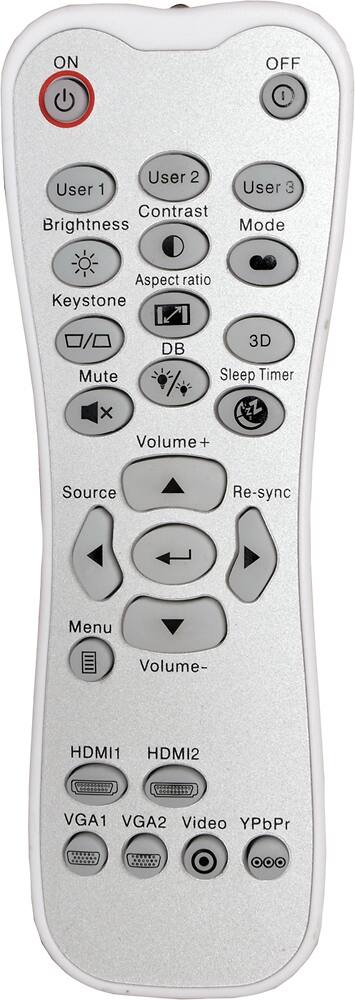
- A:Answer No travel case. Just the projector, cord, lens cover and wireless remote.
Answered by DuBs
Q: QuestionI need a projector that I can use periodically for business presentations of both word and excel. 50% of the time I would use for movies on a 10 foot screen at home. will this projector be able to both? Thanks,
Asked by Ron.
- A:Answer As long as your laptop has hdmi out you can and yes you can project a 10 foot screen. I am currently projecting a 12 foot diagonal and it is very sharp and bright even in a lit area.
Answered by DuBs
Q: QuestionCan you use an amazon fire stick to stream movies?
Asked by Skeeter.
- A:Answer yes you should be able to do that with the Optoma HD27. please check with amazon on the firestick 'streaming" ability but I am pretty sure that is one of the main purposes. one would put the amazon fire stick into one of the 2 available HDMI ports, than just select that HDMI port as the source device. keep in mind, unless the projector has a built in speaker (THIS ONE DOES) you would not hear decent audio unless you then also connect the audio out from the projector to a stereo to a receiver. Hope that helps,
Answered by Optoma Support

Q: QuestionCan this projector be mounted upside down? I am looking for projector that can be mounted on the sealing for a church.
Asked by SJLCGA.
- A:Answer Hi, I'm not sure if it can be mounted upside down. I do see 3 screw holes on the bottom so maybe you can. Also, This is super bright in my apartment. That being said, if the distance between the wall to the projector in your church is bigger then an average apartment living room, then you will lose brightness and might be difficult to see. Sorry for not being able to completely answer your projector. I attached an image of the bottom of the projector for reference.
Answered by Kevlar
Page 1, Showing 1-19 of 19 questions
Best-selling Best Buy
- $299.99$299.99The price was $349.99
- $59.99$59.99The price was $99.00
- $199.99$199.99The price was $349.99
- $14.99$14.99The price was $19.00
- $24.99$24.99The price was $29.99
- $14.99$14.99The price was $19.00
- $139.99$139.99The price was $149.99