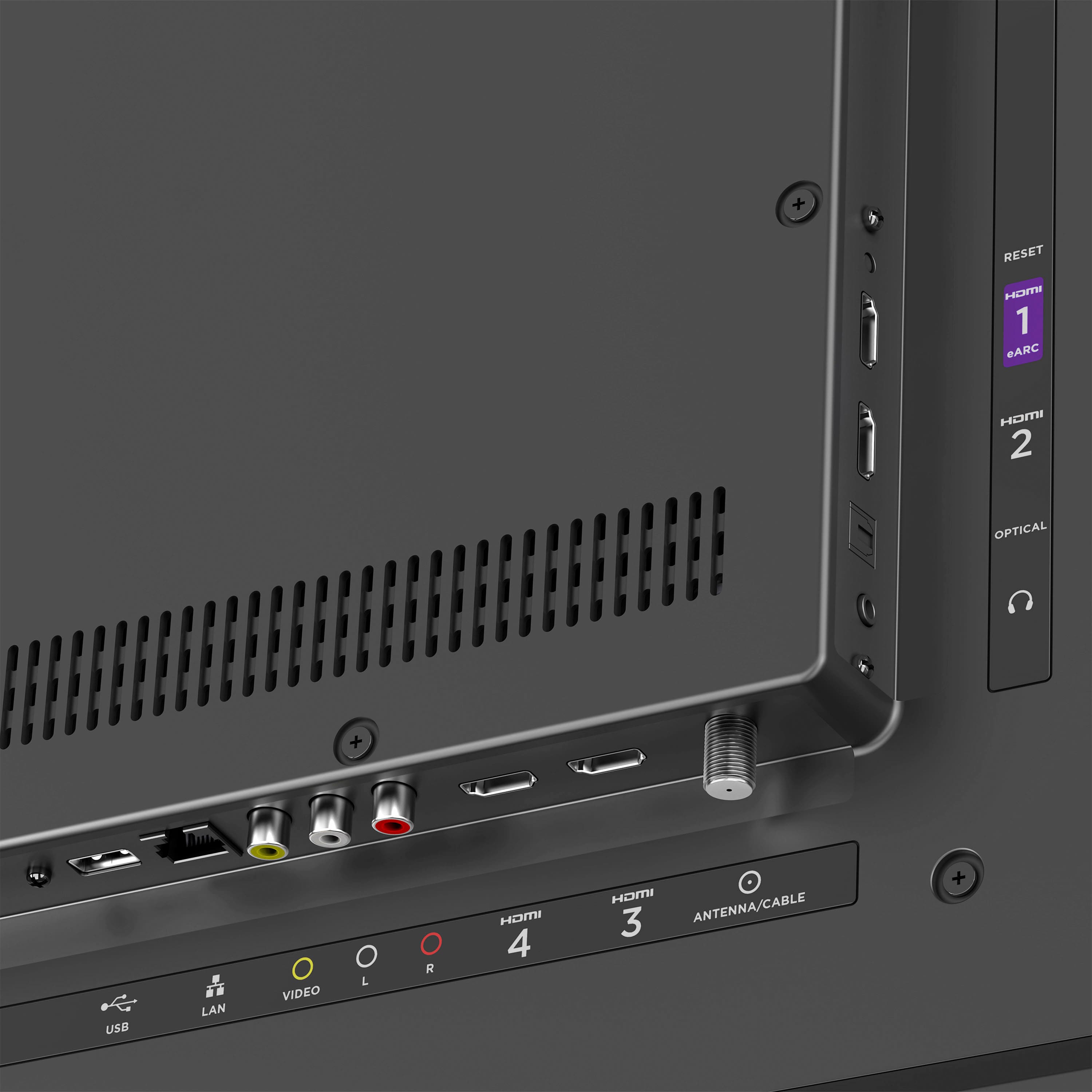
A:AnswerHi There! All Roku Select and Plus Series TVs support NTSC, QAM, and ASTC-1.0 tuners. While the TV does not have a 3.0 tuner, you are still able to connect an antenna and scan for your local channels available. Happy Streaming!
A:AnswerHey, thanks for your question! All our Roku Plus and Select models come with a "Game Mode" option in the picture settings to reduce the input lag. These models also offer ALLM if your gaming console supports it. You can find out more about the best settings for gaming on our website!
A:AnswerI never found a rating anywhere but it is extremely bright. The Auto Brightness is always too dark for me so I set mine manually. I have to use Dark or Normal, which there are two more settings brighter. I haven't seen a setting for turning on Local Dimming.
A:AnswerHello, the Roku platform does not support the Zoom application. However, you can use the screen casting feature to display a meeting from your laptop onto the big screen!
A:AnswerHello! At this time, the Roku platform does not support a native web browser. However, you can use the screen casting feature to mirror or extend your laptop display!
A:AnswerSeriously, this is a real question. Best Buy staff are unable to answer it -- I went to the store and asked. There are none within 250 miles of my local store. There aren't any to order, either. Is there a new model coming out?
A:AnswerNo. I purchased this Roku, because I have an older Sharp branded Roku TV, the sharp integrates perfectly with my dish network Remote, and lets me set Satellite as the start up program. This new TV does not integrate fully with the Dish remote, and I have tried everything in the setting I could find to get it to load to the satellite on home screen. those are the two disappointing things about this TV. The picture in 4k and everything is amazing though.