A:AnswerHi Rusty,
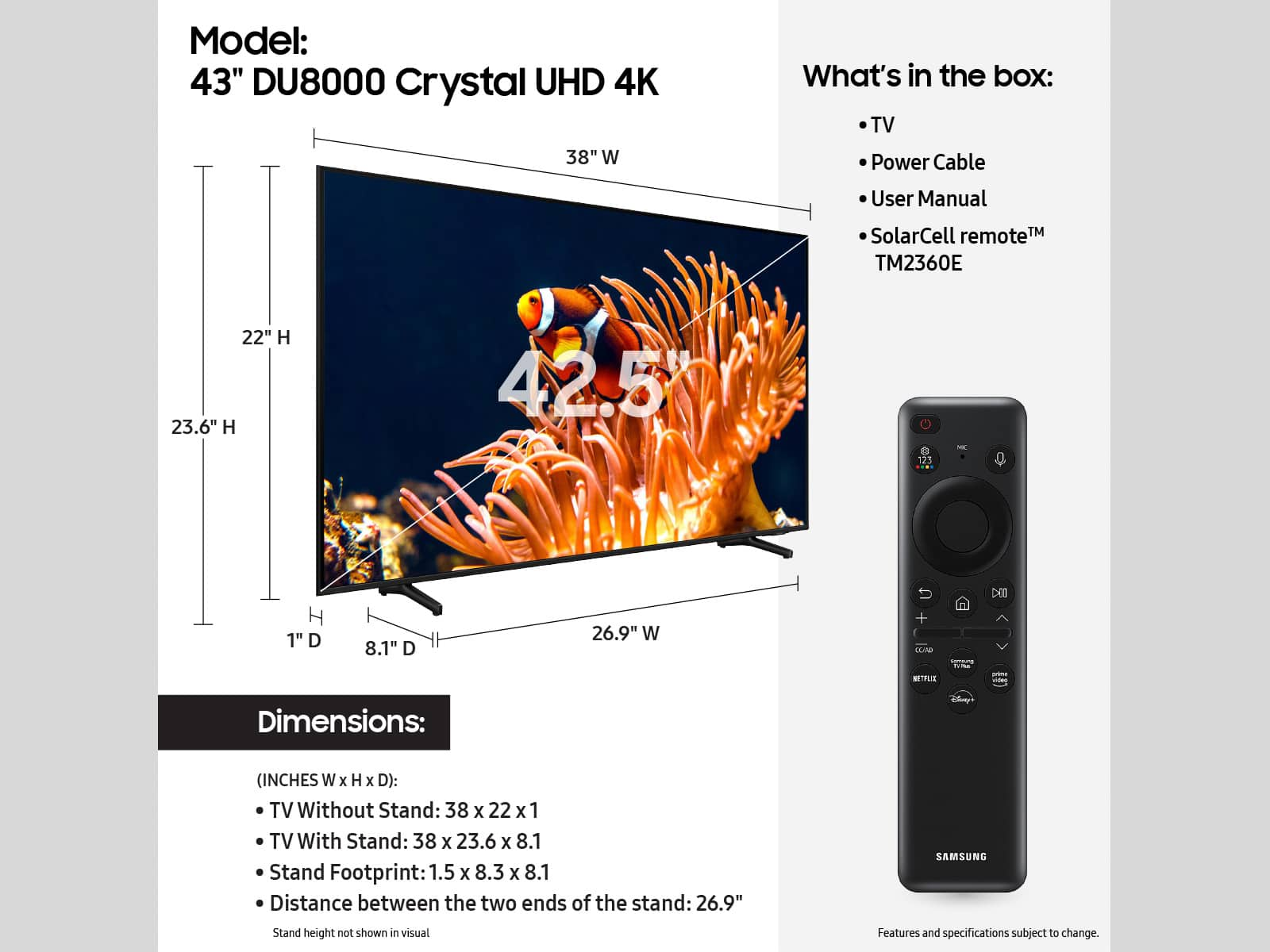
Yes, the four holes create a pattern of 200x200mm. You will need to find a wall mount that says compatible with VESA Pattern of 200x200mm.
~Samsung Advisor
A:AnswerHi Rusty,
There is not a Samsung stand that will attach the bottom of the TV the same way the included feet do. However, you can use a mount that attaches to the back of the TV. It will need to have a VESA Map of 200x200mm.
~Samsung Advisor
A:AnswerHi Debbie,
You can changed the volume by pressing the +/- button on your remote up to increase the volume and down to decrease the volume. To mute the sound, press the button.
~Samsung Advisor
A:AnswerHi there,
The DU8000 TV has a built-in App Store that allows you to choose from and download hundreds of apps such as discovery+, HBO Max, Disney+, and many more. We are continuously adding more premium content and new services to our Smart TV platform. Some apps will require that you have a separate subscription.
~Samsung Advisor
A:AnswerHi CindyLouWho,
The DU7200 / features 20-watt 2-channel audio with Dolby Digital Plus and Object Tracking Sound Lite (OTS Lite), giving you immersive 3D surround sound with strategically placed dynamic speakers that move the sound around you.
~Samsung Advisor