Main Content

Questions & Answers

$427.99
Save $122
The comparable value is $549.99
Page Showing 21-40 of 72 questions
  • Questiondoes it have a USB port

    Asked by Anonymous.

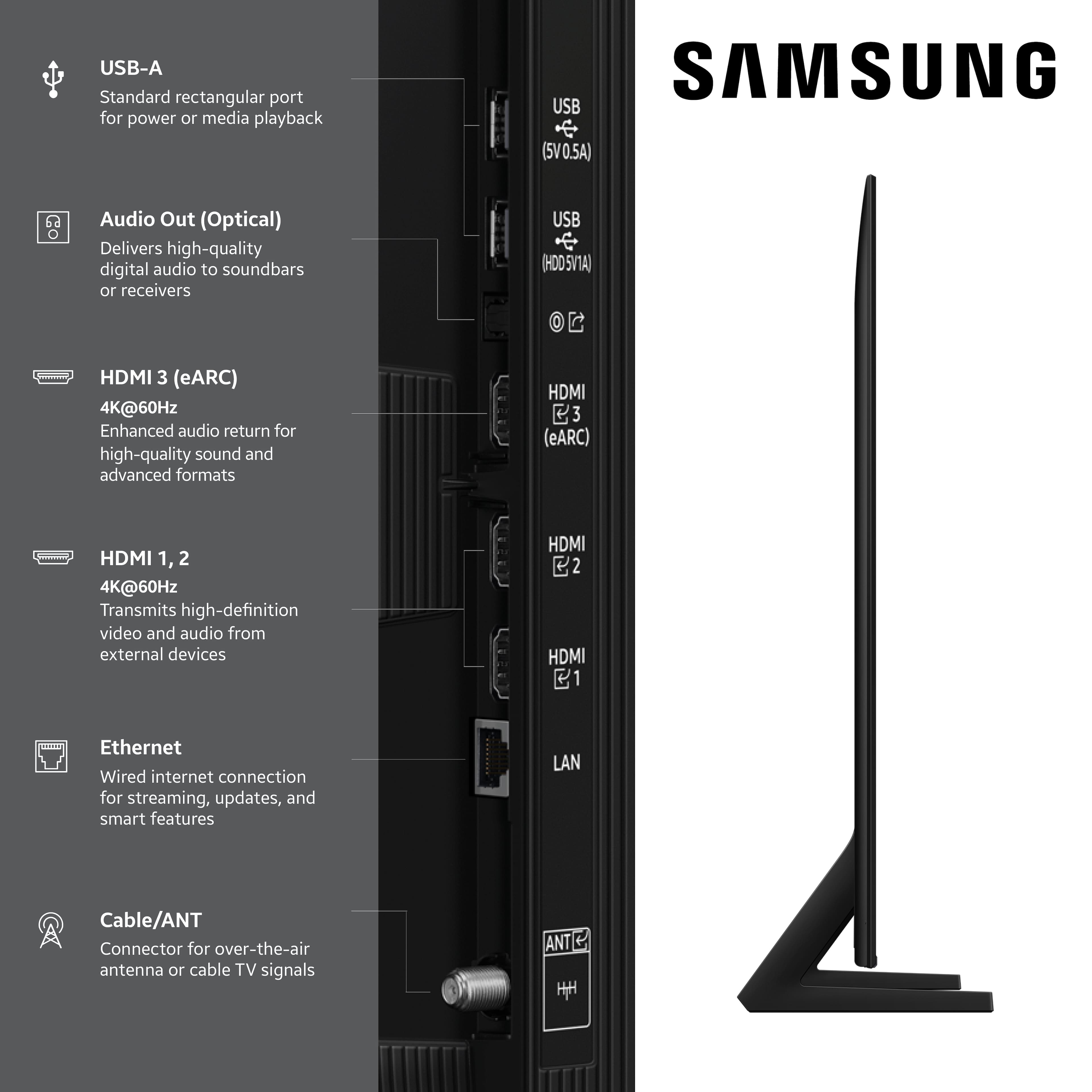
    • Answer Yes it has multiple

      Answered by KarenH

  • QuestionDoes this TV have a P65 warning?

    Asked by mollystar8.

    • Answer mollystar8 - We provide the Proposition 65 warning on Samsung TVs to comply with California’s Proposition 65 (“Prop 65”) law. A Prop 65 warning does not mean a product is in violation of any product safety standards or requirements. We believe our products are not harmful when used as designed. For more information, please refer to: https://oehha.ca.gov/proposition-65/general-info/proposition-65-plain-language If you have additional questions, please contact us directly at 1-800-SAMSUNG. ~ Samsung Specialist

      Answered by Samsung

  • QuestionHow does the power plug plug into the back of the TV?

    Asked by Zack.

    • Answer Zack - So that we can better understand and assist with this, please reach out to Samsung Support at: 1-800-SAMSUNG (8AM – 9PM EST Mon – Fri, 8AM – 6PM Sat – Sun) or Chat with us on Samsung.com: https://www.samsung.com/us/support/contact/ ~ Samsung Specialist

      Answered by Samsung

  • QuestionDoes it come with a stand or legs to stand on?

    Asked by Nicolasa.

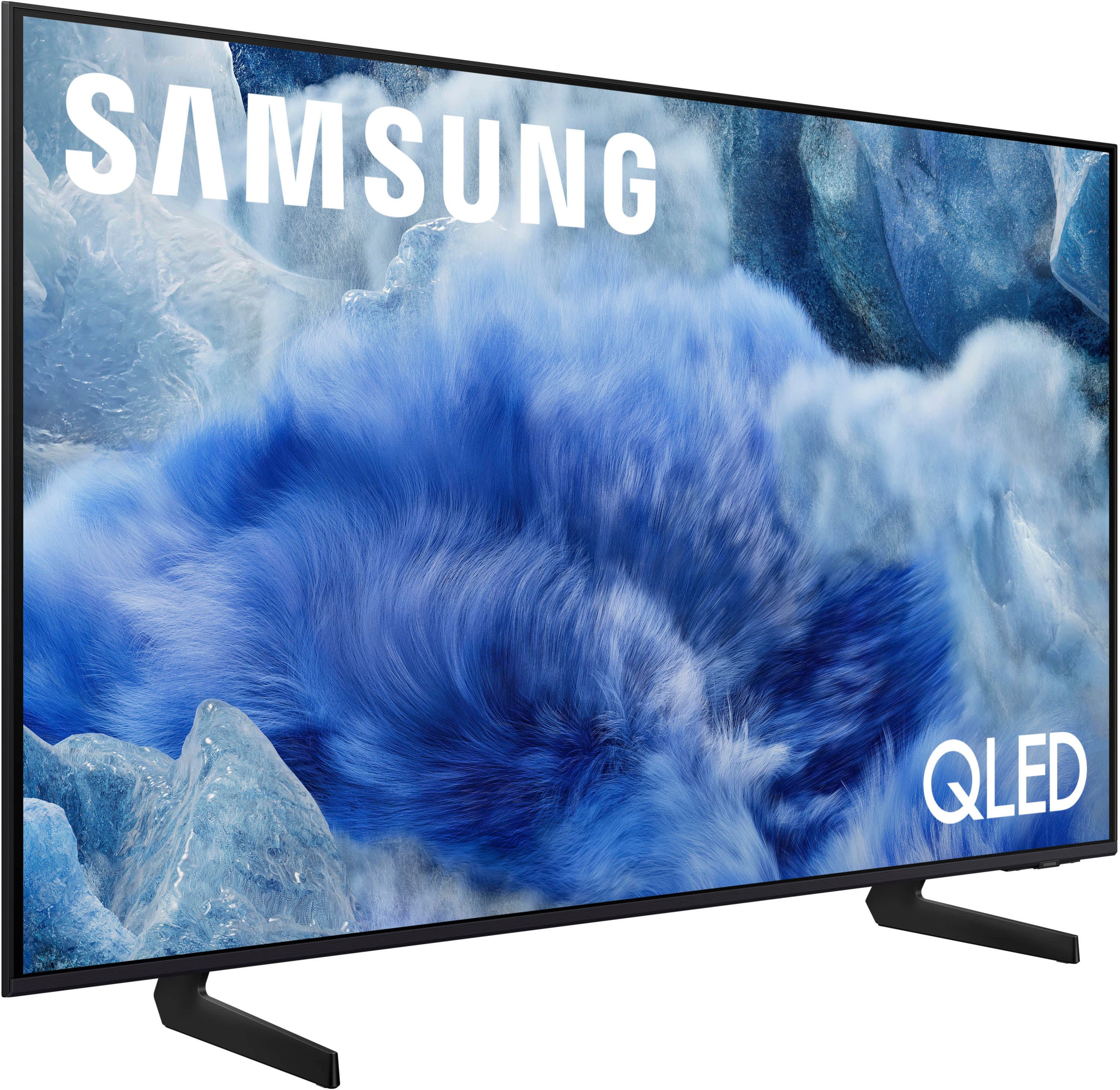
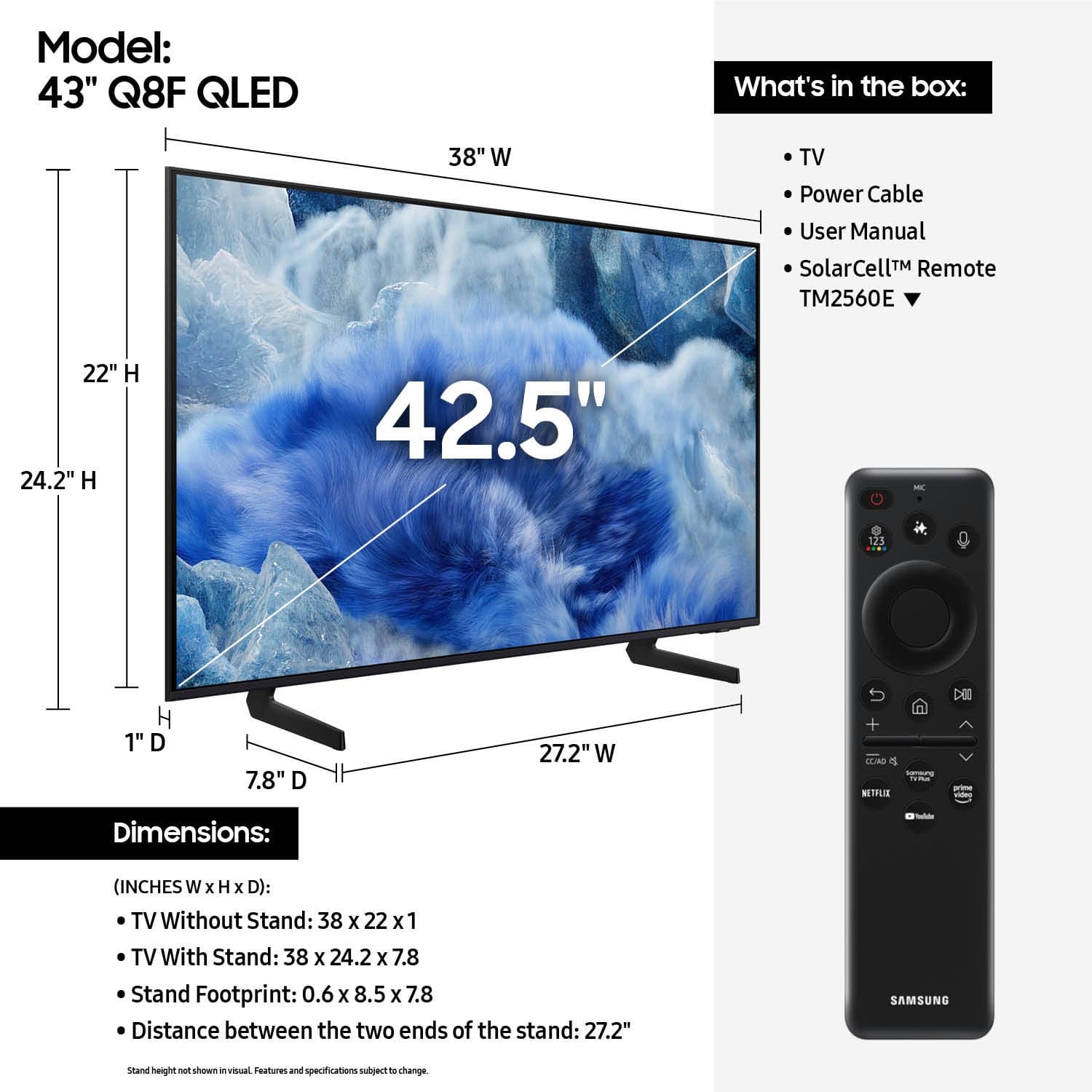
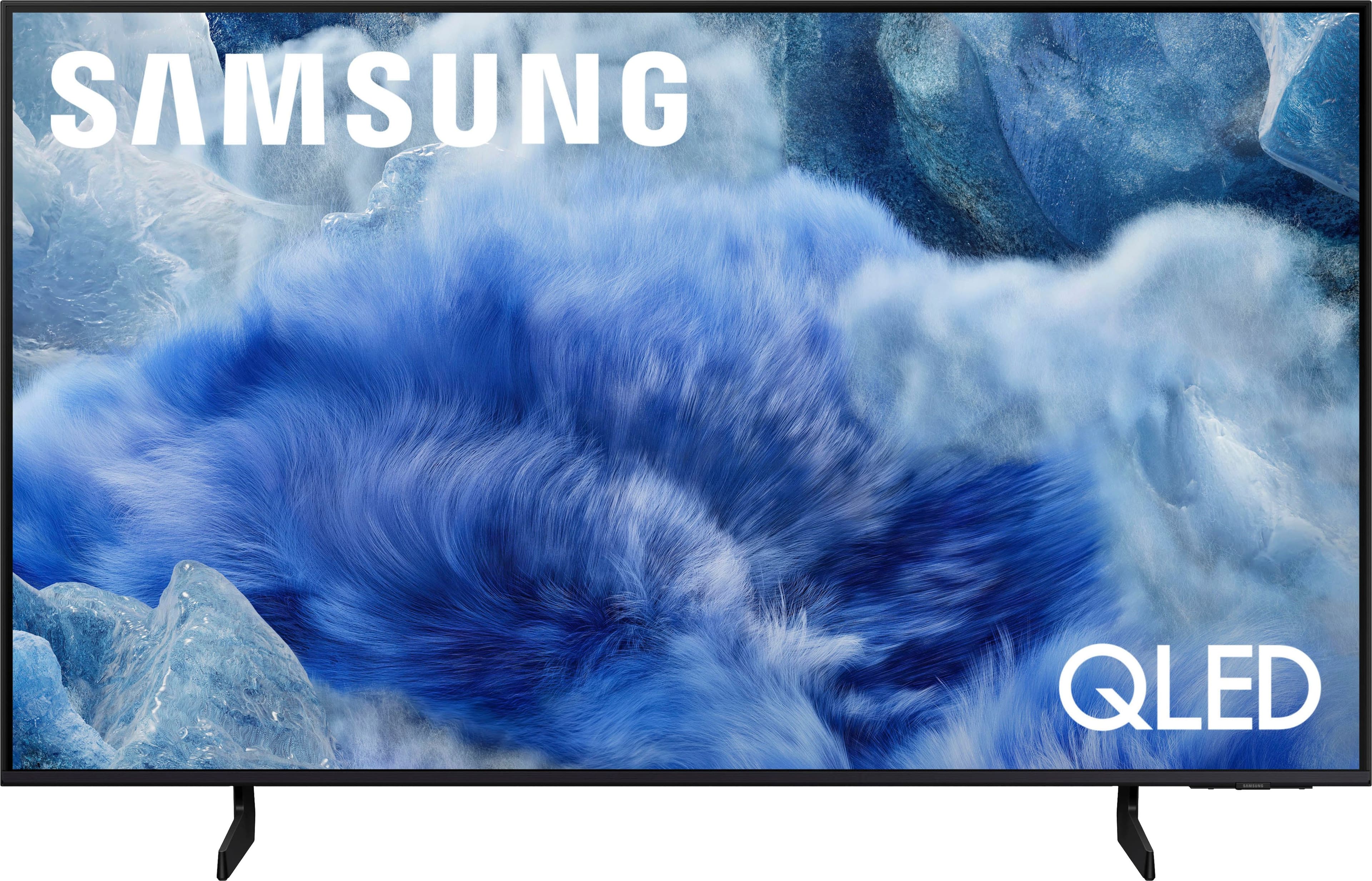
    • Answer Yes, it comes with two legs that are very easily attached to the unit with no tools needed.

      Answered by AbdelPPA86

  • QuestionDoes this tv have a wake up timer

    Asked by Tim.

    • Answer Tim - While Samsung TVs do not feature a traditional On Timer, the Q8F TV does support Alexa Hands-Free: Anytime through the Alexa TV app. With this enabled, you can turn your TV on just by saying “Alexa,” even when the screen is off. To activate this feature, go to: Settings > All Settings > Advanced Features > Voice > Amazon Alexa Settings, then select the Settings gear icon. Within the Alexa settings menu, turn on Hands-Free, and enable Hands-Free: Anytime for voice control when the TV is off. ~ Samsung Specialist
      Answered by Samsung

  • QuestionWill this tv accept a sound bar?

    Asked by Don.

    • Answer Don - Soundbars can be connected via HDMI, Optical, Bluetooth, or Wi-Fi. ~ Samsung Specialist

      Answered by Samsung

  • QuestionCan you turn off Alexa voice assistant?

    Asked by Comike.

    • Answer Comike - Voice assistant features won’t be available until setup is complete. If Alexa was previously enabled, you can turn it off by logging out of your Amazon account under: Settings > All Settings > Advanced Features > Voice > Amazon Alexa Settings. ~ Samsung Specialist

      Answered by Samsung

  • QuestionCan cable box be added using hdmi

    Asked by Gemini612.

    • Answer Yes, cable boxes can be connected via HDMI. ~ Samsung Specialist

      Answered by Samsung

  • Questioncan you hook a DVD player to this TV

    Asked by golfpro.

    • Answer There is a Connection Guide which indicates the TV supports DVD/Blu-Ray players..

      Answered by FrankK

  • Questioncan i plug in my roku device to this tv, is it compatible?

    Asked by Anonymous.

    • Answer External streaming devices can be connected via HDMI. ~ Samsung Specialist

      Answered by Samsung

  • QuestionCan you bring in your old TV (31 inches) into Best Buy store (Mission Valley, San Diego, CA) for recycling without a fee if you are buying a new TV at the store?

    Asked by Mamamac.

    • Answer Mamamac - Please directly contact or visit Best Buy for information on recycling. ~ Samsung Specialist

      Answered by Samsung

  • QuestionDoes this include a stand?

    Asked by Mamamac.

    • Answer Mine came with two feet which act as supports to hold the TV upright, so yes.

      Answered by FrankK

  • QuestionWhat side of the TV is the electric plug located?

    Asked by Anonymous.

    • Answer When facing the front of the screen, the power port is located towards the back right side. ~ Samsung Specialist

      Answered by Samsung

  • QuestionWhere can I get a additional remote?

    Asked by Emjk.

    • Answer Emjk - Please give us the opportunity to better assist with this by reaching Samsung Support at: 1-800-SAMSUNG, 8AM - 12AM EST, 7 days a week, or Chat with us on Samsung.com: https://www.samsung.com/us/support/contact/ ~ Samsung Specialist

      Answered by Samsung

  • QuestionHDMI 2.0 or 2.1?

    Asked by Jo.

    • Answer With HDMI 2.1 being such a complex topic, we feel it’s clearer to highlight the specific features supported by each TV model. The 43" Q8F has 3 HDMI ports, all of which support HDR10+ and Auto Low Latency Mode (Auto Game Mode). HDMI port #2 further supports eARC. If you’re looking for a TV capable of 4K@120Hz, please consider a step up to the 55-85” Q8F TV, which supports this feature in all HDMI ports. ~ Samsung Specialist

      Answered by Samsung

  • Questionwhat size screws are needed for the VESA mount on a 43" Samsung Q8F?

    Asked by Rob.

    • Answer Rob - The 43" Q8F uses 4x M8 screws. ~ Samsung Specialist

      Answered by Samsung

  • QuestionCan this tv be used as a computer monitor?

    Asked by ANDO.

    • Answer Yes, the Q8F can be used as a PC monitor. ~ Samsung Specialist

      Answered by Samsung

  • QuestionWill it work with a amazon fire tv stick

    Asked by Bill.

    • Answer Streaming devices can be connected via HDMI. ~ Samsung Specialist

      Answered by Samsung

  • QuestionHow can I use a headphone ? I do not see an HDMI out or headphone jack ?

    Asked by Stew.

    • Answer Please give us the opportunity to better assist with this by reaching Samsung Support at: 1-800-SAMSUNG, 8AM - 12AM EST, 7 days a week, or Chat with us on Samsung.com: https://www.samsung.com/us/support/contact/ ~ Samsung Specialist

      Answered by Samsung

  • QuestionHow long does a charge last for the TM2560E REMOTE?

    Asked by unclerob11.

    • Answer unclerob11 - Charging time via sunlight or ambient light can vary widely depending on your lighting environment. For more tailored assistance, we recommend contacting Samsung Support via Live Chat, Facebook, or by calling 1-800-SAMSUNG (8AM – 12AM EST, 7 days a week). ~ Samsung Specialist

      Answered by Samsung