A:AnswerHi Sl,
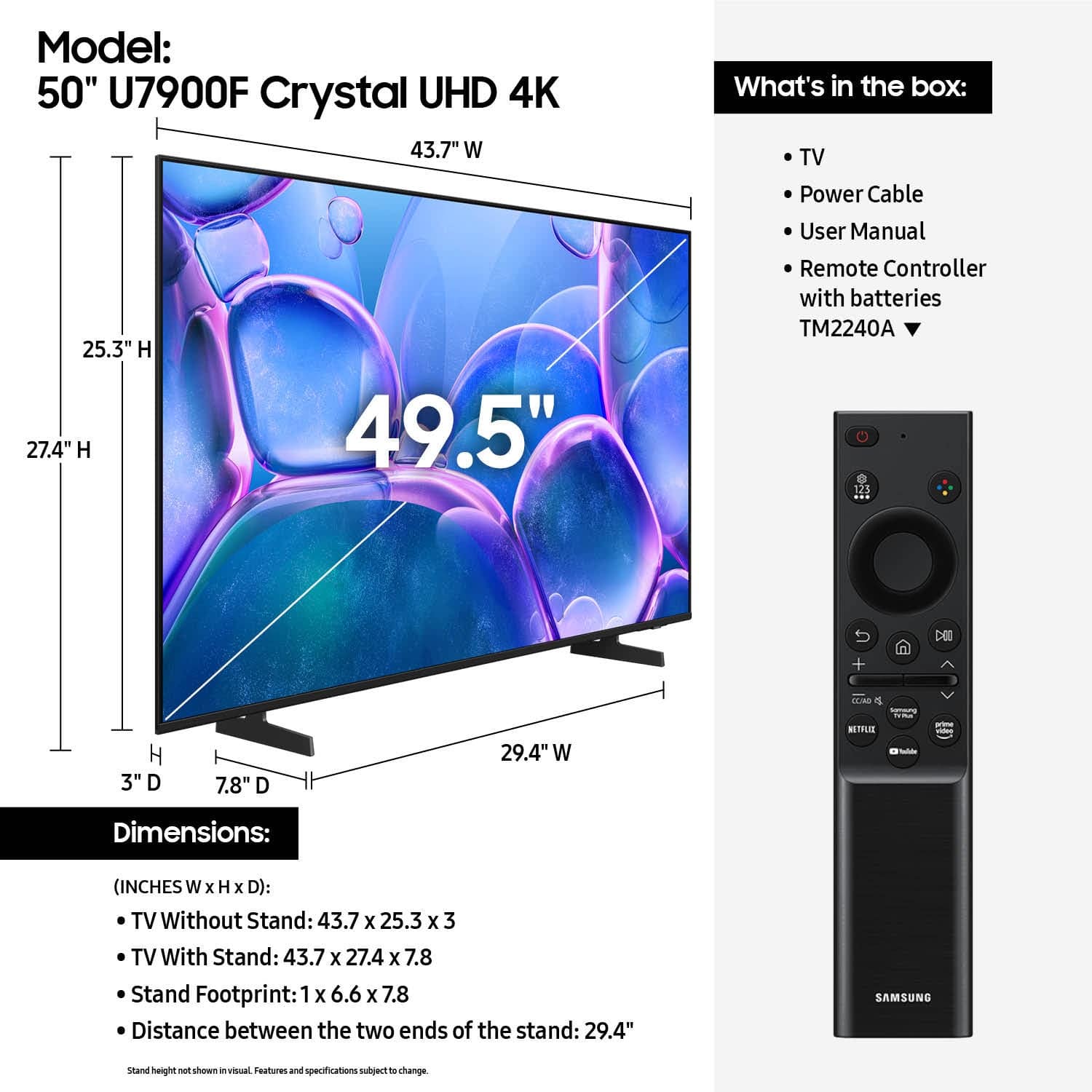
The 50" U7900 TV uses a 200x200mm VESA Pattern. We also have a guide on our website to help you: https://www.samsung.com/us/support/answer/ANS00038091/
~Samsung Advisor

A:AnswerHi Warranty,
Samsung stands behind the quality and performance of our TVs with a limited 1-year manufacturer’s warranty when purchased brand-new from an authorized dealer.
~Samsung Advisor

A:AnswerHi SEV212,
Good morning! You can mount the U7900 TV. You will need an external mount compatible with a VESA Map of 200x200mm. Depending on the brand, you may need additional hardware. The 50" U7900 TV requires four M8x23-25mm screws.
~Samsung Advisor

A:AnswerThey did not answer the question. They asked for recommendations and that was not provided. I have been looking online for a compatible voice control remote but nothing I am sure will work with this TV. Very disappointed in Samsung.
A:AnswerHi CarrieanneB,
Samsung TVs provide a balance of high-quality display technology and energy efficiency. We offer several features on our TVs to deliver an optimal viewing experience, while contributing to energy consumption reduction. Anticipated energy costs are available in the Energy Guide label for each model.
~ Samsung Advisor

A:AnswerHi Fustrated,
The Volume button is on the left side of the remote with the +/- buttons. You can learn how to use your Samsung Remote by going to Home> (left directional button) Settings> Support> Remote Control Guide.
~Samsung Advisor
A:AnswerPlease refer to the Quick Setup Guide included with your TV for instructions on how to install your TV's stand. You can also find this guide on Samsung's website by clicking Support > Manuals & Software > TVs & Home Theater. From there, you can search for and select the U7900F TV to download the Quick Setup Guide.
~ Samsung Specialist