“Differences between four different models? I am looking at the curved 65" 4K tv's, and I am confused over all the models. Can you tell me the big differences between the following models of the same 65" Class tv's? HU7250FXZA - $2799 HU8550FXZA - $3199 HU8700FXZA - $3399 HU9000FXZA - $4499”
Answer This Question
1-5 of 5 Answers
stoogeman, The HU7250 has a Clear Motion Rate of 960, and includes Voice Control, Smart Evolution, and has a Quad processor. This is a curved model. The HU8550 adds a Clear Motion Rate of 1200, which allows for Precision Black and an improved picture quality. Includes 4 pair of 3-D glasses. The panel is not curved. The HU8700 has a Clear Motion Rate of 1320, has Precision Black and is a curved model, also with 4 pairs of 3-D glasses. It's curved. The HU9000 adds a Quad Plus processor, which raises the Clear Motion Rate to 1440 (the highest available from Samsung this year), and adds a camera included for Skype capabilities. It adds Smart Interaction and Gesture Control. It also adds Auto Depth Enhancer features, and Samsung PurColor. And it's curved. All of them are compatible with the Samsung wireless keyboard, and all except the HU7250 have 3D. Does that help? --Mr. S
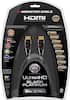
Sorry, there was a problem. Please try again later.All of the listed model with exception to the HU8550 are curved. Of which the HU7250 is the lower series which lacks 3D. This also hinders its imaging quality when refreshing an image. This is what changes the CMR—Clear Motion Rating which is an important process Samsung uses to produce a smoother more clear image. Therefore, I would highly recommend stepping up to the HU8550 (which increases the CMR). If you like the curved look and those models would fit nicely in your space the HU8700 improves with a feature called "Auto-Depth Enhancing" a process that allows the viewer to have forced perspective with anything they are watching. The ultimate reason to jump up to the HU9000 is for the detachable One Connect. This is nice if you plan on wall mounting because your connections can be located away from the TV—which means never having to reroute cables through the wall. There are other various "small" differences: CMR, color palette variety, micro-dimming improvements, top mounted camera (on the HU9000), etc. Note: I'm an owner of a 65" HU8550 and have 1yr. Sales Experience at Best Buy with the Home Theater department. ***For a better picture look into Monster HDMI cables or AudioQuest HDMI cables, as they are made for the future and will ensure a great picture. Also, surge protector and power conditioner...dirty power flowing in can slowly wear your TV down and affect picture quality.***
I would recommend:
Sorry, there was a problem. Please try again later.If you intrested in looking at the differences in the models check CNET.com They walk you through the pro and cons of each one. Generally speaking the curved tvs are worse than their flat counterparts. I went with a flat instead of curved for this reason.
Sorry, there was a problem. Please try again later.I was like you at first but end up I just brought the Samsung - 65" Class (64-1/2" Diag.) - LED - 2160p - Smart - 3D - 4K Ultra HD TV - Silver Model: UN65HU8550FXZA SKU: 4497003. I was going to buy the Sony - 65" Class (64-1/2" Diag.) - LED - 2160p - Smart - 3D - 4K Ultra HD TV - Black Model: XBR65X850B SKU: 5005015. I'm glad I don't loving my Samsung much better and cheaper.
Sorry, there was a problem. Please try again later.Suggest you search for them on the Best Buy web page, click on the "Add to compare" button and look at the results for a top-level comparison of the models. You will see some are flat, some are curved, some have speakers, some do not, etc.
Sorry, there was a problem. Please try again later.