Questions & Answers
- Model:
- QN65S90DAFXZA
- |
- SKU:
- 6576598
Highly rated by customers for: Picture Quality, OLED Quality, Brightness
Page Showing 61-80 of 133 questions
Q: QuestionCan I cast my phone to this TV? My current Samsung won't allow it unless you have a Samsung phone.
Asked by Rufus.
- A:Answer Rufus - Please give us the opportunity to better assist with this by reaching Samsung Support at: 1-800-SAMSUNG, 8AM - 12AM EST, 7 days a week, or Chat with us on Samsung.com: https://www.samsung.com/us/support/contact/ ~ Samsung Specialist
Answered by Samsung

Q: QuestionWill this product display 3d movies with active glasses
Asked by Anonymous.
- A:Answer 2024 Samsung TVs don't support 3D. ~ Samsung Specialist
Answered by Samsung

Q: QuestionWhat is the Samsung Warranty for this tv?
Asked by Mickey.
- A:Answer The S90D TV comes with a 1-year Parts & Labor Manufacturer’s Warranty when purchased brand-new from an authorized dealer. ~ Samsung Specialist
Answered by Samsung

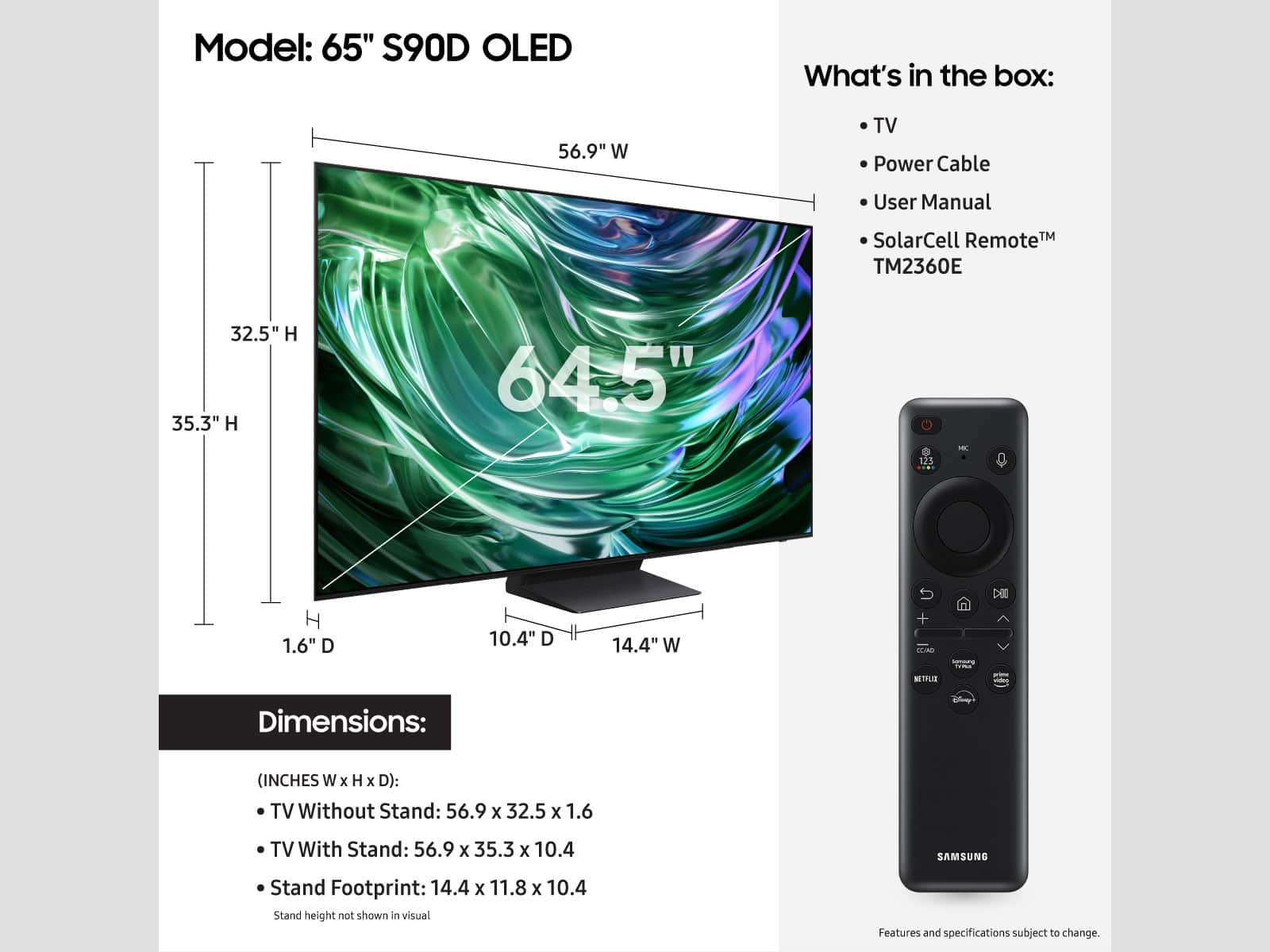
Q: QuestionWe are trying to put our tv up on our stone fire place. We only see two holes. Are there two holes or 4? If there are 4 where are the other two?
Asked by WilfredgR.
- A:Answer there are 4 hole like all tv's
Answered by gman
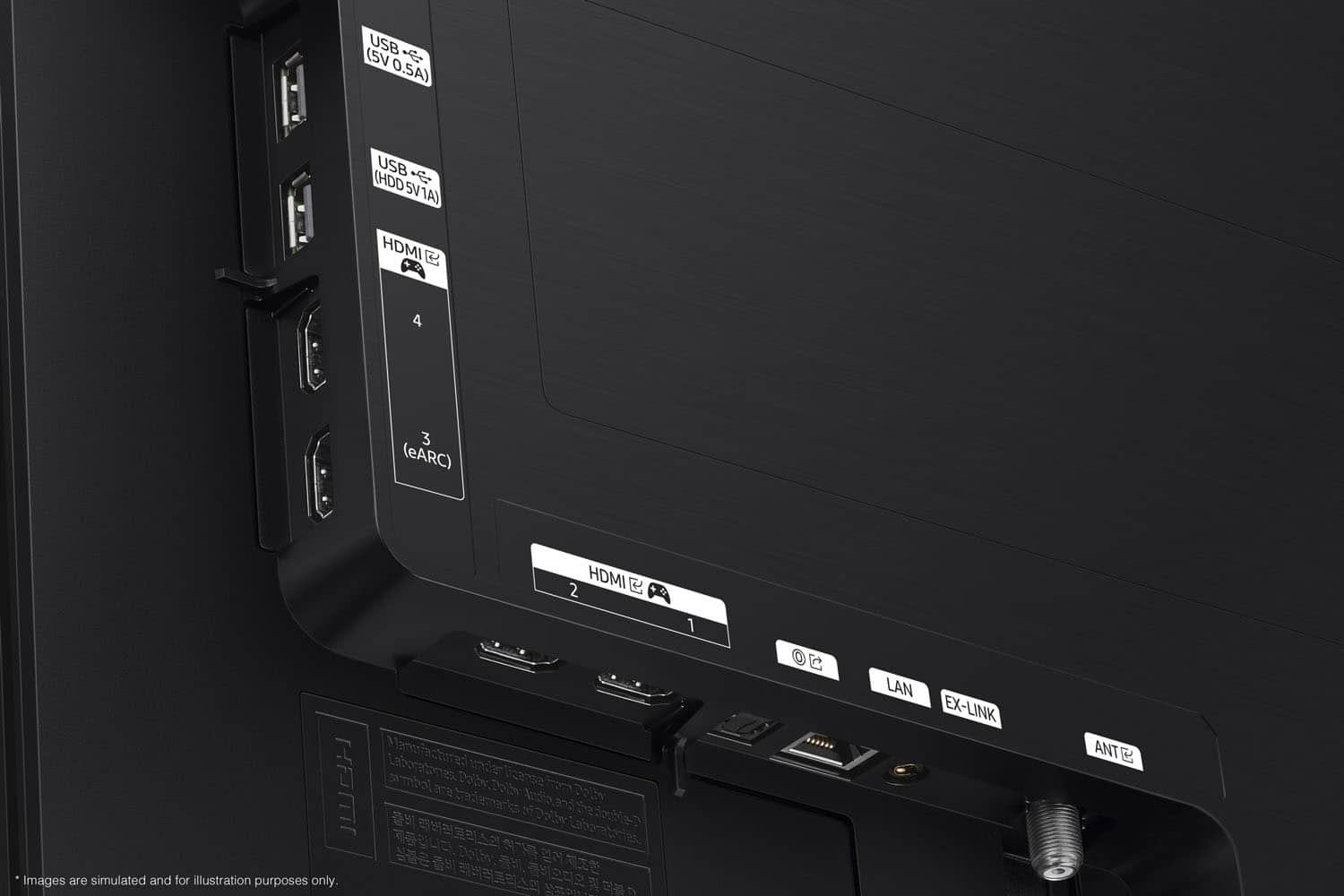
Q: QuestionIs this TV compatible with Tivo? I also have 2 Bluetooth headphones, can the be plugged in.
Asked by Tivo.
- A:Answer I have a TiVo Bolt over the air and the this TV works with it. My outdoor antenna is connected to the Tivo Bolt and then an HDMI cable from the Bolt to the TV.
Answered by k9ferret
Q: Questionwhat surround sound system would you recommend for the samsung s90d tv
Asked by Anonymous.
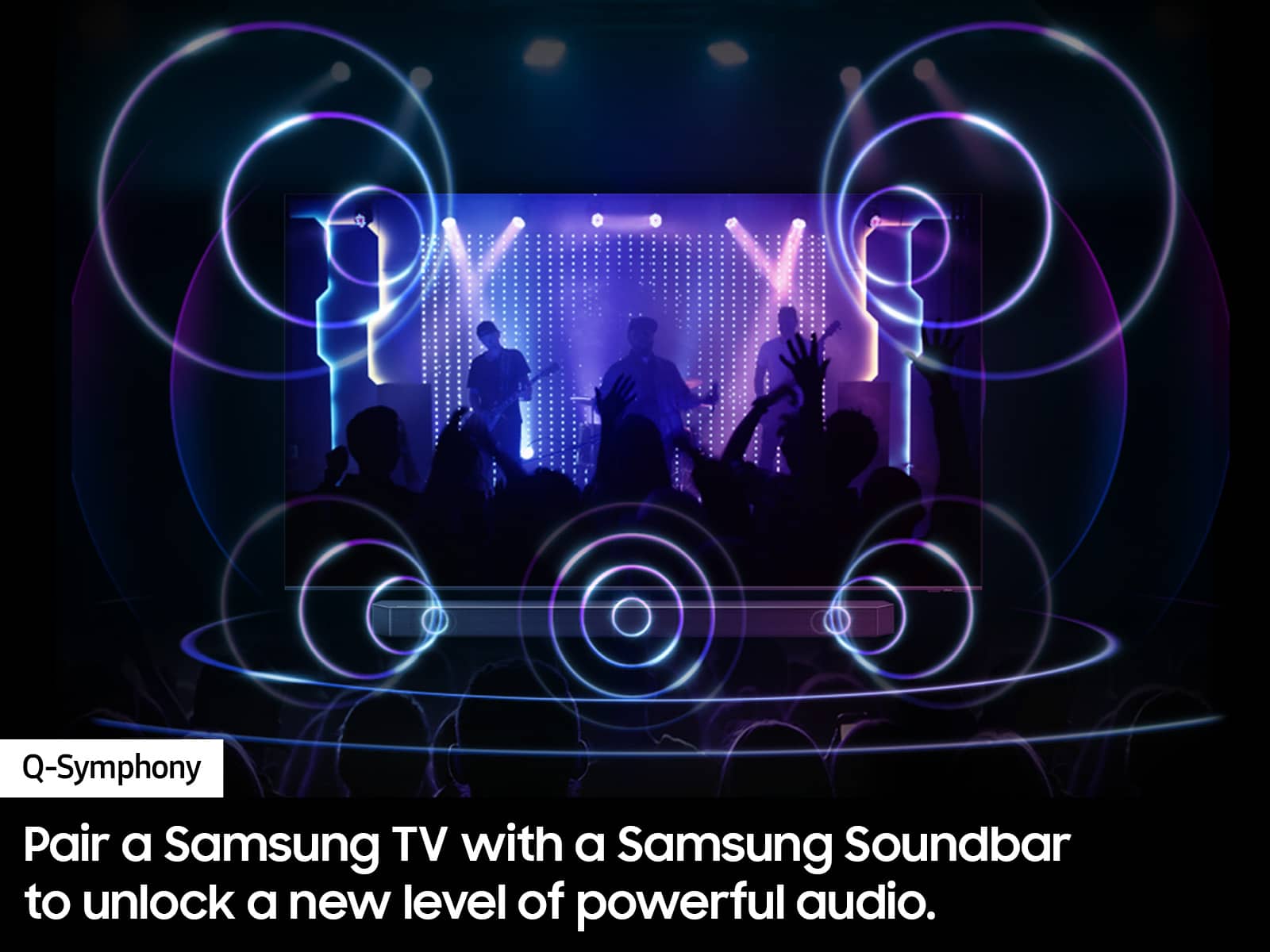
- A:Answer The HW-S800D Soundbar would be a great addition to Samsung's S90D TV. With 330-Watt, 3.1.2 Channel audio, and Adaptive Sound, your audio is analyzed in real time to pull out the most important audio based on the type of content. And with Q-Symphony, our S-Series Soundbar will synchronize with the speakers of your TV for an immersive 3D sound experience. ~ Samsung Specialist
Answered by Samsung

Q: Questioncan the samsung 65 in oled tv be transporter flat?
Asked by Jerry.
- A:Answer They recommend to transport in the original box standing upright. But I transported it perfectly flat and had no issues.
Answered by BillJ
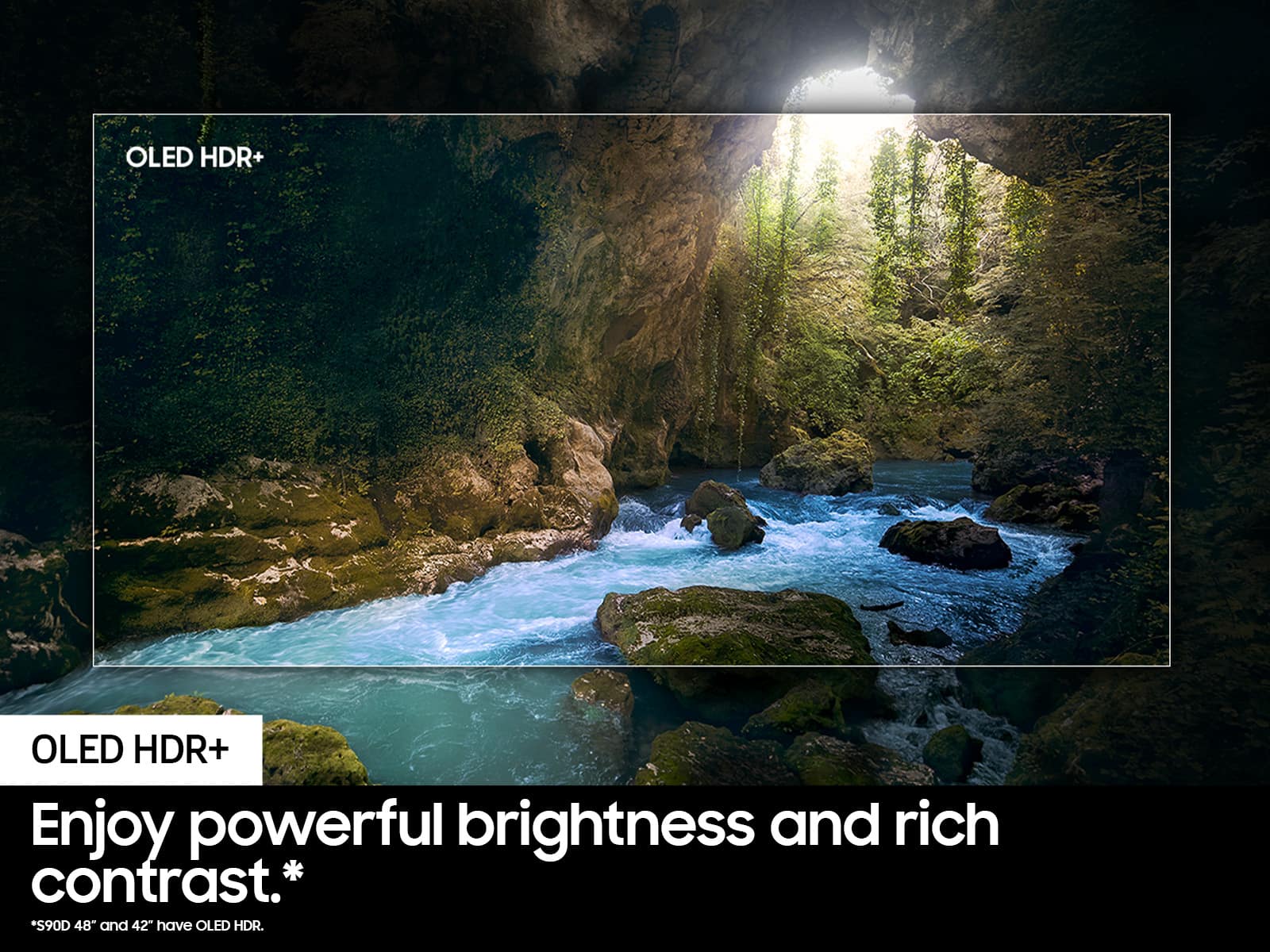
Q: QuestionHow is the picture quality in a room with windows?
Asked by Freedom.
- A:Answer Picture quality not affected by the light coming from surrounding windows.
Answered by TerryM
Q: QuestionWhat is the dimensions of this TV?
Asked by TerrieG.
- A:Answer Terrie - You can find these measurements on this model’s product page – just click Specifications and scroll down to Dimensions: https://www.bestbuy.com/site/samsung-65-class-s90d-series-oled-4k-uhd-smart-tizen-tv-2024/6576598.p?skuId=6576598 ~ Samsung Specialist

Answered by Samsung

Q: QuestionI want to connect a battery backup for this set. What are the minimum power requirements to get through an outage of under 20 minutes?
Asked by GuyW.
- A:Answer Iceman - Please give us the opportunity to better assist with this by reaching Samsung Support at: 1-800-SAMSUNG, 8AM - 12AM EST, 7 days a week, or Chat with us on Samsung.com: https://www.samsung.com/us/support/contact/ ~ Samsung Specialist

Answered by Samsung

Q: QuestionDoes this TV support 4K at a 120hz refresh rate? Wanting to game with a PS5 and I’m looking for a TV that supports gaming at that resolution and refresh rate at the same time.
Asked by Asdfghjkl.
- A:Answer Yes it does support 4K 120hz..You will be amazed it looks Amazing
Answered by JudyM
Q: QuestionI turned on my TV for the first time and I have audio but the screen has not turned on during initial set up. I tried multiple different receptacles but all I get is the set up music.
Asked by Robb.
- A:Answer Hi Tv, If your TV has a black screen even when it's on, it's quite possible it could be your external device and not your TV. Please try these troubleshooting steps for your blank screen issue: 1. Check the One Connect cable for damage and solid connection. Disconnect and firmly reconnect the One Connect cable at both ends. Note: If the One Connect cable is bent, broken, kinked, pinched, or has a heavy object on top of it, it can cause an issue. The cable needs to be replaced if damaged. 2. Disconnect the One Connect Box (either by disconnecting its power cord, or the One Connect cable) to see if the TV displays an error message. If you see anything (like a message or picture) on the TV after disconnecting the One Connect Box, the One Connect Box needs to be replaced. If the TV is plugged into a wall outlet, turned on, and disconnected from the One Connect Box, but no message appears, your TV will need service. 3. Press the Home button on the remote. If the menu does not appear, the TV may be having power issues. Check the red standby light, a little red light at the edge of the TV that you aim the remote at. In normal use, the red standby light is on when the TV is off (indicating the TV is on standby), and the red standby light is off when the TV is in use (or doesn't have power). 4. Confirm the TV is set to the same source as the external device. For instance, if your cable box is connected to HDMI 1, set the TV source to HDMI 1. If the TV is set to the correct source, but there is still no image, unplug and reconnect the AV connections one cable at a time, from both ends of each cable. If there's any damage to the cable, it will need to be replaced. After you've reconnected the external device, turn it off and then back on. 5. Run HDMI Troubleshooting. Using HDMI Troubleshooting, you can check the connection to HDMI cables and external devices (takes approximately 2 minutes). Menu > Connected Devices > Connection Guide > Video Device > HDMI Troubleshooting 6. Test different external devices. The final thing to rule out is the external device you're using. Try connecting a different device or using a different source port. If you were unable to test the cable in the previous step, then try swapping the cable, too. If the TV can display a picture in any other setup, then you've ruled the TV out as the cause of the issue. Keep trying various setups until you identify the device or cable that is not working and troubleshoot or replace it. If the issue persists after these steps, the TV may need service. So we can better investigate your issue and assist you towards a solution or replacement, please call us at 1-800-SAMSUNG, 8AM - 12AM EST, 7 days a week. ~Samsung Advisor
Answered by Samsung

Q: QuestionWhat are the dimensions of the stand?
Asked by Sunspa.
- A:Answer Sunspa - You can find these measurements on this model’s product page – just click Specifications and scroll down to Dimensions: https://www.bestbuy.com/site/samsung-65-class-s90d-series-oled-4k-uhd-smart-tizen-tv-2024/6576598.p?skuId=6576598 ~ Samsung Specialist

Answered by Samsung

Q: QuestionDoes it have a manufacturer warranty
Asked by Anonymous.
- A:Answer Yes, 1 year
Answered by BestBuyROCKS
Q: QuestionIs the screen matte like the S95D? Non-reflective.
Asked by FAB.
- A:Answer YES! Best part about this tv is the non-glare feature

Answered by BestBuyROCKS
Q: QuestionMy house has speakers built into the walls controlled by a Yamaha receiver. This won't work for me because the receiver is designed to control the tv. Are there any receivers that can be controlled by the tv using HDMI/ARC?
Asked by samspritzer.
- A:Answer most new receivers have that capability. you have to spend some money. I have a denon that has that ability. but you need to turn the tv on then the rest connects
Answered by ChristopherM
Q: QuestionCan I connect airpods via bluetoth for this TV S90D ?
Asked by G.
- A:Answer yes, we have Gen 2 airpods paired. We have generation 4 noise cancelling airpods but have not tried pairing them yet because with the previous Samsung tv it would not allow rewinding. It would keep dropping the pairing with Gen 4 airpods. Apparently this is a known issue with Samsung but I am not sure if any recent updates have corrected this problem for Gen 4 airpods. But Gen 2 airpods are good to go.
Answered by Brenda
Best-selling TVs
- Black Friday Deal$189.99Your price for this item is $189.99
- $119.99Your price for this item is $119.99$229.99The comparable value for this item is $229.99
- Black Friday Deal$229.99Your price for this item is $229.99
- $279.99Your price for this item is $279.99$379.99The comparable value for this item is $379.99
- $129.99Your price for this item is $129.99$149.99The comparable value for this item is $149.99
- $699.99Your price for this item is $699.99$1,299.99The comparable value for this item is $1,299.99
- Black Friday Deal$499.99Your price for this item is $499.99
- $139.99Your price for this item is $139.99$189.99The comparable value for this item is $189.99
- $179.99Your price for this item is $179.99$299.99The comparable value for this item is $299.99
- Black Friday Deal$74.99Your price for this item is $74.99
- Black Friday Deal$1,399.99Your price for this item is $1,399.99
- $479.99Your price for this item is $479.99$649.99The comparable value for this item is $649.99
- Black Friday Deal$399.99Your price for this item is $399.99
- $199.99Your price for this item is $199.99$259.99The comparable value for this item is $259.99
- Black Friday Deal$1,999.99Your price for this item is $1,999.99
- $149.99Your price for this item is $149.99$199.99The comparable value for this item is $199.99
- Black Friday Deal$399.99Your price for this item is $399.99
- $349.99Your price for this item is $349.99$489.99The comparable value for this item is $489.99
- $74.99Your price for this item is $74.99$149.99The comparable value for this item is $149.99
- $69.99Your price for this item is $69.99$79.99The comparable value for this item is $79.99