Questions & Answers
- Model:
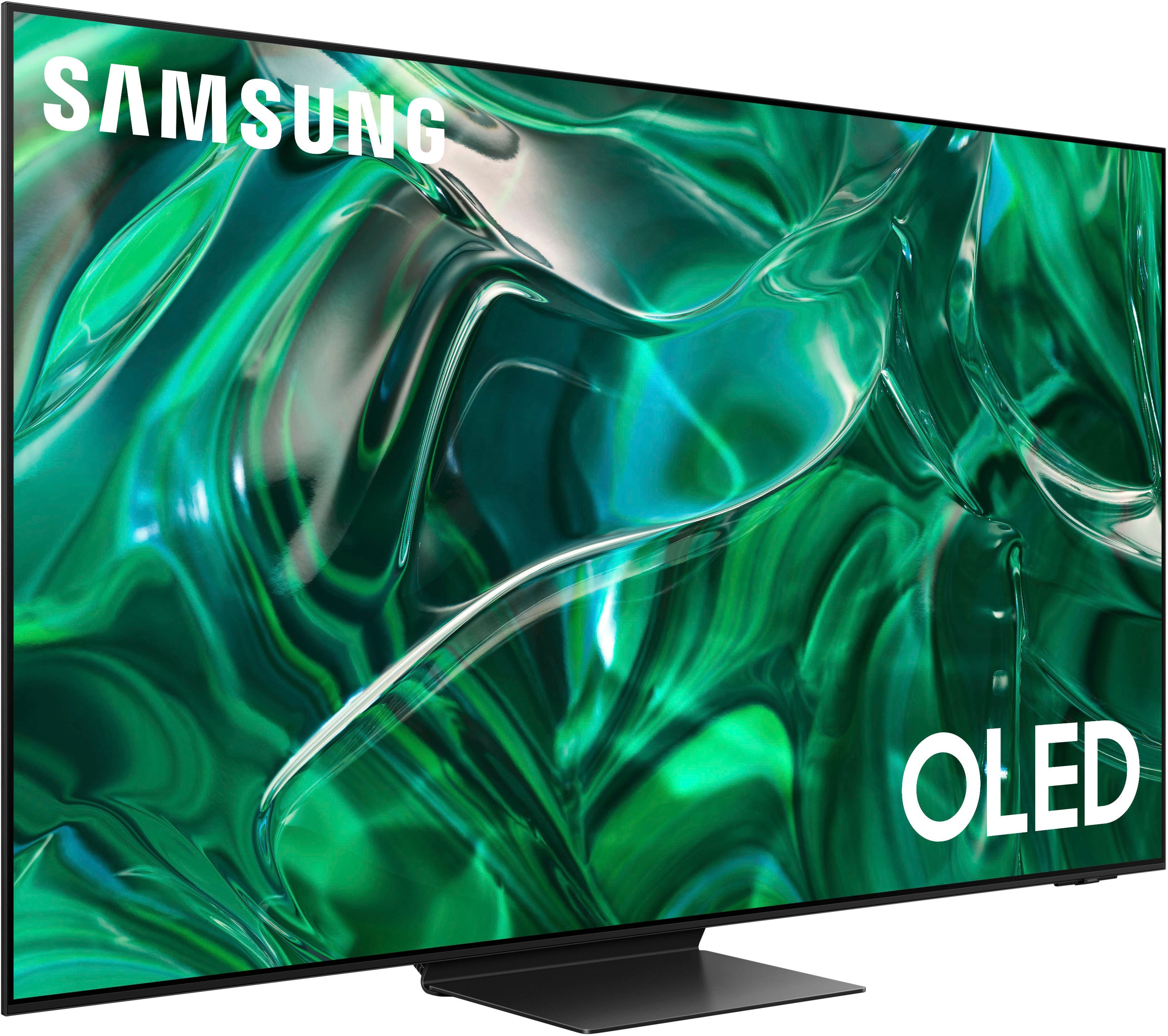
- QN65S95CAFXZA
- |
- SKU:
- 6536969
Highly rated by customers for: Picture Quality, Color, Ease of use
$1,724.99Your price for this item is $1,724.99
Clearance
Comp. Value: $2,299.99
The comparable value price is $2,299.99
Page Showing 41-46 of 46 questions
Q: QuestionWhy does my S95C turn itself of after watching for a extended period of time? After binge watching a TV series my S95C turns itself off. All timers are set to zero. Other owners have reported this issue with a msg that the OS is rebooting.
Asked by Raymo721.
- A:Answer I haven't experienced this on my S95C. I love mine BTW!
Answered by JerryR
Q: QuestionI am confused as to what HDMI Cables are required for the Best Quality Connections - is HEC Feature Required - Not sure i know of products that support this - or is eARC Capability Enough?
Asked by Paulbp.
- A:Answer Hi paulbp - We recommend using a High-Speed HDMI cable with Ethernet Channel, labeled as HEC or HEAC on the cable itself. ~ Samsung Specialist
Answered by Samsung

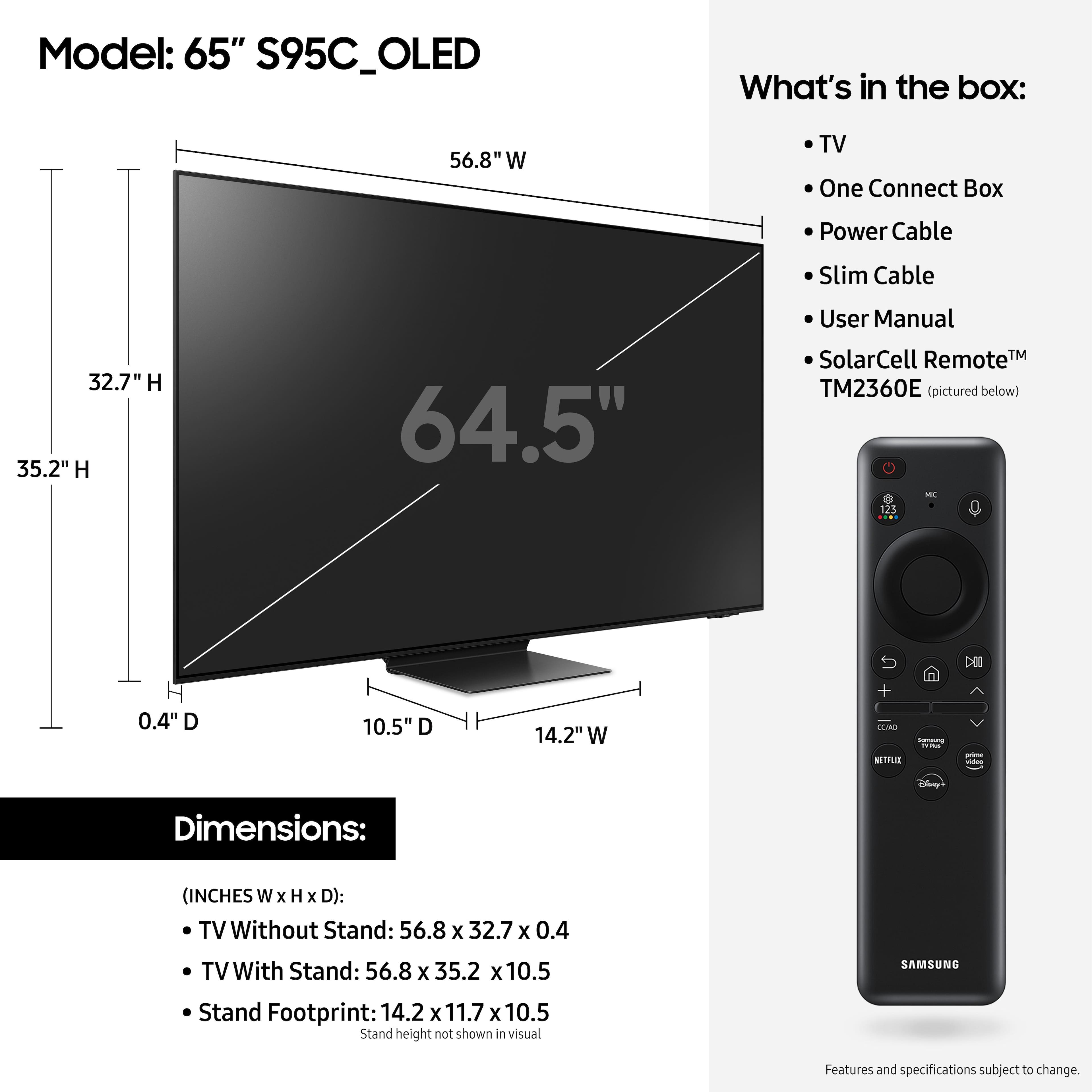
Q: QuestionDo you have /need to use the one connect box? I only need to connect 1 dvd player and BOSE 600 sound bar. No gaming on this tv.
Asked by Par4Brandi.
- A:Answer Yes you have to use the one connect. The S95C has a custom cable between the one connect and the actual TV. The one connect is the only access via HDMI cables, antenna, Ethernet, WiFi, etc… Oddly enough the eARC is on HDMI3. I have always seen it on the first port.
Answered by Mike
Q: QuestionIs a longer one connect cable been made available?
Asked by AB.
- A:Answer Hi AB - At this time, the S95C is only compatible with its included 2.5 meter & 0.3 meter One Invisible Connection cables. ~ Samsung Specialist
Answered by Samsung

Q: QuestionCan I purchase a longer one connect cable for this? If so, what is the model #
Asked by Phil.
- A:Answer I don’t think so. I reached out to Samsung and they stated not at the moment.
Answered by RudyGuti
Q: QuestionScreensaver keeps coming on randomly and manual says it’s designed to do that. How to disable that feature or just return for a different oled tv?
Asked by Anonymous.
- A:Answer If a Samsung OLED displays the same still image for 2 minutes, Screen Saver is automatically activated. Screen Saver is a default function to protect your OLED display and cannot be disabled. ~ Samsung Specialist
Answered by Samsung

Page 3, Showing 41-46 of 46 questions
Most-viewed items
- Doorbuster$169.99Your price for this item is $169.99
- Black Friday Deal$1,399.99Your price for this item is $1,399.99
- Black Friday Deal$999.99Your price for this item is $999.99
- Black Friday Deal$899.99Your price for this item is $899.99
- Black Friday Deal$349.99Your price for this item is $349.99
- Black Friday Deal$99.99Your price for this item is $99.99
- Black Friday Deal$499.99Your price for this item is $499.99
- $279.99Your price for this item is $279.99$399.99The comparable value for this item is $399.99
- Black Friday Deal$329.99Your price for this item is $329.99
- $899.99Your price for this item is $899.99$2,499.99The comparable value for this item is $2,499.99
- $549.99Your price for this item is $549.99$1,299.99The comparable value for this item is $1,299.99
- Black Friday Deal$299.99Your price for this item is $299.99
- Black Friday Deal$399.99Your price for this item is $399.99
- Black Friday Deal$379.99Your price for this item is $379.99
- Black Friday Deal$1,999.99Your price for this item is $1,999.99
- $249.99Your price for this item is $249.99$379.99The comparable value for this item is $379.99
- Black Friday Deal$129.99Your price for this item is $129.99
- Black Friday Deal$189.99Your price for this item is $189.99
- Black Friday Deal$999.99Your price for this item is $999.99
- Black Friday Deal$399.99Your price for this item is $399.99