Questions & Answers
- Model:
- QN65S95FAFXZA
- |
- SKU:
- 10842070
$2,297.99
Save $302
Comp. Value: $2,599.99
Page Showing 41-48 of 48 questions
Q: QuestionDo you need a sound bar with this TV? Or does the TV itself provide excellent sound?
Asked by Olds294.
- A:Answer Olds294 - While a soundbar isn't always necessary, it is recommended for a heightened audio experience. ~ Samsung Specialist
Answered by Samsung
Q: QuestionWhat model sound bar is best paired with this TV?
Asked by Dan.
- A:Answer Hi Dan - The HW-S800D (Black) or HW-S801D (White) Soundbar would be a great addition to Samsung's S95F TV. With 3.1.2 Channel audio, built-in Wireless Dolby Atmos, and Adaptive Sound, your audio is analyzed in real time to pull out the most important audio based on the type of content. And with Q-Symphony, our S-Series Soundbar will synchronize with the speakers of your TV for an immersive 3D sound experience. ~ Samsung Specialist
Answered by Samsung
Q: QuestionDoes this model have NVidia Gsync? Per Samsung's press release on 5.19.25, they say the S95F models should have it. However It's not listed on the page.
Asked by Edmond.
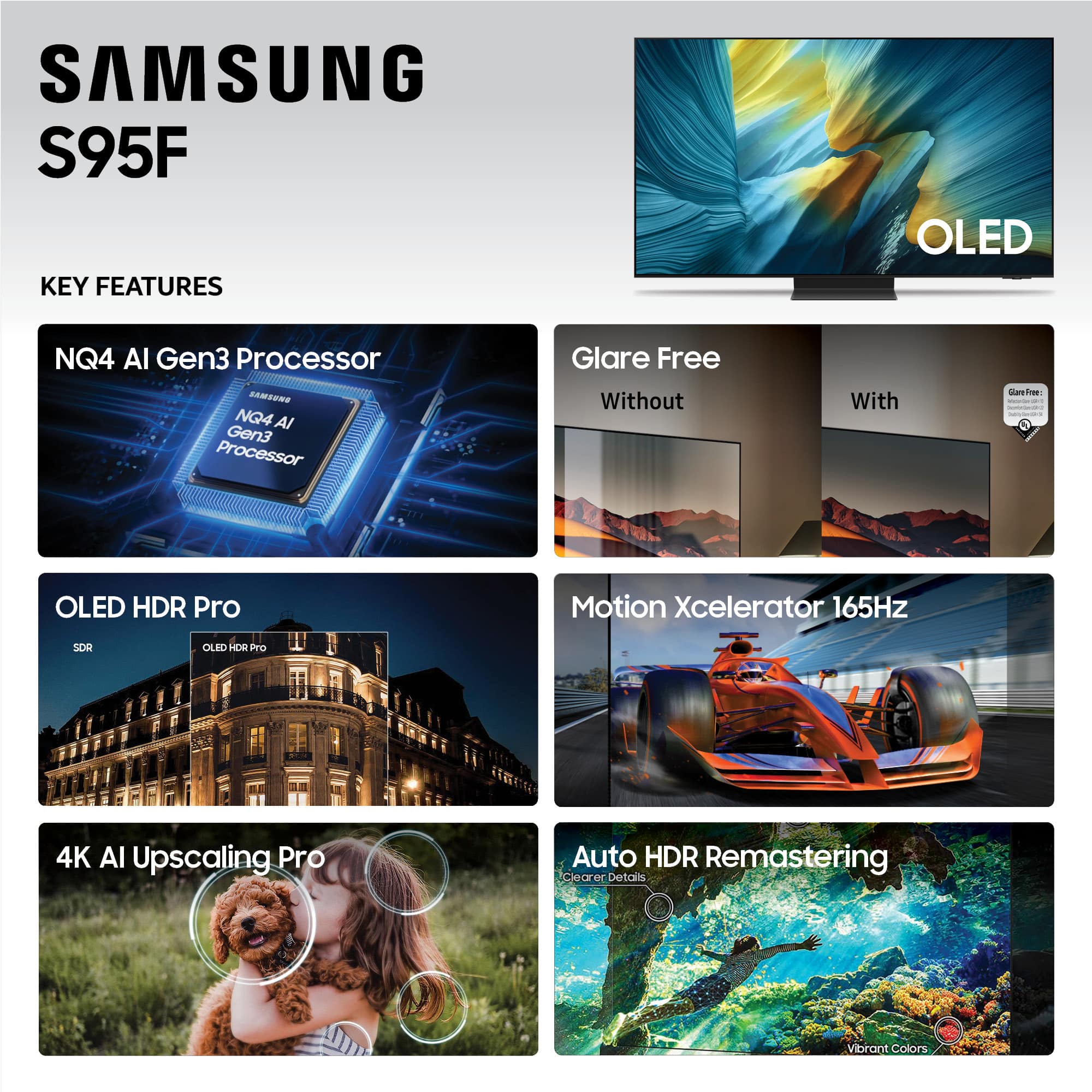
- A:Answer Edmond - Yes, the S95F supports G-Sync. ~ Samsung Specialist
Answered by Samsung
Q: QuestionCan this tv be used as an echo device
Asked by Anonymous.
- A:Answer The S95F TV features built-in Bixby and Alexa, both of which will both allow you to utilize hands-free voice commands by enabling the Voice Wake-Up feature. To activate this function, go to: Settings > All Settings > Advanced Features > Voice > Voice Wake-up = ON. ~ Samsung Specialist
Answered by Samsung

Q: QuestionIs it easy or hard to navigate between the different sources.
Asked by Dominique.
- A:Answer Hi Dominique - Learn Menu Screen is an accessibility feature that helps users navigate on-screen menus with audio guidance. When enabled, your TV will announce the name and function of each menu item as you scroll through the settings – without making any actual changes. To enable this feature, go to: Settings > All Settings > General & Privacy > Accessibility > Learn Menu Screen. To exit Learn Menu Screen, press the Return key twice. ~ Samsung Specialist

Answered by Samsung

Q: QuestionHas Samsung corrected the numerous failures on the power control board for this model yet?
Asked by gpmike.
- A:Answer Probably not since mine stopped working after a few hours.
Answered by RobertM
Q: QuestionHow long is the connecting cable between the television and the remote box?
Asked by Larry.
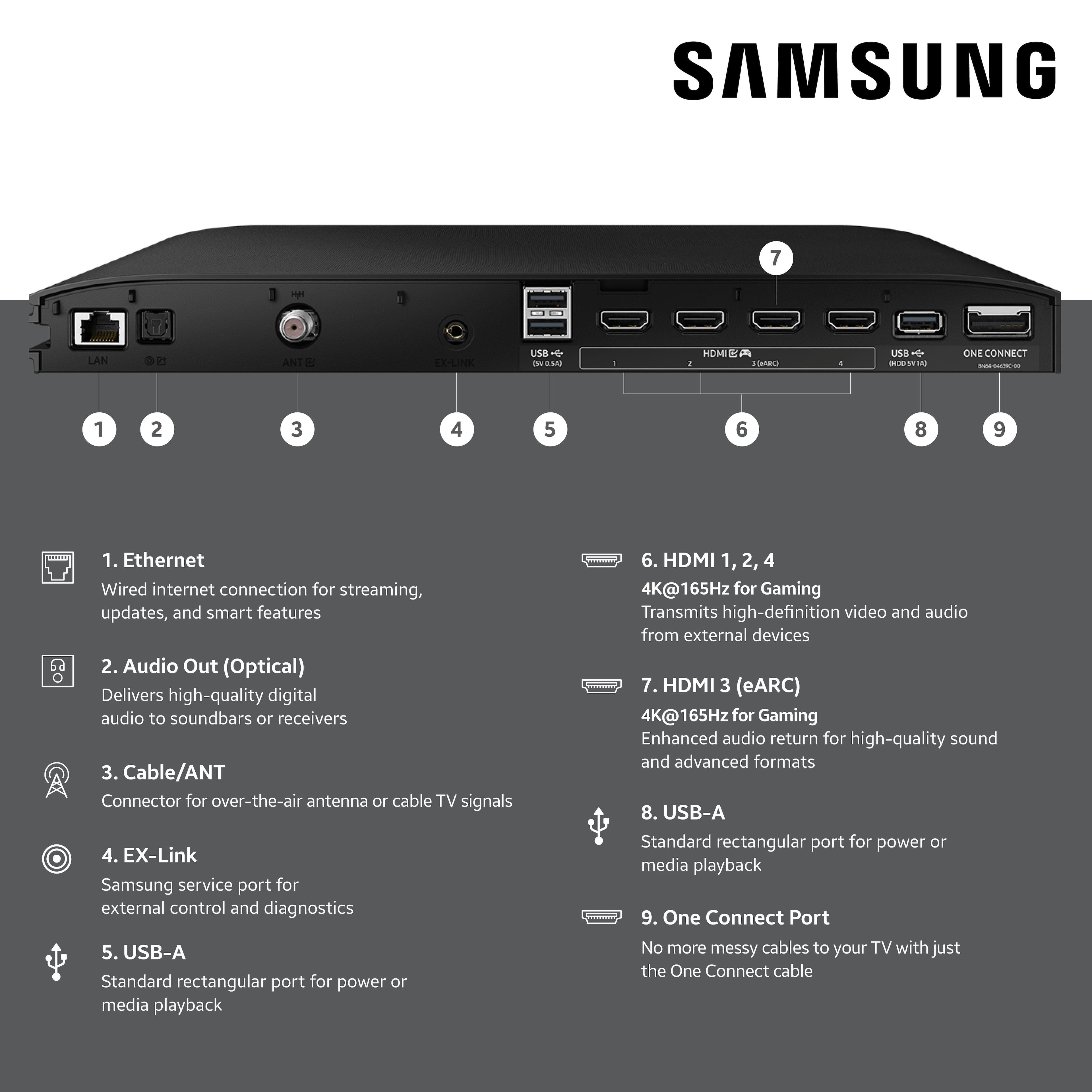
- A:Answer 2 cables. One short. The other about 4 to 5 ft
Answered by JimK
Q: QuestionHow do you attach the one connect box to back of tv . Installation instructions do not show how
Asked by Rick.
- A:Answer Rick - Please give us the opportunity to better assist with this by reaching Samsung Support at: 1-800-SAMSUNG, 8AM - 12AM EST, 7 days a week, or Chat with us on Samsung.com: https://www.samsung.com/us/support/contact/ ~ Samsung Specialist
Answered by Samsung
Page 3, Showing 41-48 of 48 questions