“I recently purchased the HP Gaming Laptop AMD Ryzen 5, 8GB, 256GB SSD Model:15-ec1073dx, will this Samsung work to upgrade the SSD for more storage?”
Answer This Question
1-2 of 2 Answers
Yes I have the same laptop any ssd will work in that laptop. You can just add it to the empty bay it has. I added a 16gb stick of ram into mine also.
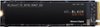
Sorry, there was a problem. Please try again later.If you're simply looking to add "more" storage, yes. If your looking for your C: drive to be larger, then no. While there is a 2.5" SATA bay in the machine to add a secondary drive, if you simply want a bigger drive in the machine (and a better one) then you want to look at either: (Samsung 970 EVO NVME https://www.bestbuy.com/site/samsung-970-evo-plus-500gb-internal-pci-express-3-0-x4-nvme-solid-state-drive-with-v-nand-technology/6324468.p?skuId=6324468 or the WD Black NVME: https://www.bestbuy.com/site/wd-wd_black-sn750-nvme-500gb-internal-pci-express-3-0-x4-solid-state-drive-for-laptops-desktops/6338994.p?skuId=6338994 . If you replace the C: drive you'll have to either clone the original drive to the new one or reinstall the OS on the new one (which the 2nd option is way better being you won't carry over all of HP's bloatware). Personally, I would choose a better NVME and a fresh Win10 install. Hope that helps.
I would recommend:
Sorry, there was a problem. Please try again later.