1-4 of 4 Answers
Call Samsung or go to the website.
Sorry, there was a problem. Please try again later.If you haven't already contact Samsung customer service, I had an issue an my repair was expedited, I had it back in a week
Sorry, there was a problem. Please try again later.Plug back in and should be able to turn on
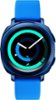
Sorry, there was a problem. Please try again later.Try holding the left and bottom right buttons for a few seconds to reset it. Try charging it for a bit and try reset while plugged in as well. Fitbit support phone number is on their site and they are very helpful.
Sorry, there was a problem. Please try again later.