A:AnswerVery close. Almost too close to comfortably connect your HDMI cables. I ended up pulling mine back off to install the spacers to give me more clearance. I ddidn't want my cables, pinched/kinked. Think of this in terms of a garden hose. Kink and bends restrict water flow. Since the A/V data "flows" from the device to your tv, I would assume it is best to keep it as free flowing as possible.
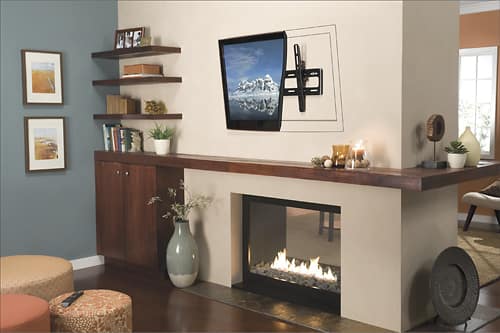
A:AnswerStandard studs are 1.75 " by 3.5". If you get the lags in the center of the stud (7/8") from side it will hold several HUNDRED pounds with no problem. Don't be afraid to use a small ice pick or Phillips screw driver to probe thru drywall to find the edges since they'll be behind the tv and are also easily filled with spackling compound.
A:AnswerThey also make one that doesn't swivel but for the extra few bucks I'd buy the one that does.
Never be afraid to buy the best. You'll always be satisfied!
A:AnswerHello L, Thanks so much for asking. Please check out our MountFinder tool: http://www.sanus.com/en_US/mountfinder/
The SANUS MountFinder is the perfect way to determine exactly which TV wall mount will work for your TV. Thanks again, Michael with the SANUS Care Team
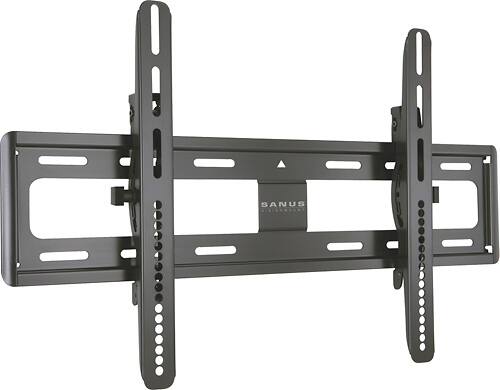
A:AnswerHello, here is a link to the technical drawing. The top of the monitor brackets hook hang on the top and the bottom has flip clips that come up under the wall plate to prevent it from swing out on the bottom. These brackets however will be unique and I would not recommend hanging them from another model wall plate. It should be removed and the wall plate that comes with this unit should be used.
http://www.sanus.com/assets/VMPL50A-B1_VMPL50A_cut_sheet.pdf
Thanks,
Ross
Sanus Tech
A:AnswerYes. There is a standard spacing that the TV makers follow for putting the screw holes into the TV casting for the wall mounts to attach to. So any flat panel TV made in the last 10 years by a reputable manufacturer will fit onto a mount also made by a reputable manufacturer.
A:AnswerThe biggest problem you are going to have is removing the stand every time you want to take the tv and mount it on the wall. If you are intent on doing this, despite the headaches of moving the cables, etc, I would probably recommend buying two wall mounts of the same brand. That way you can lift the TV off the wall mount inside, carry it outside and snap it into that mount. And a 32" TV is probably going to require more than a single stud for a safe installation, due to the weight of the TV.
Also, while this is a good mount you have attached your question to, I don't think it is ideal for taking it off and on very often.
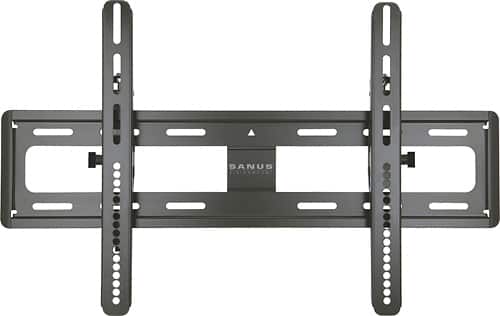
A:AnswerI have mounted 5 different TVs ranging from 32" to 60" on this mount including Samsung, LG, and Sony. They include a lot of parts to make it work with seemingly anything.
A:AnswerI have mounted 5 different LCD and Plasma and TVs ranging from 32" to 60" on this mount including Samsung, LG, and Sony. They include a lot of parts to make it work with seemingly anything.