“Seagate - Wireless Plus 2TB Portable Can you garentee that this Hard Drive will work efficiently with apple's Time machine backup system? Because they claim it has to be physically connected. Please Respond Clearly so i can know clearly if I can make this purchase.”
Answer This Question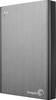
1-6 of 6 Answers
After researching, the Seagate Wireless Plus is the only product I found that supports TimeMachine. By default, it comes in NTFS format for windows. But you can reformat it to be HFS+ MAC format. From there, Time Machine can backup to it.
Sorry, there was a problem. Please try again later.Reformatting this drive to or using Time machine will erase the NTFS format and will change the petition map scheme resulting in inability to 'see' any files on the drive unless plugging it to the Mac via USB2/3. The wifi radio will work but the ability to use the directory makes it useless as a wifi enabled drive.
Sorry, there was a problem. Please try again later.It have to be connected for it to work, as long as the wifi is turned off, you're better off just using a regular external HDD and it's cheaper too. Best use I have for it is media and file storage for my PC Network. The DLNA capability is also touch and go.
Sorry, there was a problem. Please try again later.I use this drive for a Time Machine backup and I haven't had any problems. You will need to reformat the drive to the Mac OS Extended file system when you first use it. It takes about five minutes using Disk Utility. The drive is nearly silent while performing a backup.
Sorry, there was a problem. Please try again later.Was perfect answer for both my Mac and PC. Time machine works flawlessly. The drive must be plugged into router but can be backed up over nas without issue.
Sorry, there was a problem. Please try again later.no, cannot guarantee it
Sorry, there was a problem. Please try again later.