A:AnswerDont think so? I dont think Skype is available on the Android tv/Playstore for download. Also this tv does not have a built in tv or mic like some Samsung tvs, you can speak into the remote but i think thats it.
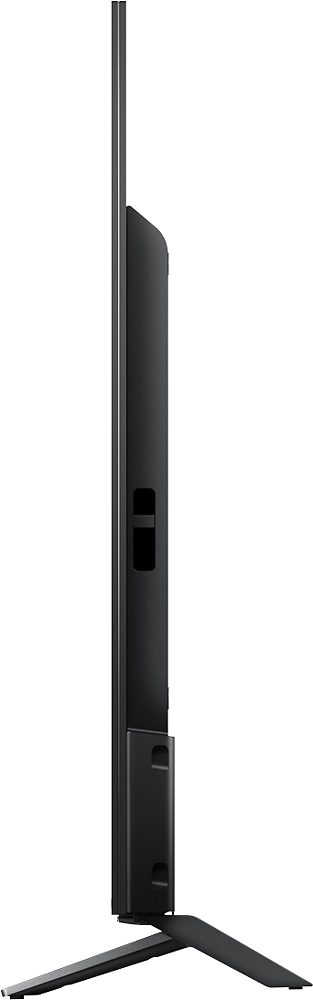
A:AnswerHello, thank you for your message. Measurements TV only: 37 7/8 x 22 1/4 x 1 13/16 (13/32) inch (960 x 564 x 45 (10.3) mm) / TV with stand: 37 7/8 x 24 1/8 x 8 5/8 inch (960 x 612 x 216 mm). More information in the following link: https://docs.sony.com/release//specs/XBR43X800D_mksp.pdf. Oscar.
A:AnswerAll currently available consumer TVs and projectors need either active or passive 3D glasses. Make sure that you purchase the version that is made for your brand/model.
A:AnswerHi landschark, please use the Google PlayStore when installing/adding applications to this unit. Please keep in mind that not all applications from an Android phone is also available to this unit. Thanks! ^Ron
A:AnswerGOT THIS INFO FROM SOMEONE ELSE SO I COPY AND PASTE IT FOR YOU ( SEMPER FI )
August 4, 2016
LWill1979
from Lenoir City, TN
This is my review of this excellent product. At first, I was very baffled by the thin nature of this thing. I really like the overall look of it and enjoy all the benefits and features that it has to offer as well. For those of you wanting to know if it is compatible with the XBOX One S, I can tell you that it is....BUT....you have to know two important things to get it to work right or it won't work. First of all, in order for the XBOX One S to recognize the 60hz, 2.2, and HDR10 requirements, you HAVE TO plug the HDMI cord into Port 2 or 3. Port 1 or 4 do not work for it. Then do a complete power cycle of the XBOX One S (turn it off, unplug it, count to 30, plug it back in, and turn it back on again). When it comes back up, it should automatically detect it and you will be good to go. But wait! There's one more step before you power cycle it! You have to go to the TV's menu settings and change the HDMI output to Enhanced instead of Standard. And use the HDMI cord that comes with the XBOX One S. It took me a whole day to figure both of these things out and lots of time spent with Sony Support Chat and XBox Support Chat. Thanks so much!! LOL But it is a GREAT product and you're getting all the features and benefits of the XBOX One S with it. I don't use it to watch TV. I don't have a cable connection where I keep my television. This is strictly for Netflix, YouTube, and gaming. For those three needs, I am thoroughly impressed! I upgraded from an old Westinghouse 40" LCD 1080p TV with no bells and whistles at all. The thing was bulky and heavy as well. When I got this one, I was like...WOW!!! Definitely amazing.
A:AnswerNot sure what the difference is but the Sony Bravia I purchased had a manufacture date of Feb. 2017 so it probably has the latest technology and I wanted a Smart TV for my bedroom. This TV replaced another Sony Bravia I had which I loved and never had a problem with. Tried to get a Samsung so all my remotes would be the same but Samsung does not make a 42" or a 43" Smart TV. So far I'm very happy with the new Sony. Would recommend it as mine had to fit inside an armoire and this was as big a screen that would.