A:AnswerI returned this TV, don't really need it, but if you look at its specifications it states hat it supports Dolby Atmos and that was confirmed to me by one of Best Buy salesman. You have to remember that your sound system, soundbar or AV receiver has to be able to decode Atmos sound, otherwise you get only stereo surround sound. Hope this helps you.
A:AnswerHi DEC2020, we appreciate your interest in our products. 750H and 800H are almost the same when it comes to specifications. It just the 800H has Dolby Vision in HDR, Object-based HDR remaster in CONTRAST ENHANCEMENT, and Bass Reflex Speaker; X-Balanced Speaker for SPEAKER TYPE.
We recommend visiting our main website for you to compare any two TV models side-by-side. You may check this link for more information:
https://www.sony.com/electronics/tv/t/televisions?view=compare
~Earl
A:AnswerHello, thank you for your question. Unfortunately, this unit does not support the ATSC 3.0 tuner. You may want to check our X900H instead, as it supports the ATSC/NEXTGEN TV (ATSC 3.0). ~Earl
A:AnswerHi Cay, thank you for your question. X800H supports the Apple® AirPlay® 2 and Apple HomeKit™, and they're are available through a built-in app. You may install the Apple TV app, which includes Apple TV+, onto your Apple device (iPhone, iPad, or Mac) and then use the AirPlay 2 feature to display (mirror) content playing on the app on your device onto your TV screen. ~Earl
A:AnswerHi Otis, Thank you for your interest in the X800H. Yes, this unit has Bluetooth and is designed to support the following Bluetooth profiles, also this model is not compatible with BT headphones:
-HID (mouse/keyboard connectivity)
-HOGP (Low Energy device connectivity)
-SPP (Serial Port Profile)
Regards,
Jess
A:AnswerHi Marci, This unit supports Headphone audio out (3.5mm jack) on the side of the TV to plug in your headphones. If you referring to Bluetooth headphones, unfortunately, this TV does not support A2DP Bluetooth profile that can connect with Bluetooth audio devices such as headphones or speakers. We recommend connecting wired headphones or you could connect a Bluetooth transmitter for use with wireless headphones. There are also RF (Radio Frequency) options such as the Sony MDR-RF995RK or WH-RF400 that uses its own transmitter connected to the AUDIO OUT port on your TV. Thanks. -Jess
A:AnswerHi phucnguyen, we appreciate your interest in our product. Since this TV is running on Android, it is more like a smartphone rather than a computer which you can download Apps and view contents, You can connect it with your computer and use it as a monitor. You can also pair a Bluetooth mouse or keyboard to it, but it won't operate like a computer. Thank you. ~Earl
A:AnswerHi Wondering, we appreciate your interest in our product. You may display a picture on a small screen with this TV. Please check this link for more information:
https://helpguide.sony.net/tv/husltn1/v1/en-003/01-02_07.html?hl=small+picture
Thank you. ~Earl
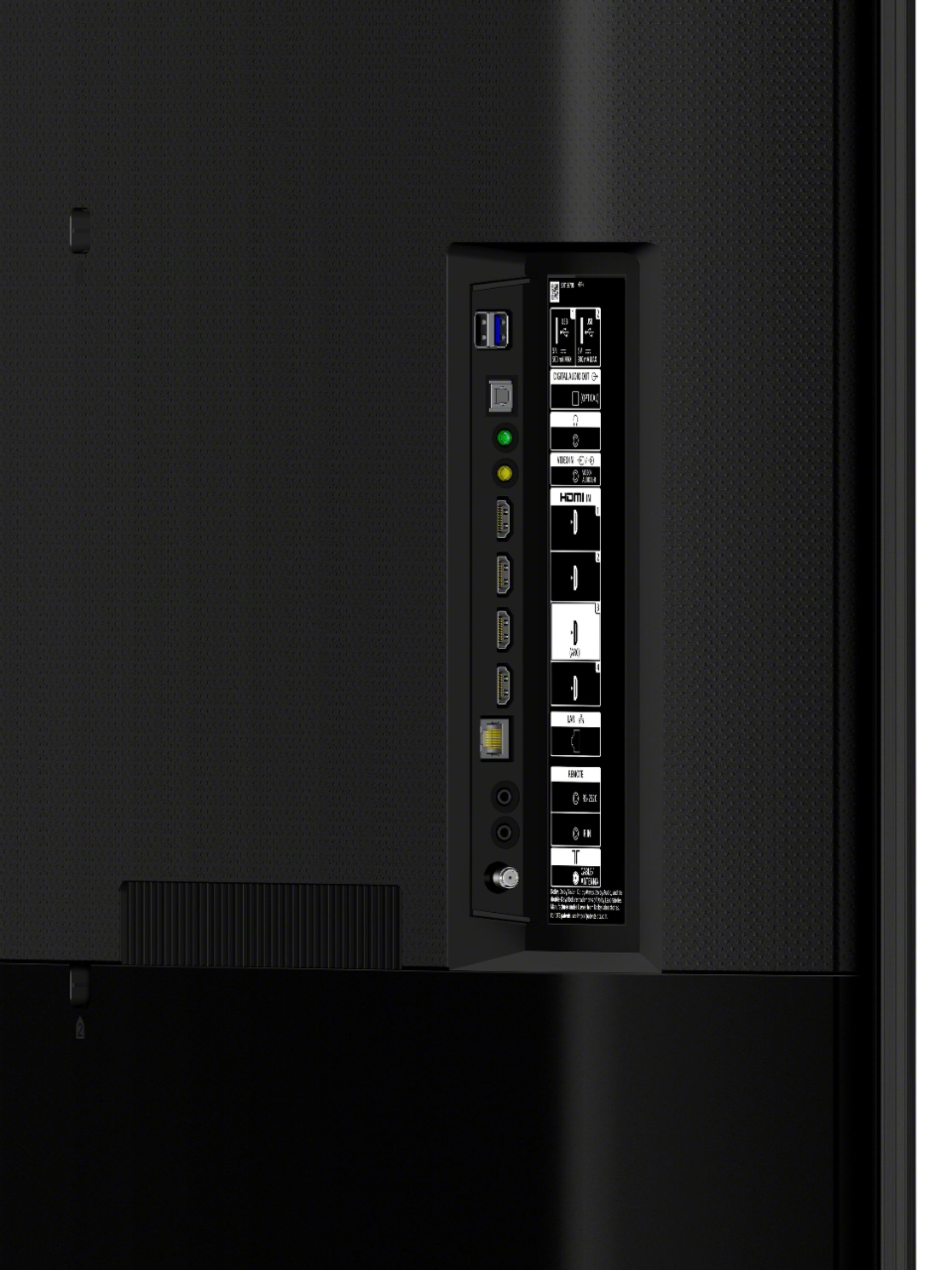
A:AnswerHi jj, thank you for your question. The audio outputs for this tv are ARC (HDMI 3 port), DIGITAL AUDIO OUT (Optical), and Stereo mini-jack. ~Earl
A:AnswerHi doingresearch, we appreciate your interest in our X800H TV. No, this tv is not intended to operate outdoors. Do not expose the screen to direct illumination or sunlight for the best picture quality. Do not expose this TV to rain or moisture to reduce the risk of fire or electric shock. Thank you. ~Earl
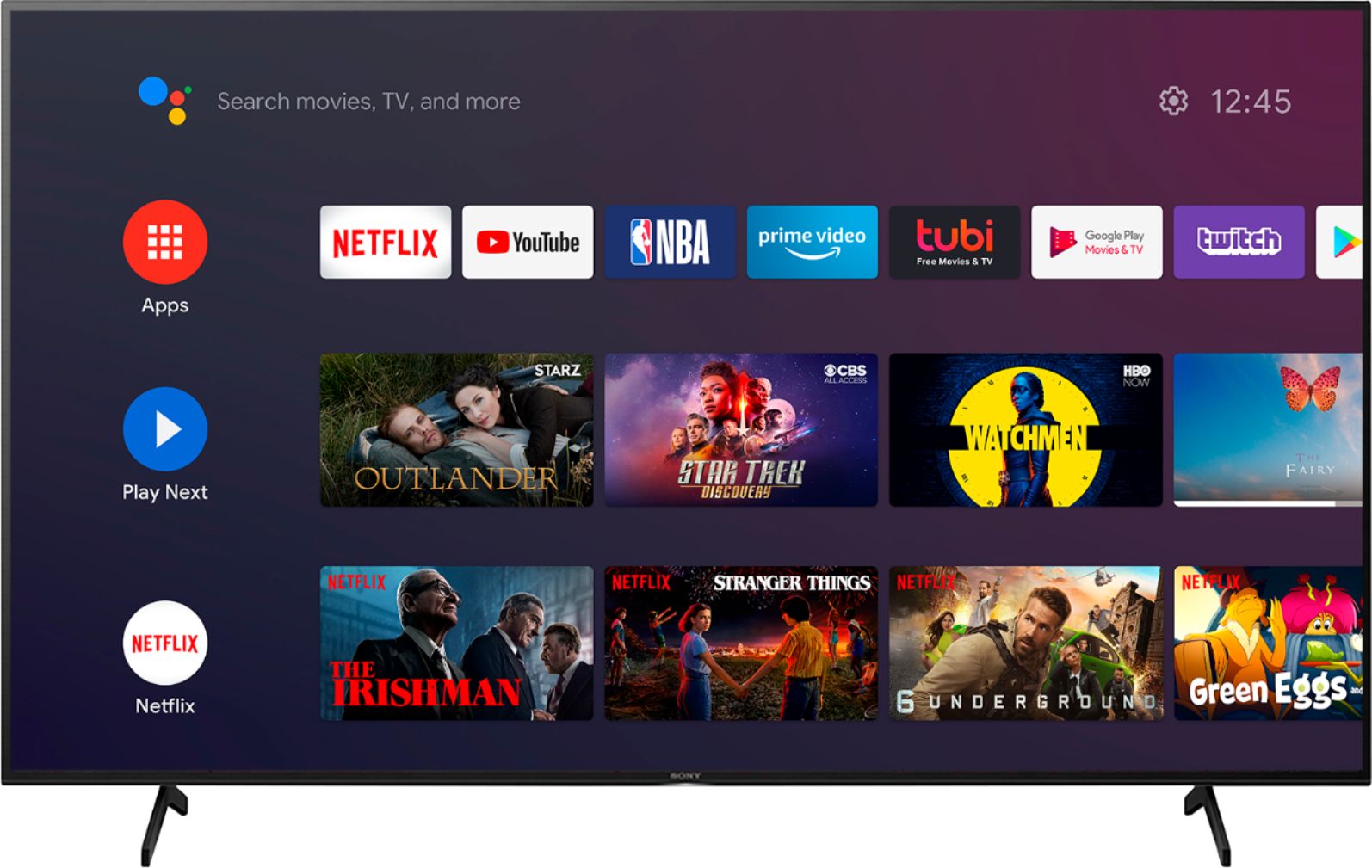
A:AnswerHi ReneRamirez, we appreciate your interest in our SONY product. Unfortunately, not all apps for Android™ devices can be used with the TV. Using Google Play™ Store on the TV displays only apps that are supported by the TV. The Google Play store opens the door to many apps you may already be using on your mobile devices. The availability of Android TV apps is different depending on the country or region where the TV is being used. Thank you. ~Earl
A:AnswerHi Msaver, Thank you for your inquiry! Yes, you can. This TV has an android based operating system and will let you install additional applications using the Google Playstore. I hope this helps! -Carl
A:AnswerHi Nontechie21, Thanks for inquiring about the TV. Yes. The TV supports connection for traditional VHS and DVDs, providing it has an HDMI or composite video output (yellow, red & white). The composite input on the TV will require a 3.5mm AV to 3 RCA composite cable. Please follow the (composite connection) section on the link below:
https://helpguide.sony.net/tv/husltn1/v1/en-003/04-02_01.html?hl=connect+blu+ray
-Jess
A:AnswerHi UKGirl, the TV has the Google PlayStore app to download third-party applications. You can only download apps that are compatible with TVs. There are certain apps that are available for Android mobile devices but not available for download on Android TV devices. You may find this link helpful: https://www.sony.com/electronics/support/televisions-projectors-lcd-tvs-android-/xbr-55x800h/articles/00120598. Thanks. -Jess
A:AnswerHi Tommy, Thank you for choosing and purchasing our Sony X800H Ultra HD Smart TV. We're sorry to hear about the issue with this X800H. Please check the connected devices and verify the connections. To isolate the issue, simply restart your TV by turning off the TV and unplug the AC power cord. Then press the power button on the TV, and release it. Wait for two minutes, and plug in the AC power cord. Turn on the TV and verify if it resolves the issue.
Please refer to the link below for more information. Check if you can hear sound after you complete each step.
https://www.sony.com/electronics/support/televisions-projectors-lcd-tvs-android-/xbr-55x800h/articles/00027069
In any case that you need our assistance, please follow the instruction below on how to contact us.
May we contact you to help? If so, please email the below information to [email protected].
Apologies if you disclosed some of this information in your review and to customer service, we just want to ensure that we have your accurate details at the time of communication.
Full Name:
Best Buy Username:
Telephone Number:
Sony TV Model Number:
Additional Information regarding your experience with the X800H
We are sorry for the inconvenience and hope to speak to you to resolve this matter.
We appreciate you and thanks again for shopping Sony!
Sincerely,
Jess
A:AnswerHi Mark, we appreciate your interest in our product. Cable or satellite boxes are not required for this TV. You can enjoy the X800H viewing experience like steaming internet contents, using your mobile device to display photos and videos to your this TV using Chromecast Built-in/ Airplay(for iPhones), and playing movies from your Bluray player. Thank you. ~Earl
A:AnswerDelivery is free. Setup there is a charge and varies where you live. Contact Best Buy for prices. They did a good job with my stand and tv mounting and was earlier then time given for appointment. They will recommend the Geek Squad and for you to join and that is another charge on top of the product and setup costs.
A:AnswerHi Mike, we appreciate your interest in our SONY unit. Yes, you can still use your cable box and its remote with this TV. The channels from your cable box should remain the same. Thank you. ~Earl
A:AnswerHi Satish, thank you for inquiring about the Bluetooth function on the X800H series TVs. The TV does not natively support Bluetooth audio out. This feature may work with a compatible external USB Bluetooth Adapter, like from your PS4 Gold headset or 3rd party Bluetooth applications that can be downloaded from the Google Play™ Store. ~Earl