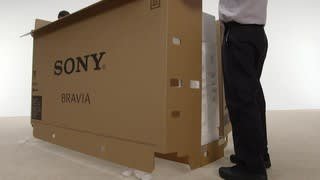
A:AnswerYou can download any app you would like. Its just an Android tv movie box, lol. All the apps you know of, like android tv app same as the app on fire sticks, etc..Hook up an external hard drive and really truly enjoy your sony tv. Its nice. My tv is loaded with apps and tons and tons of games, all installed pretty much in the television....
A:AnswerHi Nyvideo, Thank you for your interest in X800H TV. With the power of our X1 4K HDR processor, this TV produces rich and accurate color with our TRILUMINOS Display which can result in a good viewing angle.
I would also recommend checking out the X950H series. The X950H’s Full Array Local Dimming and Boosting technology provides a dramatic increase in contrast and brightness from anywhere in the room thanks to X-Wide Angle technology that is now offered in additional screen sizes (except 49”)
Hope this helps!
-Sam
A:AnswerHi there, Thanks for your interest in the X800H TV. Yes, it does. This TV Supports Apple® AirPlay® 2 and Apple HomeKit™ through a built-in app. Hope this helps! -Sam
A:AnswerHi THuck, Thanks for your inquiry. You can connect a USB or Bluetooth®️ keyboard and mouse to an Android TV™️ device, however, operation isn't guaranteed. We tested some keyboards and mice and found they were compatible, but not all functions were supported. Please refer to the link below for more details:
https://www.sony.com/electronics/support/televisions-projectors-lcd-tvs-android-/xbr-85x800h/articles/00128141
Regards,
Sam
A:AnswerHi Wesley, Thanks for your inquiry. The overall dimensions of the 85X800H are approximately (w × h × d) 1,899 mm × 1,174 mm × 442 mm with a TV stand. And 1,899 mm × 1,089 mm × 71 mm without a TV stand. Hope this helps! -Sam
A:AnswerHi DLEON, Thank you for your interest in the X800H. Yes, it does. The X800H is powered by our X1 4K HDR processor, which analyzes and processes data in every image to make colors and detail even more natural and precise so your favorite content looks closer than ever to real life. It also has a Direct LED Backlight type that provides higher brightness, as well as better backlight and black uniformity so it will do well in a brightly lit room. Hope this helps! -Sam
A:AnswerHi mike, Thank you for your inquiry! Yes, the X800H supports Picture-in-picture feature. You can display the picture that you are watching (TV programs or content from HDMI-connected devices) as a small screen in the corner. For more details about this feature, please refer to this link: https://helpguide.sony.net/tv/husltn1/v1/en-003/01-02_07.html Hope this helps! -Sam
A:AnswerHi RockyRick, Thank you for your inquiry. To resolve this "soap opera effect" issue, please follow the troubleshooting steps below:
On the supplied TV remote, press the HOME button.
Select settings.
Under the TV category, select Picture & Display or Display & Sound.
Select Picture adjustments.
Select Advanced settings.
Select Motion.
If your TV has a CineMotion setting, set it to Low or Off.
Select Motionflow.
Select Off.
Regards,
Sam

A:AnswerHi Chris, Thank you for purchasing the Sony X850G. We regret to hear that you're having issues with the Disney+ and HBO Max app. Have you also experience this with other apps? Is there a soundbar or audio system connected to your TV? For now, please make sure that the firmware of the TV is up to date. Also, please perform a power reset. Unplug the TV for 1 minute then plug it back in.
If you are unable to resolve your concern, please email us at [email protected] with the following details:
Name:
Bestbuy Username:
Model Number:
Issue:
Telephone Number:
Sincerely,
Sam
A:AnswerHi Jooj, Thank you for your inquiry. Unfortunately, using a non-Sony TV stand/legs is not recommended as we cannot guarantee the balance and stability of the TV when attached to a different TV stand. Hope this helps! -Sam
A:AnswerHi james, Thank you for your interest in the X800H. Unfortunately, this TV is not dual voltage. The power requirements of this unit are AC 120V for UL cUL AC 110-240V for others. This means, if you purchased the TV from the US or Canada, it will be AC 120V, and TV purchased outside of the US or Canada is AC 110-240V or dual voltage compatible. -Sam
A:AnswerHello, Below are the dimensions of the XBR85X800H Bravia TV:
Dimensions of the TV without the stand (W X H X D):
Approx. 74 7/8" x 42 7/8" x 2 7/8" (1899 x 1089 x 71 mm)
Dimensions of the TV with the stand (W X H X D):
Approx. 74 7/8" x 46 1/4" x 17 1/2" (1899 x 1174 x 442 mm)
-Vincent
A:AnswerHello, No. This TV is not a 3D TV. For more information about the X800H, visit this link: https://www.sony.com/electronics/televisions/xbr-x800h-series/specifications. Thank you. -Vincent
A:AnswerHi, AA, To detach the TV stand from the TV, please follow the guide from this link: https://www.sony.com/electronics/support/res/manuals/5013/e051362c10273a783b6c6115a1557a7a/50131501M.pdf (11). Thank you. -Vincent
A:AnswerHi, Karina, Yes. X800H Bravia TV has internet access. You may test the connection first to see if the TV is successfully connected to the internet by opening an app, such as YouTube and play any video. To search the web, please check the Google Play Store app to search for an internet browser app.
Should you need further assistance, you can email us at [email protected] with the following details:
Name:
Best Buy Website Username:
Model Number:
Issue:
Telephone Number:
Sincerely,
Vincent
A:AnswerDoes the premium installation service for $199 include installation of the wall mount hardware I provide? Or is it just taking the TV out of the box and mounting TV to the already installed mounting bracket hardware on wall?