Questions & Answers
- Model:
- HTS60
- |
- SKU:
- 10736146
Q: QuestionWhat size subwoofer is in this package
Asked by Anonymous.
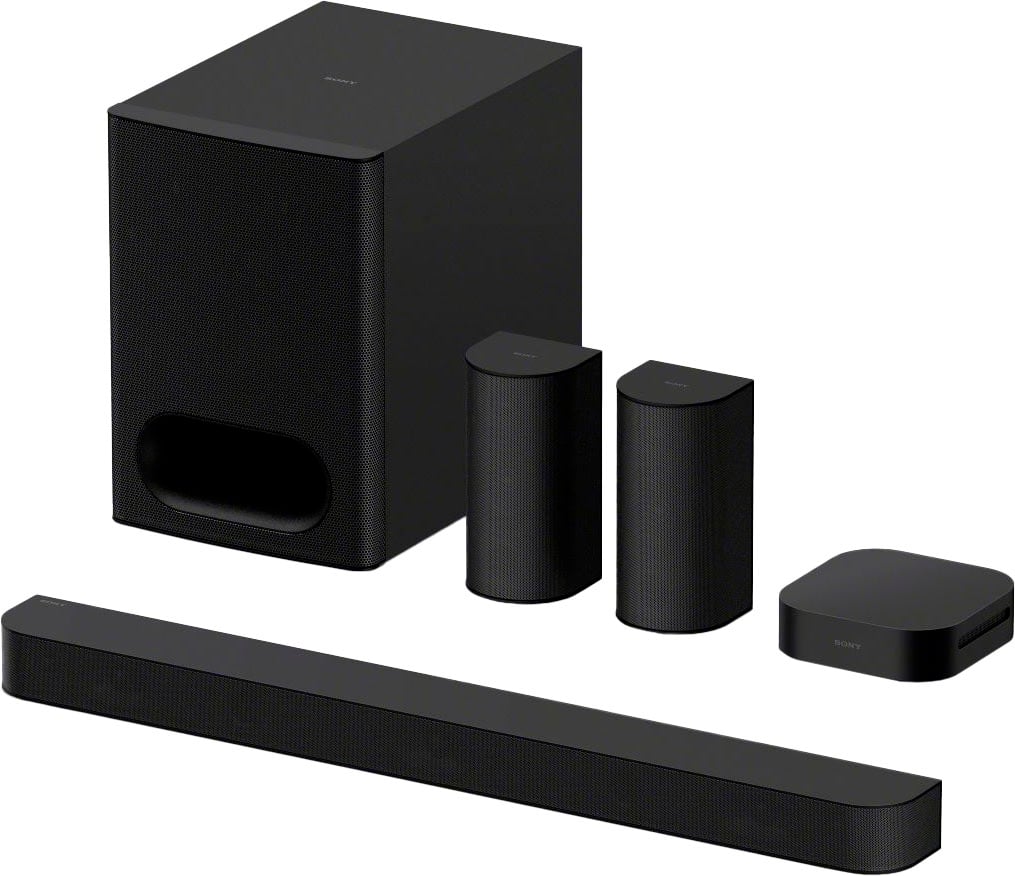
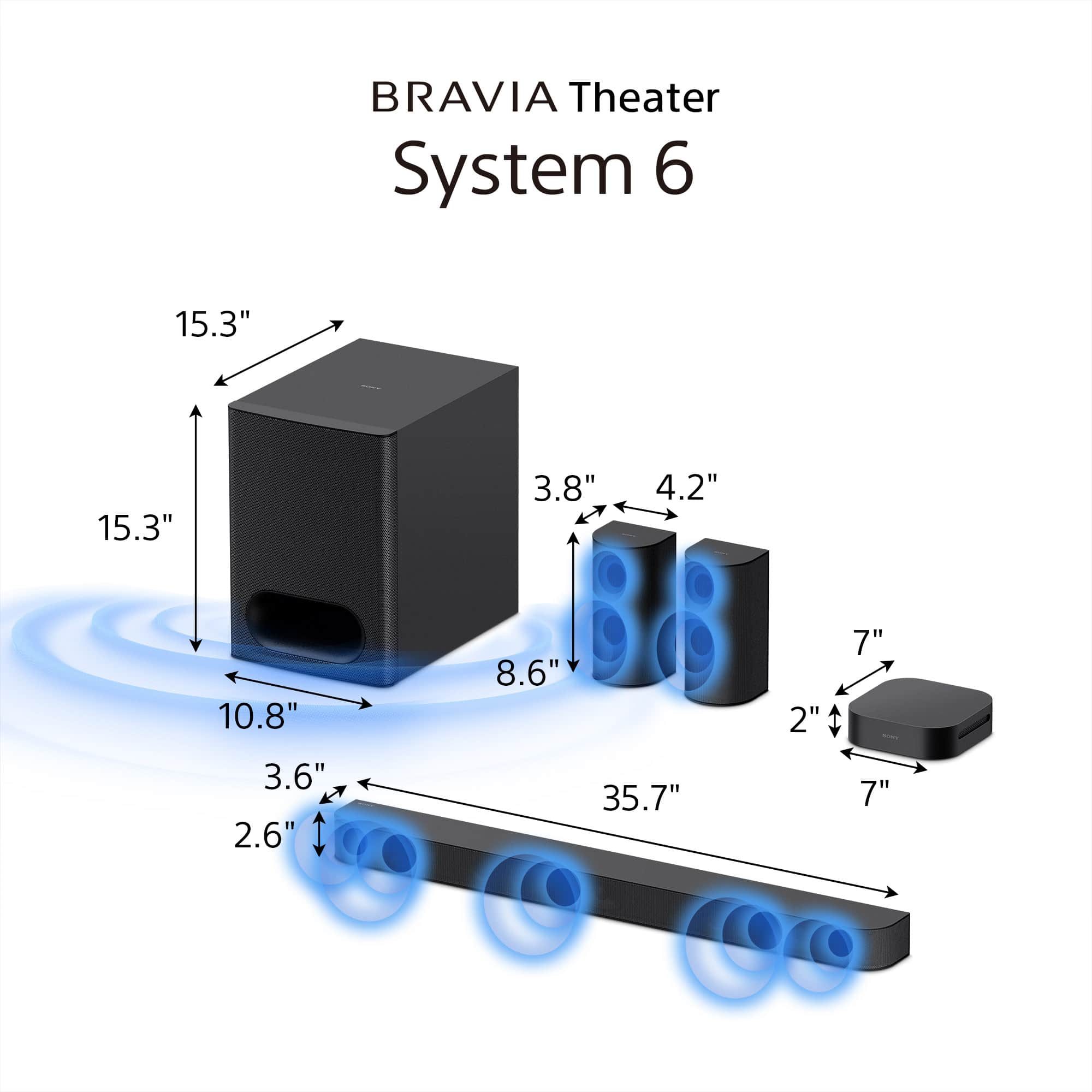
- A:Answer Hello there, Thank you for your interest in Sony products! We’re happy to assist with your question regarding the Sony HT-S60 BRAVIA Theatre System. This system includes a subwoofer measuring 10.8 x 15.3 x 15.3 inches (275 x 388 x 388 mm), designed to deliver rich and immersive sound. For detailed specifications and more information, please visit: https://www.sony.com/electronics/support/sound-bars-home-theater-systems-sound-bars-surround-speakers/ht-s60/specifications Best regards, -Fred
Answered by SonyListens
Q: Questionwhat powers this does it have its own
Asked by br549.
- A:Answer Just levitation.
Answered by Anonymous
Q: QuestionHow do I connect this soundbar to both a 2yr old Brava 75in TV and a Sony 8000? BluRay player for control through the soundbar?
Asked by Bruce.
- A:Answer Hi Bruce, Thank you for your question! The feature that allows your Sony devices to be controlled together is called HDMI CEC or Control for HDMI. This function uses the HDMI cable connection to interlock your soundbar, Blu-ray player, and TV so they operate as one system. Connection Steps: To use this feature, you must connect your Sony Blu-ray Player and the BRAVIA Theater System 6 both via HDMI to your Sony BRAVIA TV. Important Note: For seamless operation, the Control for HDMI setting must be actively enabled on all three devices. We strongly recommend contacting our technical support team for specific guidance on enabling this setting for your particular models: https://us.esupport.sony.com/support/s/support-contact?language=en_US&category=tv Thank you for considering Sony products! Regards, Dominick

Answered by SonyListens
Q: QuestionCan the rear speakers be mounted in a down firing position on the ceiling?
Asked by Tee.
- A:Answer Hi Tee, Thank you for your question! The rear speakers for the Sony BRAVIA Theatre System 6 (HT-S60) are designed for wall mounting or placement on speaker stands/shelves. Mounting them on the ceiling in a down-firing position is not recommended. This is because the drivers in these speakers are front-firing, meaning they are intended to project sound horizontally across the room to create the immersive surround field. Directing the sound straight down from the ceiling would compromise the intended acoustic effect and spatial accuracy of the surround sound experience. For a Sony home theater system that features built-in up-firing speakers necessary for height effects in formats like Dolby Atmos and DTS:X, we recommend the BRAVIA Theatre Bar 6 with the model number HT-B600. This model is a 3.1.2-channel soundbar which includes two dedicated up-firing drivers integrated into the main unit. These drivers are specifically engineered to reflect sound off the ceiling and back down to the listening area, creating the powerful 3D audio effect. Alternatively, other premium option with this capability is the BRAVIA Theatre Bar 9 (HT-B900). We hope you find this information helpful, and thanks for considering Sony! Regards, Dominick
Answered by SonyListens
Q: QuestioniS THIS SYSTEM wireless FOR ALL SPEAKERS?
Asked by Anonymous.
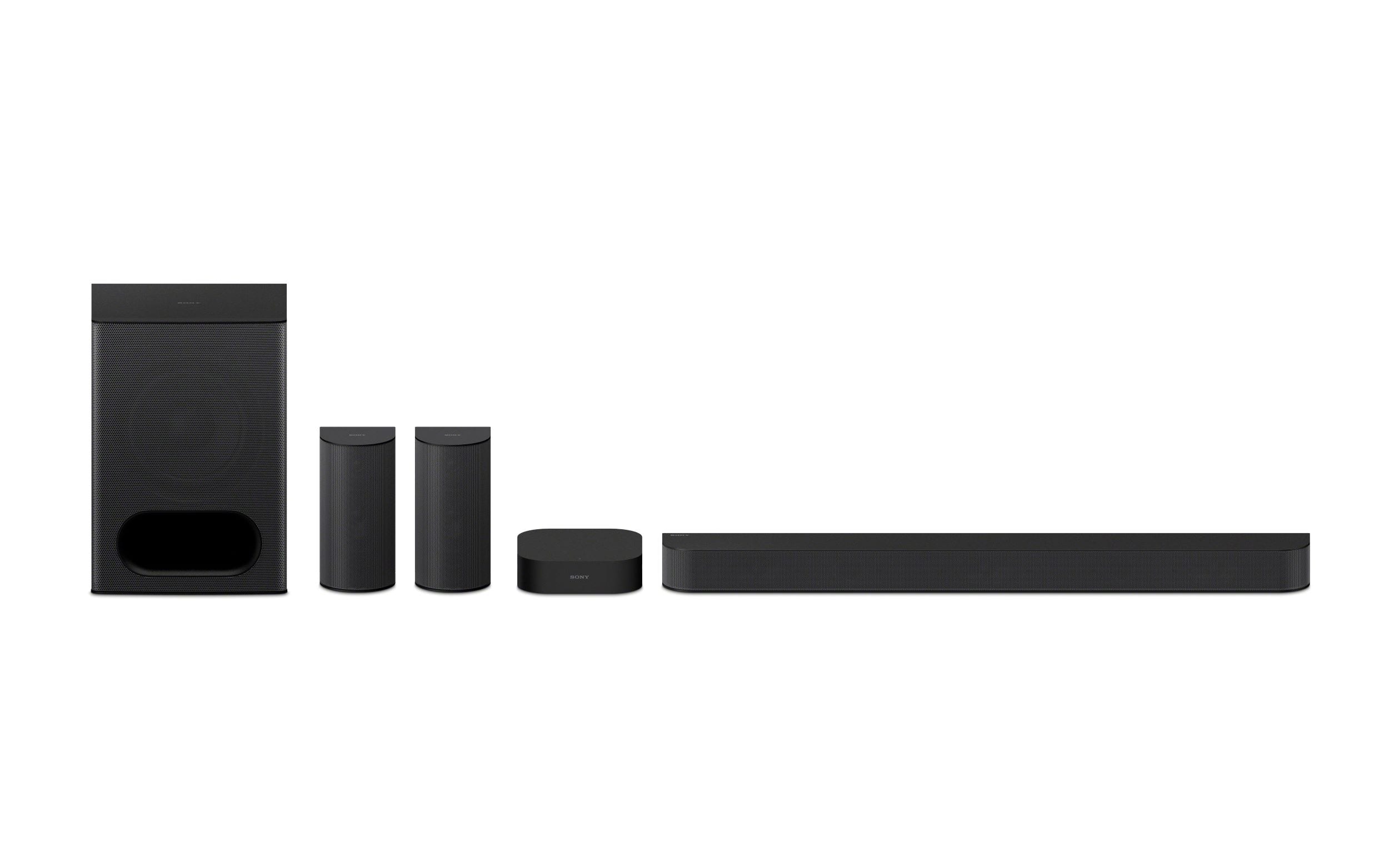
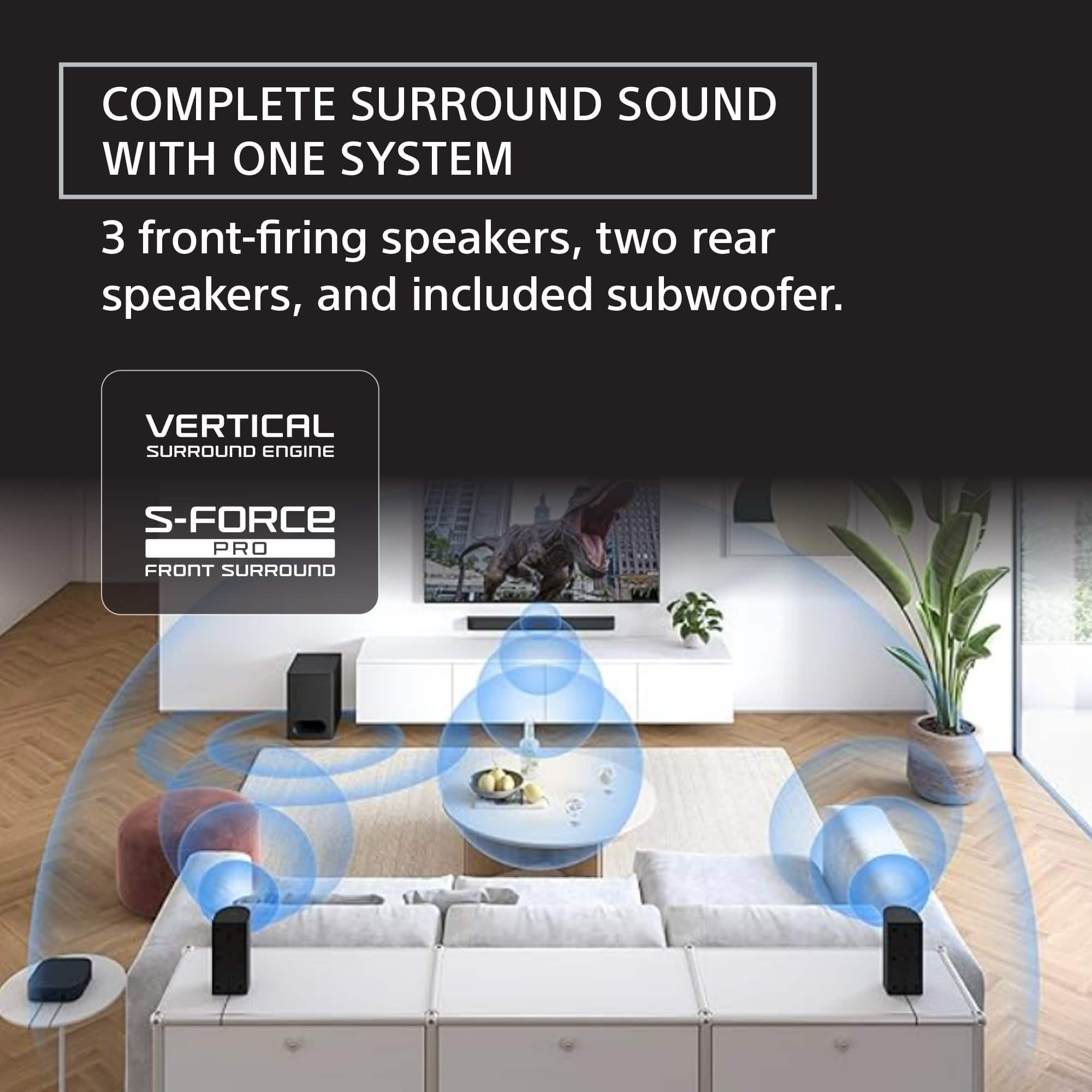
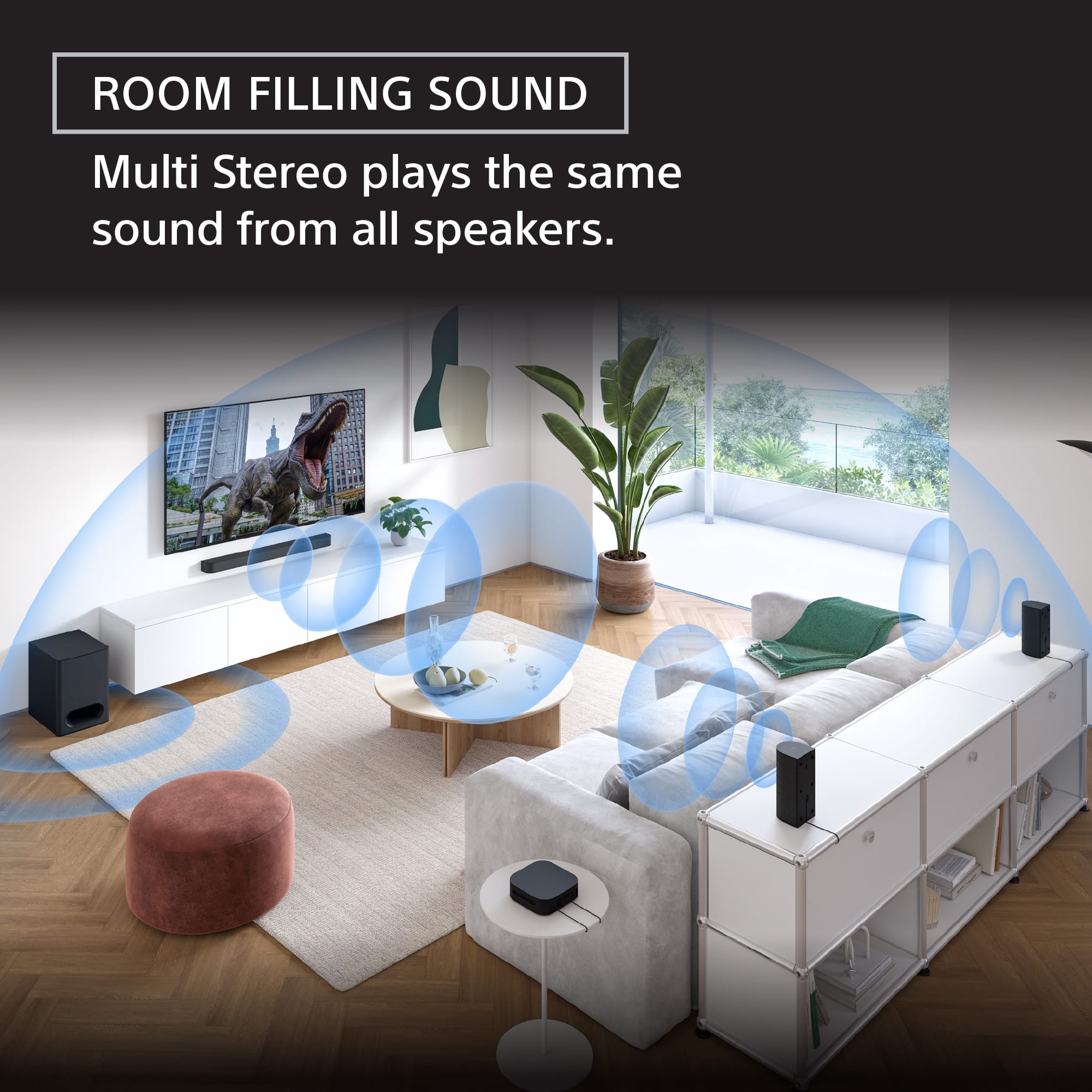
- A:Answer Hello there, Thank you for considering Sony products! We appreciate your question and are here to assist you. The Sony HT-S60 home theater system includes wireless rear speakers and a wireless subwoofer, providing flexibility in speaker placement. However, the front soundbar speaker requires a wired connection to the subwoofer. This setup ensures optimal audio performance while offering convenient wireless options for the rear and subwoofer speakers. To check the full system configuration and details about connected devices, please visit the following link: https://helpguide.sony.net/ht/2089/v1/en/contents/002_Overview_of_the_Speaker_System_2089.html Best regards, -Fred
Answered by SonyListens
Q: QuestionWill this work with a Dell 7730u laptop with Bluetooth? TIA
Asked by HemiDude.
- A:Answer Hi HemiDude! Thanks for reaching out! The Sony HT-S60 supports Bluetooth connectivity, but compatibility with all computers, including that laptop, may vary. While you can try pairing the HT-S60 with your Windows computer, please note that successful operation isn't guaranteed. If Bluetooth does not work reliably, consider using a wired connection (such as HDMI ARC or optical, if available on both devices) for more consistent results. For your convenience, you can find additional information about the unit here: https://helpguide.sony.net/ht/2089/v1/en/index.html We really appreciate you thinking of Sony for your purchase! Best regards, Estefany
Answered by SonyListens
Q: QuestionCan I connect to a tcl tv
Asked by Awesome.
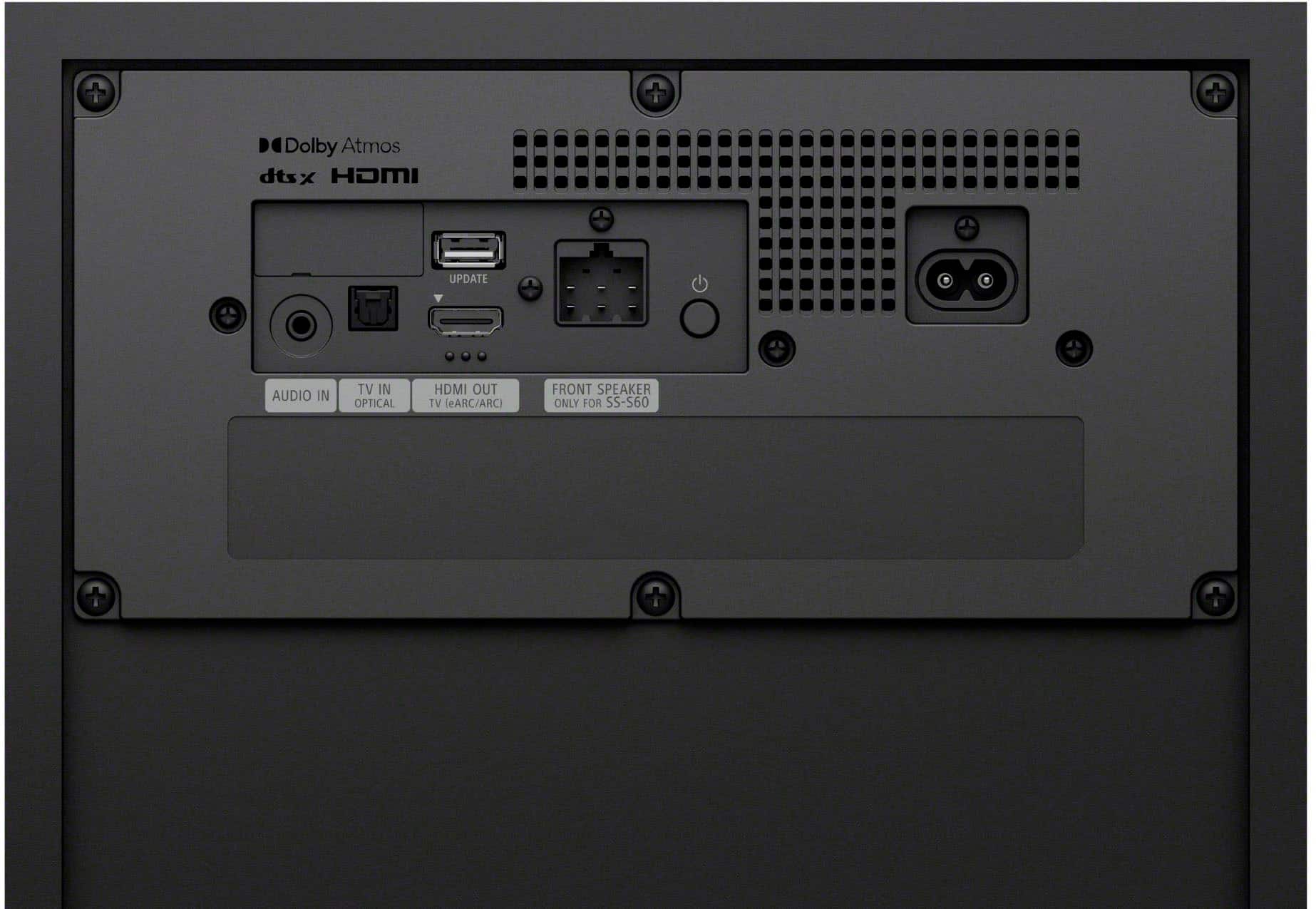
- A:Answer Hello Jr, Thank you for considering Sony products! We are excited that you are looking at the HT-S60 soundbar. We want to assure you that connecting the HT-S60 to your existing TCL TV will be very simple and offer a significant audio upgrade. You will have two excellent options for connection, depending on your TV model: 1. Recommended: HDMI ARC (Best Experience) If your TCL TV has an HDMI port labeled ARC (Audio Return Channel), this is the connection we highly recommend. Benefit: The HDMI ARC connection allows for the highest quality audio and lets you control the soundbar's volume using just your standard TCL TV remote—no extra remote needed! 2. Alternative: Optical Digital Connection If your TV does not support HDMI ARC, the optical port is a robust, high-quality digital alternative. Please check the back of your specific TCL model to confirm you have either an HDMI ARC or an Optical port. With either one, you are all set to enjoy immersive sound! For a visual walkthrough of the connection process, you can view our detailed guide here: https://helpguide.sony.net/ht/2089/v1/en/contents/011_Connecting_to_a_TV_2089.html We look forward to welcoming you to the Sony family! Best regards, -Fred


Answered by SonyListens
Q: QuestionDoes this system require a receiver or does this system replace the need for that?
Asked by Receiver.
- A:Answer Hello there! We appreciate your question about our product! The Sony BRAVIA Theater System 6 is actually a complete 5.1 channel home theater system that doesn’t need a separate AV receiver. It’s designed as an all-in-one setup, so it handles amplification, surround sound, and speaker output all by itself. You just connect it directly to your TV using HDMI or optical, and it takes care of the rest. So, no need for a traditional receiver with this system! To learn more about this model, you can find additional details at the following link: https://helpguide.sony.net/ht/2089/v1/en/index.html We genuinely appreciate you considering Sony products! Best regards, Estefany
Answered by SonyListens
Q: QuestionHow to Bluetooth music from my cellphone (Apple Music app) to the theater system without connecting to through the TV? Is it an option?
Asked by AML7.
- A:Answer Hello AML7, Thank you for considering Sony products! We appreciate your question and are here to assist you. Yes, the Sony HT-S60 can play music directly from your phone via Bluetooth without needing the TV. Please follow these steps to connect your phone to the HT-S60 via Bluetooth: How to connect your phone directly to the HT-S60 via Bluetooth 1. Put the HT-S60 in Bluetooth mode: - On the soundbar remote, press the BLUETOOTH button. - The display will show BT for Bluetooth mode. - When ready to pair, the display will show BT PAIRING. If the display only shows BT and not BT PAIRING: - Press and hold the BLUETOOTH button for 3–5 seconds until it switches to BT PAIRING. 2. Pair your iPhone: - Open Settings and select Bluetooth. - Turn Bluetooth ON. - Look for HT-S60 in the list of available devices. - Tap HT-S60 to connect. Once connected, the soundbar display will show BT and you will hear a confirmation chime. You can now open your Apple Music app and play any song. The soundbar will play the audio even if the TV is turned off. For full details about pairing mode, please visit: https://helpguide.sony.net/ht/2089/v1/en/contents/026_Pairing_the_BLUETOOTH_Device_2089.html?search=pairing Best regards, -Fred
Answered by SonyListens
Q: QuestionIs this compatible with a Toshiba tv?
Asked by Nikki.
- A:Answer Hello Nikki, Thank you for choosing Sony! We appreciate your question and are here to assist you. Yes, the HT-S60 soundbar is compatible with a Toshiba TV as long as your TV has an HDMI ARC/eARC port or an Optical digital audio output. You can connect the soundbar using either of these options for optimal audio performance. For detailed instructions on how to connect the HT-S60 to your TV, please refer to this guide: https://helpguide.sony.net/ht/2089/v1/en/contents/011ConnectingtoaTV_2089.html Best regards, -Fred

Answered by SonyListens
Q: QuestionI already have a sony big boombox. Can I synchronous this sound system with the old one?
Asked by Nripesh.
- A:Answer Hi Nripesh, That's a very good question about expanding your audio setup. Unfortunately, the Sony BRAVIA Theater System 6 (HT-S60) is not designed to be synchronized or connected wirelessly with other independent audio systems, such as a Sony boombox. The HT-S60 is an all-in-one 5.1-channel home theater system (soundbar, wireless subwoofer, and dedicated rear speakers) engineered to create a fully immersive surround sound field specifically for your TV and movies. Its internal components and processing are calibrated to work exclusively with its included speakers. While both are Sony products, they use different, non-compatible wireless or synchronization technologies. We hope this answers your question and thank you for considering Sony products! Best regards, Dominick
Answered by SonyListens
Q: QuestionWhat is the best settings for this sound system and my Playstation 5?
Asked by Anonymous.
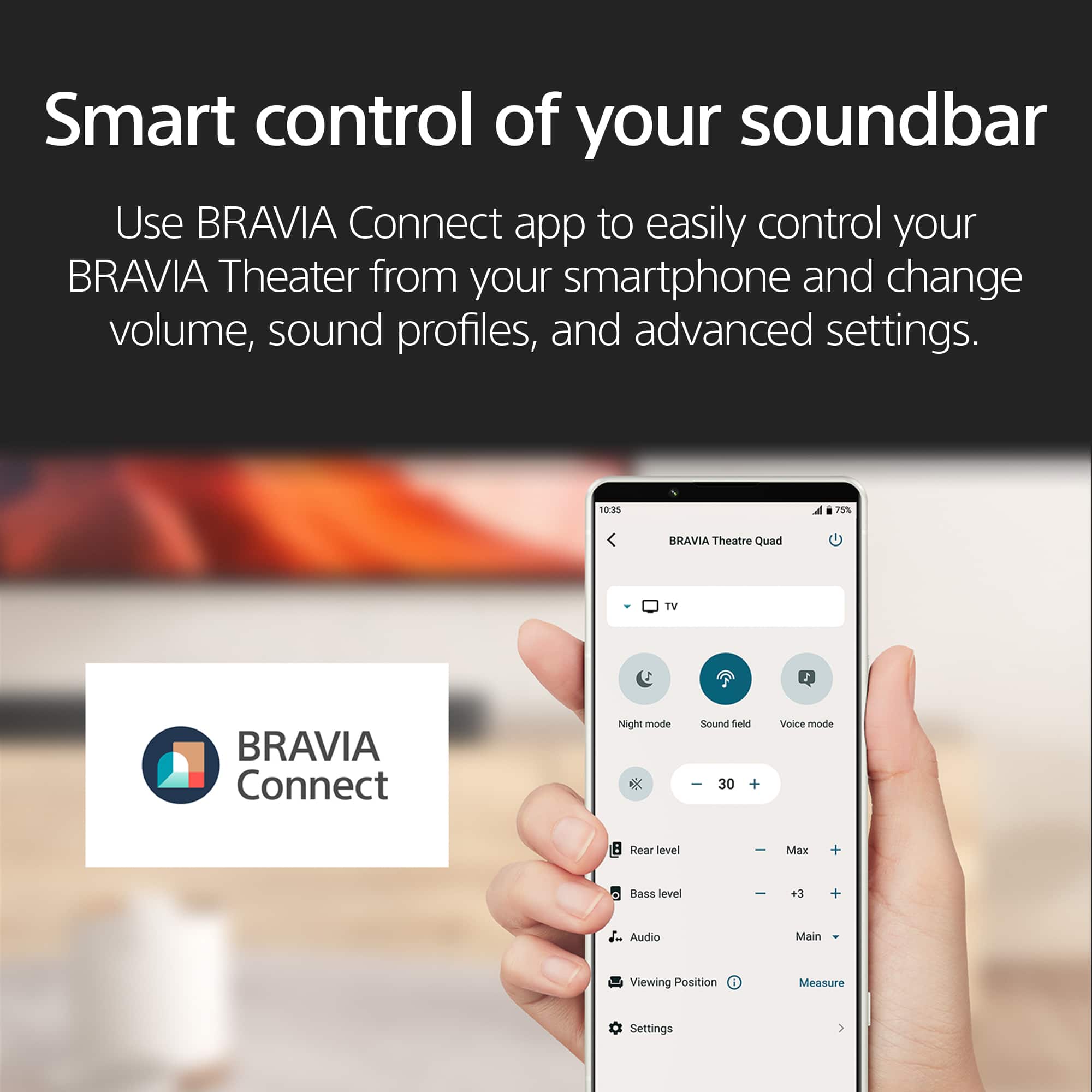
- A:Answer Hi there! Thank you for reaching out with your question. We can certainly help you with that. If you want the best sound experience from your BRAVIA Theater System 6 and PS5, here's a simple way to get things dialed in. First, hook up your PS5 to your TV using a high-speed HDMI cable, then connect your HT-S60 to the TV’s HDMI ARC or eARC port with another HDMI cable. This lets you enjoy top-notch surround sound, including Dolby Atmos® when supported by your games and movies. On your sound system, press the SOUND FIELD button on the remote control and choose one of the immersive sound modes. Feel free to check out the following link, we put together extra details there that might be helpful: https://helpguide.sony.net/ht/2089/v1/en/contents/022_Adjusting_Sound_Quality_2089.html If you watch TV, check that your TV’s sound settings send audio to the sound system or set digital audio out to "Auto" or "PCM" for reliable performance. And finally, just make sure all your cables are plugged in nice and tight, keep your system updated and go ahead, turn up that volume how you like. If you ever want to tweak more, the Sony BRAVIA Connect app can help you explore extra features, adjust sound fields and make sure everything’s running smoothly. We hope this helps! Thanks for considering Sony products! Best regards, Estefany
Answered by SonyListens
Q: QuestionDo you need to buy a receiver for this?
Asked by Buck.
- A:Answer Hello Buck, Thanks for this great question! You don't need to buy a separate AV receiver for the BRAVIA Theatre System 6. The system is a convenient, all-in-one home theater solution. It includes its own built-in amplifier and control unit, so you can connect it directly to your TV. You simply use the HDMI eARC or optical connection from your TV to the subwoofer, which acts as the hub for the entire system. This design is intended to simplify the setup process and provide a powerful, immersive audio experience without the complexity and extra equipment of a traditional home theater receiver. Thanks for your interest in our Sony audio systems! Sincerely, Jenn | Sony Social Media Team.
Answered by SonyListens

Q: QuestionDoes this have a connection for a second sub? https://www.bestbuy.com/product/sony-bravia-theater-system-6-5-1ch-with-subwoofer-dolby-atmos-dtsx-compatible-black/6623550?sb_share_source=PDP
Asked by Kal.
- A:Answer Hello Kal, Thank you for choosing Sony! We're happy to help! The HT-B600 system is a stand-alone unit and does not support additional speakers or a subwoofer. It provides a complete audio experience on its own, but can't be modified with extra components. If you're interested in models that support rear speakers and a subwoofer, we recommend that you consider the HT-A7000, HT-A5000 or HT-A3000 models. For more details, please visit the following link: https://www.sony.com/electronics/support/articles/00345716 Best regards, -Fred
Answered by SonyListens

Q: QuestionIs the soundbar compatible w an LG WebOs uh7700 tv?
Asked by BigRueb92.
- A:Answer Hi BigRueb92, thanks for your interest in our Theater System 6! Regarding the compatibility of the HT-S60 with your TV, the HT-S60 is designed to be widely compatible with most televisions. However, to confirm full functionality and the best possible experience, it will depend on the specific audio output specifications of your TV. Ideally, your TV should have an available HDMI ARC port or alternatively, an optical digital audio output. If your LG TV has either of these, you should be able to connect the HT-S60 successfully. Thanks for considering Sony products! Best regards, Estefany
Answered by SonyListens

Q: QuestionWill this work with a Samsung tv given it does not have the Zoom Voice 3 functionality
Asked by TheAlibaba.
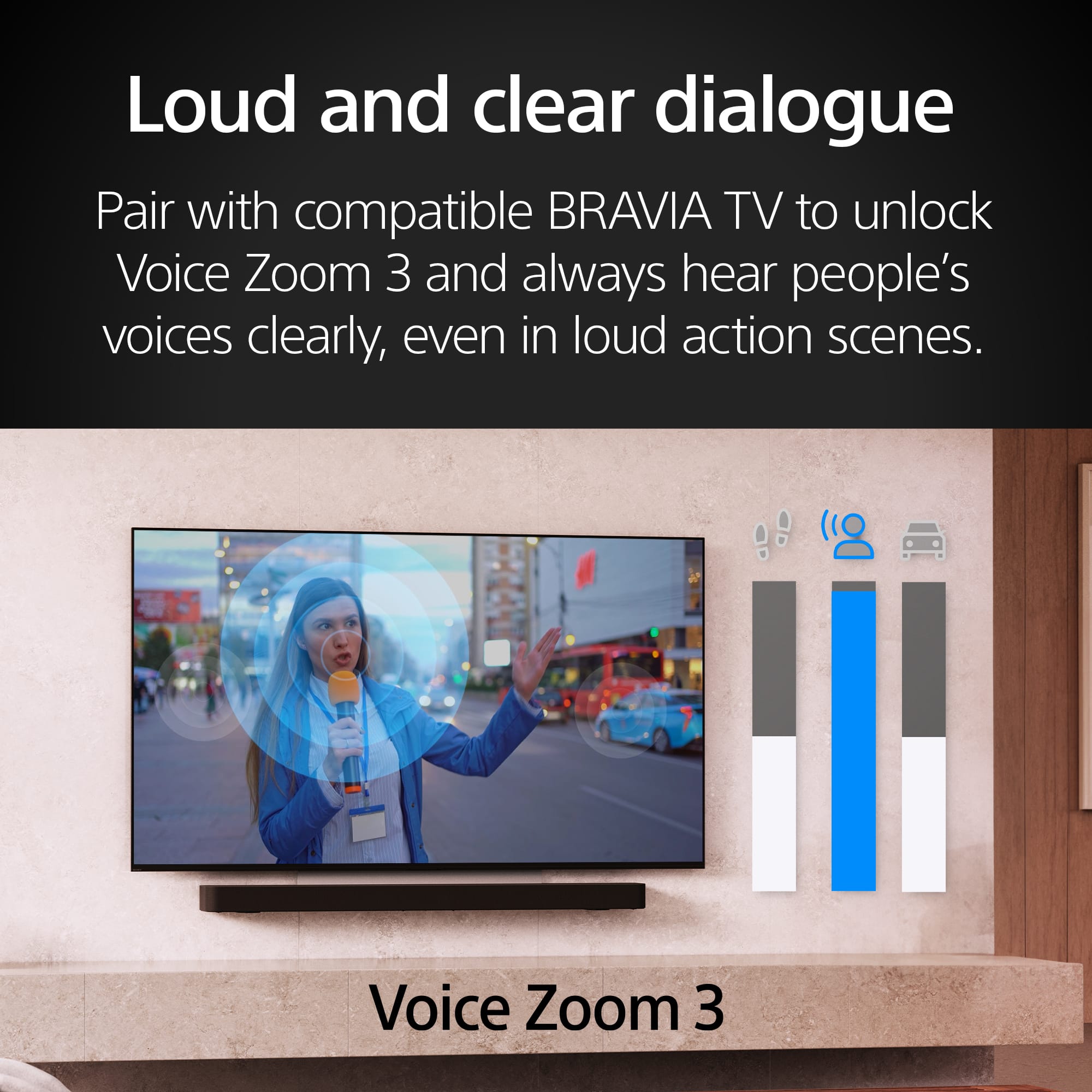
- A:Answer Hello TheAlibaba, Thank you for reaching out to Sony! We appreciate your inquiry and are here to help. The Sony HT-S60 soundbar can easily connect and operate with your TV, even though it does not include the "Zoom Voice 3" feature. The key to compatibility is ensuring both your TV and the HT-S60 have matching connection ports, like HDMI ARC/eARC or optical digital audio. For more details on the HT-S60 soundbar, you can check out its full guide here: https://helpguide.sony.net/ht/2089/v1/en/index.html Best regards, -Fred
Answered by SonyListens

Q: QuestionHow long is the HDMI cable that comes with this system and is it 2.1?
Asked by Kipkadoo.
- A:Answer Hello Kipkadoo, Thank you for choosing Sony! We appreciate your inquiry and are here to help. In response to your question, the HDMI cable is 2.0 meters long and is categorized as HDMI 2.1, which supports the latest features and capabilities. For more detailed specifications, please visit the following link: https://www.sony.com/electronics/support/sound-bars-home-theater-systems-sound-bars-surround-speakers/ht-s60/specifications. Best regards, -Fred
Answered by SonyListens

Q: QuestionCan the rear speakers be wall mounted?
Asked by Anonymous.
- A:Answer Hi there! We are very glad to address your question about the Bravia Theater System 6! We're happy to confirm that the rear speakers included with your HT-S60 home theater system are designed to be wall-mountable. This gives you great flexibility in setting up your surround sound exactly how you like it, whether you prefer them on stands or mounted to the wall for a cleaner look and optimal sound dispersion. For detailed instructions on how to mount them on the wall, please visit the following link: https://helpguide.sony.net/ht/2089/v1/en/contents/010_Mounting_the_Speaker_on_a_Wall_2089.html Thank you for considering Sony products! Best regards, Estefany
Answered by SonyListens

Q: QuestionHow many watts does it have?
Asked by Paul.
- A:Answer Hello Paul, Thank you for getting in touch with Sony! We appreciate your inquiry and are pleased to assist you. The Sony HT-S60, also known as the BRAVIA Theatre System 6, boasts a total power output of 1000 W. The specifications are as follows: Front Left/Front Right/Center speakers: 152 W each (total of 456 W), Subwoofer: 240 W, and Rear Left/Rear Right speakers: 152 W each (total of 304 W). For further details regarding the specifications, please visit: https://www.sony.com/electronics/support/sound-bars-home-theater-systems-sound-bars-surround-speakers/ht-s60/specifications Best regards, -Fred
Answered by SonyListens

Most-viewed items
- $119.99Your price for this item is $119.99
- Winter Sale Deal$499.99Your price for this item is $499.99
- Winter Sale Deal$24.99Your price for this item is $24.99
- Winter Sale Deal$999.99Your price for this item is $999.99
- $399.99Your price for this item is $399.99$549.99The comparable value for this item is $549.99
- Winter Sale Deal$34.99Your price for this item is $34.99
- Winter Sale Deal$129.99Your price for this item is $129.99
- $2,699.99Your price for this item is $2,699.99
- Winter Sale Deal$259.99Your price for this item is $259.99
- $119.99Your price for this item is $119.99
- Winter Sale Deal$79.99Your price for this item is $79.99
- $499.99Your price for this item is $499.99$599.99The comparable value for this item is $599.99
- $399.99Your price for this item is $399.99
- $279.99Your price for this item is $279.99
- Winter Sale Deal$209.99Your price for this item is $209.99
- Winter Sale Deal$664.99Your price for this item is $664.99
- $1,199.99Your price for this item is $1,199.99$1,499.99The comparable value for this item is $1,499.99
- Winter Sale Deal$265.99Your price for this item is $265.99
- Winter Sale Deal$179.99Your price for this item is $179.99