“Can you rewind to any point then resume playing? Someone in the lecture hall said that you cannot just rewind the last 3 seconds and then continue play - (re-listen to the last 3 seconds). One has to rewind to the beginning of the recording and proceed from there ? P.S. - I've not purchased mine yet.”
Answer This Question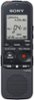
1-5 of 5 Answers
The unit has a review/fast backward button and a cue/fast forward button. These buttons enable you to go backward or forward during your playback to any place in your recording that you desire, and then continue to play from that point. You do not have to "rewind" (remember that this is a digital recording) to the beginning of the recording.
Sorry, there was a problem. Please try again later.Don't know if you've already bought one, but here's an answer. You can rewind and forward a few seconds to listen from that point. Just HOLD DOWN the rewind or fast forward buttons and release. Simply pressing the same buttons WITHOUT HOLDING will take you back to the beginning or completely to the end. Hope this helps and you find one you like.
Sorry, there was a problem. Please try again later.Yes, you can rewind to prior points in the recording. You don't have to start at the beginning every time.
Sorry, there was a problem. Please try again later.That's correct to a point. When you're done recording (press stop then play) you start at the beginning of when you first started recording. For example when I'm playing back a recording - I press stop, then play & it starts up again right where I left off. Another option you can use for lecture recording is during playback you can press "mark" and it will mark it as 1, mark another point during playback and that will be mark as 2 and so on. Just a side note the direction/instructions are that clear you kind of have to play around with it to learn the operation of the recorder. Overall it's a good recorder for lectures, etc.
Sorry, there was a problem. Please try again later.Yes.
Sorry, there was a problem. Please try again later.