“Can you download onto CD? How does this one really differ from the 99 version?”
Answer This Question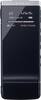
1-1 of 1 Answer
To transfer the Voice files to a CD, use the supplied Sound Organizer Software. Click on Burn CD/DVD at the left side of the Sound Organizer Software, select the Voice files and then click on the type of CD you want to create. Provide the exact Model # of the other Digital Voice Recorder with which you want to compare the Sony ICDTX50 Voice Recorder. This Digital Voice Recorder has a Memory Card slot which offers access to additional recording time using optional flash memory media that can be removed and stored or used to transfer recordings to a computer. It also has intelligent noise cut mode, easy search feature to rewind or fast forward in short increments making it easier to locate a segment in a long recording for review. It also has the Digital Pitch Control feature which enables the recording to be played at a faster or slower rate without changing the pitch. It is designed with a pocket clip that keeps the Recorder secured in your shirt pocket and doubles as a recording stand for tabletop recording. It has a Noise Damper that helps isolate the microphone elements from desk/surface noise when recording. There are different Scene Selections that allows you to select how to automatically adjust the unit to the optimal settings: notes, lectures, music etc. Again, the Track Mark feature helps to identify important points during recording or playback with a simple press of the Track Mark button. Refer the following Marketing Specifications link to view all the detailed features in it. http://www.docs.sony.com/release/specs/ICDTX50_mksp.pdf
Sorry, there was a problem. Please try again later.
