A:AnswerHello Nae, regarding this concern, kindly refer to the helpful link below to know how:
https://www.sony-asia.com/microsite/bravia_connectivityguide/bdp/index.html
Regards, _Bob
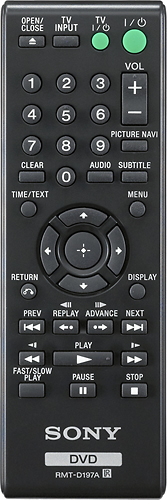
A:AnswerHello teri, yes, the unit comes with the supplied remote control. For reference, please check the link below:
https://docs.sony.com/release//DVPSR210P.pdf see page 10.
Thanks, _Bob
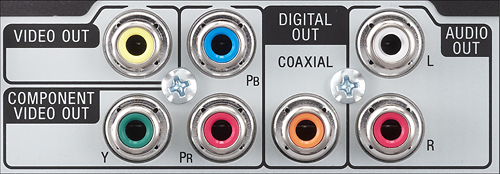
A:AnswerAs long as your using all five component wires you should hear sound. Make sure your audio cable (red+white) are in the correct input and output.
A:AnswerIf you are hooked up that way, you need to make sure your TV Input is also changed. Scroll through your TV inputs until the picture comes up. In most cases it would read "Video".
A:AnswerYes they are almost similar models.
Please check the links below for further assistance.
https://docs.sony.com/release//DVPSR210P.pdf
https://docs.sony.com/release//DVPSR200P_US_ES.pdf
Thanks,
>Joffrey
A:AnswerHi there, This unit does not support HDMI connection. However, you can use the composite or component output of this player for TV connection. - Jerome