Questions & Answers
- Model:
- WHCH520/L
- |
- SKU:
- 6594427
Q: QuestionCompatible with Samsung tv?
Asked by Sandman22.
- A:Answer Yes. I have paired it with Samsung tv.
Answered by RajanS
Q: QuestionIs it compatible with a Samsung tv?
Asked by Sandman.
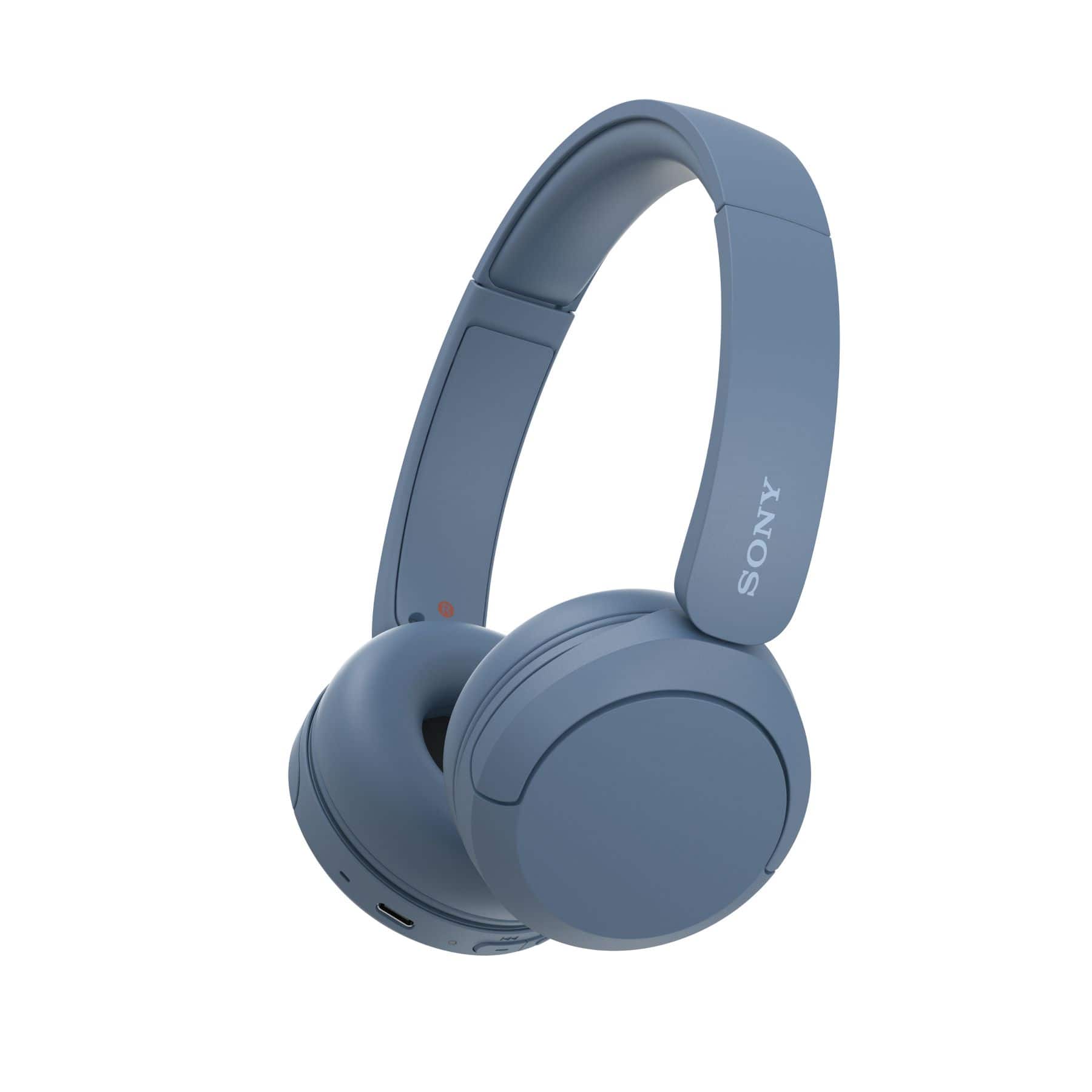
- A:Answer Hi Sandman! Thank you for reaching out with your question. We can certainly help you with that. The Sony WH-CH520 should be compatible with a Samsung TV, as long as the TV supports Bluetooth audio output using the A2DP profile. To confirm compatibility for your specific Samsung TV model, check your TV’s audio output settings for a Bluetooth option and verify in its manual or settings that it mentions support for wireless/Bluetooth headphones or the A2DP profile. We hope this helps! Thanks for considering Sony products! Best regards, Estefany
Answered by SonyListens
Q: QuestionAre these headphones compatible with a PS3
Asked by GlitchdogNasty69.
- A:Answer Hi GlitchdogNasty69, Thanks for reaching out! That's a great question about using your WH-CH520 headphones with a PS3. While the WH-CH520 headphones connect via Bluetooth, they aren't fully compatible with the PS3. The console's Bluetooth functionality is mainly for voice chat, not for transmitting all game audio. This means you might be able to use them for party chat with friends, but you won't hear the game's sound through them. The best way to get full game audio wirelessly is to use a Bluetooth transmitter. You'd plug the transmitter into the audio output on your TV and then pair your headphones with the transmitter. This would allow you to hear everything: the game's sound and your friends' voices, all through your WH-CH520 headphones. Thanks for considering Sony products. We hope this helps! Best regards, Estefany
Answered by SonyListens
Q: QuestionCan you turn the noise canceling feature on and off? How effective is the noise canceling feature. Can it block out the sound of a lawnmower?
Asked by Mwoman.
- A:Answer Hi Mwoman! Thank you for your question about the WH-CH520 headphones! The WH-CH520 model does not have a noise canceling feature. For blocking out sounds like a lawnmower, you would want a headphone with Active Noise Cancellation (ANC). This feature uses microphones to analyze and cancel out external noise. Our WH-1000XM5 headphones are a fantastic option for that, as their noise canceling is incredibly effective and perfect for environments with loud and persistent sounds. Thanks for considering Sony products! Best regards, Estefany
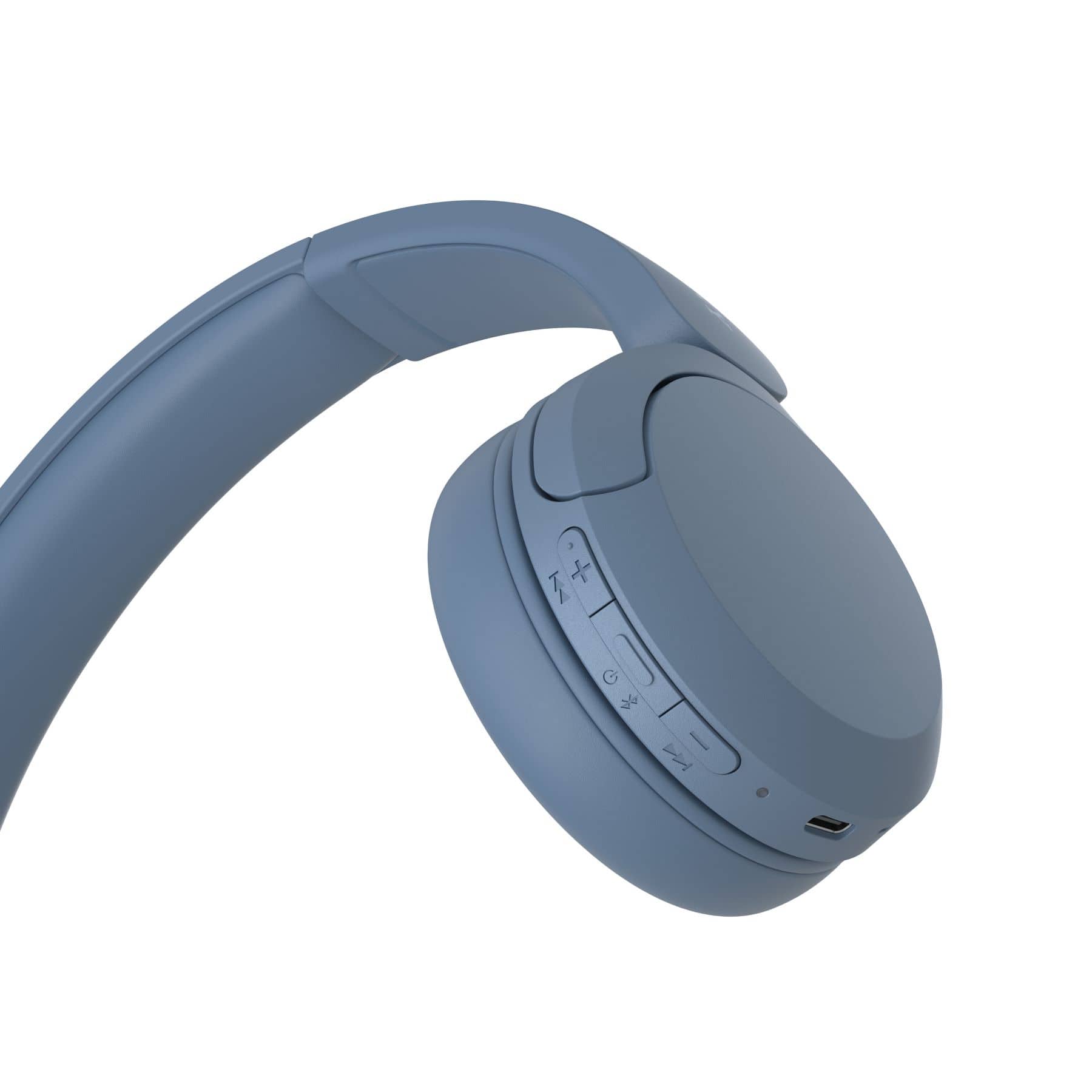
Answered by SonyListens
Q: QuestionWill the cushion covers degrade and flake overtime?
Asked by Archie.
This question was asked about the related product: Sony - WH-CH520 Wireless Headphone with Microphone - Cappuccino
- A:Answer Hi Archie, that's a great question! We use materials that are designed to be durable for long-lasting use. While normal wear and tear happens with any product, the cushion covers on the WH-CH520 are made to be resistant to flaking and degradation over time. Of course, keeping them clean and taking good care of your headphones will help them stay in great shape for even longer. Thanks for considering Sony products! Hope this helps. Best regards, Estefany
Answered by SonyListens
Q: QuestionWhat are the cushion covers made of?
Asked by Archie.
This question was asked about the related product: Sony - WH-CH520 Wireless Headphone with Microphone - Cappuccino
- A:Answer Archie
Answered by SusanM
Q: QuestionWill Best Buy carry the yellow color at some point in the future? Or is that a Sony exclusive color?
Asked by Nikki.
This question was asked about the related product: Sony - WH-CH520 Wireless Headphone with Microphone - Pink
- A:Answer Sony exclusive color
Answered by SusanM
Q: QuestionCan you use them on an airplane
Asked by Airplane.
- A:Answer Yes. They are Bluetooth and work without internet.
Answered by Trey
Q: QuestionAre these compatible with macbook air?
Asked by Dee.
- A:Answer Hello Dee, Thank you for choosing Sony! We appreciate your question and are here to assist you. Yes, the Sony WH-CH520 headphones are compatible with a MacBook Air. To connect them, simply place the WH-CH520 in pairing mode, access the Bluetooth settings on your MacBook Air, and select the headphones from the available device list. There's no need for any additional software or adapters. For more detailed instructions on how to activate pairing mode, please visit: https://helpguide.sony.net/mdr/2958/v1/en/contents/TP1000776852.html?search=pairing Best regards, -Fred
Answered by SonyListens
Q: QuestionIs this product water resistant?
Asked by Addy.
- A:Answer No, it will still get moisture from sweat and liquid
Answered by BestBuyMJ
Q: QuestionAre these headphones compatible with the dual edge sense controller?
Asked by Blessed2018.
- A:Answer Yes it is.
Answered by RobertM
Q: QuestionWhat is the Bluetooth Version of the headphone? We purchased a Sony Series OLED 4K-A90. How hard it is to connect the headphone to the TV via Bluetooth? We are not strong in working with electronics.
Asked by Smoky.
- A:Answer The easiest way I found was to download the Sony app on my phone and go from there then you can control it on your phone.
Answered by BrendaH
Q: QuestionDo they work for ps5
Asked by Anonymous.
- A:Answer They should if you have the double C adapter to plug them
Answered by Jovanna
Q: QuestionWill these headphones pair with Roku Ultra 2024 ?
Asked by LenH.
This question was asked about the related product: Sony - WH-CH520 Wireless Headphone with Microphone - Cappuccino
- A:Answer Hi SonyWHCH520! Thank you for reaching out to us. The WHCH520 headphones are designed to deliver exceptional performance on any device equipped with the A2DP Bluetooth profile. If your Roku device supports this profile, you'll enjoy seamless compatibility with the headphones! Thanks for your interest on Sony headphones! Best regards, Gus Sony Social Media Team
Answered by SonyListens

Q: QuestionI recently purchased the Hisense 3.2.1 Ch. Soundbar. I purchased these headphones but there is no info in the instructions on how to connect to my sound bar. Can they be connected?
Asked by Mike.
- A:Answer Yes just turn on the Bluetooth on the soundbar and on the headphones and it should connect right up
Answered by BrendaH
Q: QuestionDoes these head phones work on a computer?
Asked by bigdog.
- A:Answer If you have Bluetooth on your computer they should hook up fine
Answered by BrendaH
Q: QuestionHow to find headphones
Asked by TAy.
- A:Answer you can find them online or if you have a Best Buy they have them at a good price.
Answered by KarenS
Q: Questionare these foldable
Asked by weirdo.
This question was asked about the related product: Sony - WH-CH520 Wireless Headphone with Microphone - Cappuccino
- A:Answer Hi Weirdo, thanks for your interest on the Sony - WH-CH520 Wireless Headphones. We'd like to inform you that these particular model it is not foldable, however we do have the WH-1000XM4 headphones that do fold and offer a great sound quality and noise cancellation! We hope this helps in making your decision. Thanks for trusting Sony, regards - Dominick
Answered by SonyListens

Q: QuestionDoes head phone allow a head phone jack?
Asked by Sal808EWA.
- A:Answer Hi Sal! Thank you for your inquiry!, unfortunately the headphones WH-CH520 do not support headphone jack, they are wireless headphones. If the headphone jack is a must, you may take a look to the WH-CH710N which have similar features but also have a headphone jack. Thanks for choosing Sony! Gus https://helpguide.sony.net/mdr/whch710n/v1/es/contents/TP0002753226.html
Answered by SonyListens
Q: QuestionI have tried to connect these headphones to my laptop and phone and no luck they will not show under Bluetooth pairing. Fully charged so that is not the issue. Any thing I can try?
Asked by Deborahl24.
- A:Answer We have two Sony Bravia TVs. These Headphones pair with both. However we had to buy a range extender for one of the TVs. The range extender plugs into the TV and the headphones pairs with the range extender.
Answered by WilliamS
Most-viewed items
Not yet reviewed
Not yet reviewed$249.99