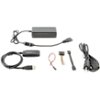
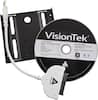
“Can this be used to clone a new SSD to replace an existing laptop HHD?”
Answer This Question
1-10 of 10 Answers
yes
Sorry, there was a problem. Please try again later.If it has the compatible SATA connection on the drive.
Sorry, there was a problem. Please try again later.Yes.
Sorry, there was a problem. Please try again later.Yes, this works well though you will need your own software to make this happen for your boot drive. This is going to be the case 99% of the time with a laptop. There are several companies that make this, some are even free, and work on either removable media like a CD-ROM/flash drive or other options can pull this off by setting up the process and rebooting out of the main operating system. I have had success with both types. Just make sure you buy an SSD with at least as much space as the drive you're replacing.
Sorry, there was a problem. Please try again later.Yes, this is exactly what I bought it for, and it works flawlessly for desktop and laptop drives alike so far.
Sorry, there was a problem. Please try again later.yes
Sorry, there was a problem. Please try again later.Yes, I was using it to clone systems using Acronis software. I can't vouch for any other software nor any drives over 2TB. Just be careful with this unit. It is notorious for losing connection to the the host machine with a lot of data transfer and mine completely failed after 3 months of use.
Sorry, there was a problem. Please try again later.Yes you can.
Sorry, there was a problem. Please try again later.Yes you can.
Sorry, there was a problem. Please try again later.no. you need a ssd cable. they connect your ssd to your computer. once ssd connected and formatted you can then clone. VisionTek - Solid State Drive Installation and File Transfer Kit Model: 900537SKU: 6060039
I would recommend:
Sorry, there was a problem. Please try again later.