A:AnswerWe recommend consulting with your dorm's IT staff first; some campuses have specific regulations regarding which types of networking devices are approved for use within dorms.
Regards,
TP-Link Support
A:AnswerYou can connect the Archer C50 to your existing router using an Ethernet cable to provide an additional point of AC1200 WiFi connectivity for your network. If your ATT U-Verse router is also a modem (gateway), the Archer C50 cannot be used to fully replace the U-Verse device; however you may be able to set the U-Verse gateway in Bridge Mode (Modem only), then use the Archer C50 in conjunction with it as your primary router.
If you have any additional questions, please feel free to email [email protected] and we'll gladly follow up.
Regards,
TP-Link Support
A:AnswerYes, simply connect your modem to the router via Ethernet, and keep your phone(s) connected to the modem via the telephone cable (RJ11).
Regards,
TP-Link Support

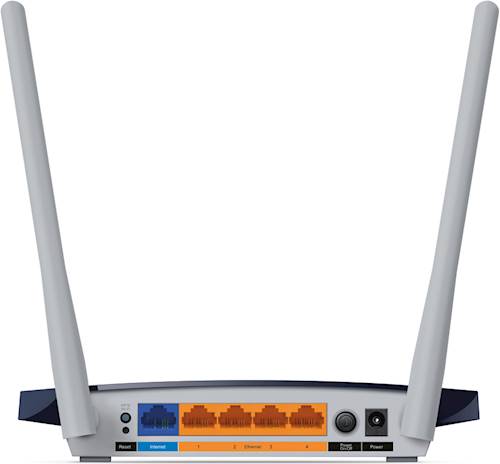
A:AnswerThe Archer C50 is equipped with Fast Ethernet (up to 100Mbps) ports and AC1200 dual-band WiFi, with theoretical speeds up to 300Mbps via 2.4GHz, and up to 867Mbps via 5GHz.
Regards,
TP-Link Support
A:AnswerYour Internet speed and connection are determined by your Internet service plan and provider. However, your local network and WiFi performance are affected by the capabilities of your router. If you would like help deciding on the best router for your particular network needs, feel free to contact our support team directly using any of the options here: https://www.tp-link.com/us/support/contact-technical-support/
Regards,
TP-Link Support