“My phone's weather temperature is stuck on 90 degrees. Is there a way to reset this?”
Answer This Question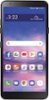
1-1 of 1 Answer
To rest the LG Journey™ LTE | TracFone, Model # TFLGL322DC3PWP, you will have to perform a factory reset. A factory reset, also called a master reset, restores a device to its original system state and often, solves the issue of a malfunctioning device. However, by doing this, users agree to delete permanently all their data and applications encrypted on their phones. This is irreversible and can’t be undone so it is a must to back up your phone in advance. If there are files on your phone that you can’t let go yet. It can be something important or valuable to you. So, before you reset it, browse through your device and take note of the stuff you have. If you can, list the data you want to keep starting from your media files, to your messages, contacts, note, documents and the applications you installed. Bear in mind that factory resetting will remove everything on your phone which is essentially similar to reformatting a drive. There are desktop software that you can use to backup files on your Android device, such as contacts, messages, call history, bookmarks, and applications. There is a Backup setting in the phone's settings menu that can be used to back up data saved on your device to another device or account. To access it, on the settings screen, tap System > Backup. You can customize Backup & Restore to back up the phone or restore data to your device from a backup. Again, keep in mind that resetting the phone may delete backup files saved in storage. Make sure to copy and store the important backup files to your PC. Restart and reset lets you reset the device including network and app settings. Any unsaved data and notifications, including badges, will be cleared after a restart. Make sure you save what you are doing. You will these instructions in your owner's manual for the phone under settings. If you need assistance, please contact our Support Center at (800) 243-0000...^IFV
Sorry, there was a problem. Please try again later.