“hi: Can this phone be set up to do call forwarding? I have read that tracfone only allows it on certain manufactured phones and that Motorola is one of them.”
Answer This Question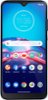
1-2 of 2 Answers
Not sure. My husband bought this phone for when he goes to Montana. However, he never used it and I never used it as well.
Sorry, there was a problem. Please try again later.Hi. This is Cristy from TracFone Wireless. Yes. To enable Call Forwarding from the main screen, tap the "Phone" icon. Tap the "Menu" icon, indicated by three vertical dots. Select "Settings" and tap "Calls." Tap "Call Forwarding" and select the desired call forwarding option. If necessary, tap the "Phone number" field to activate the keypad. Enter 1, followed by the area code and phone number where you would like to have your calls forwarded. Tap "TURN ON." If there is a phone number in the number field, delete the number and replace it with the desired forwarding number. Then, tap "TURN ON" or "UPDATE." To get a handset tutorial, you can text the word TUTORIAL to 611611. For further assistance, please copy this link http://bit.ly/2qdrKHH and paste it on a new window to chat with us. Our representatives are available Monday-Sunday from 8:00AM to 11:45PM EST. We will be happy to assist you. Thank you.
Sorry, there was a problem. Please try again later.