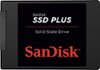
“Is this compatible with a Toshiba satellite L305-s5945 laptop?? I'm new to this but was told I needed more space. Thanks!”
Answer This Question
1-5 of 5 Answers
It should be, most laptops take a 2.5" hard drive (which this one is) so by all accounts it should work just fine. IMO you should do yourself a favor and buy an SSD for the extra speed, but this drive does just fine if you're main concern is gaining storage space.
I would recommend:
Sorry, there was a problem. Please try again later.Yes, same drive type.
Sorry, there was a problem. Please try again later.It depends on which operating system you are running on your Toshiba laptop. If you're running Windows 7 or above, it will work just fine. I have even gotten it to work with Windows Vista on several Toshiba laptops, but have not tried it with Windows XP or earlier.
Sorry, there was a problem. Please try again later.I am assuming is what you have now in your laptop: • 160GB (5400 RPM); Serial ATA hard disk drive This is what you are looking at: WD - Mainstream 500GB Internal Serial ATA Hard Drive for Laptops When purchasing drives, what needs to be considered is the drive storage size (500GB) , drive physical dimensions (laptop hard drive), read/write speeds (up to 3Gbps. Unless you are moving large files and need it done quickly this isn't as big of a deal) and the drive connections (Serial ATA). As you can tell, you are going up in drive size, which is fine. You are looking at replacing your existing hdd 120Gb with another hdd that belongs in a laptop, which is also okay and your connections match. This drive will work perfectly.
Sorry, there was a problem. Please try again later.yeah, just make sure you format it correctly to work for your pc during the startup application.
Sorry, there was a problem. Please try again later.