“Does this work with the WD My Cloud app? If so, how do I connect it?”
Answer This Question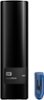
1-3 of 3 Answers
If you have an open USB port, just plug this in and copy your files into it as easy iusing a zip drive. Think of these as giant zip drives.
Sorry, there was a problem. Please try again later.Just plug the external drive into the rear USB port of the WD MyCloud. Then log in to the MyCloud admin console. Either in Settings or Storage you will see the USB option. Enable it & you can then use the drive as a backup drive or an extra media drive.
Sorry, there was a problem. Please try again later.My understanding of WD My CLOUD is that it is a particular line of external hard drives/NAS that plugs into your router to give you access to your files on any device that has a network connection. The EasyStore line is designed to be plugged in via USB 3 on your computer and store files locally, although there are programs that can turn it into a "cloud" device, but they require much more setup.
Sorry, there was a problem. Please try again later.
