“I purchased this, but cant find the power button to turn it off. I hate to leave it plugged in all the time when it's not in use most of the time. Is there a power button on it? If not, then do i have to physically unplug when it's not in use?”
Answer This Question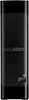
1-6 of 6 Answers
I see no power button either. It does not exist. Western Digital even gave instructions link that does not show a power button......LOL
Sorry, there was a problem. Please try again later.The WD white label drives inside these units are designed to be on 24/7, so no need to worry about that. If power consumption is what you’re worried about, then yes you can unplug it each time, However, be sure to stop and unmount the drive from your pc first, or you could damage the drive or cause data loss. I personally leave my drives on 24/7.
Sorry, there was a problem. Please try again later.No power button.
Sorry, there was a problem. Please try again later.The WD Easystore external drives do not have a power button to turn the unit off and on, A possible solution would be to plug the power brick in to a power strip with a switch. (I think that another version of this drive sold by other retailers - the WD Elements external drive - does have a power button on the back. However, this button looks to be an electronic switch. So even that drive will remain connected to power when turned off with the switch.)
Sorry, there was a problem. Please try again later.I am struggling with the answer that was provided that said there is an on/off power button on the back side. I have looked back and forth through the manual link he provided and have spent a significant amount of time trying to find the button. Please clarify where that button is based on the pic I attached.
Sorry, there was a problem. Please try again later.Hello, please be informed you that the power on and off button is on the backside of the device. You can switch it off from there. In order to know more about the drive refer to the link: https://products.wdc.com/library/UM/ENG/4779-705169.pdf Need Help? Please see our "'Contact Us" page for information.
Sorry, there was a problem. Please try again later.
