“Will this work for dropbox that is full on Hp using windows 10 and dropbox that is full on a new macbook pro? Not very computer savvy. Just need storage mostly for pics. Dropbox says it is full on both the desktop and macbook.”
Answer This Question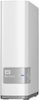
1-3 of 3 Answers
I have not done much work with Apple products but did a little Bing work and found this tech answer: http://apple.stackexchange.com/questions/75607/time-machine-can-it-share-external-drive-with-windows-backups Basically, it seems that you plug the drive into your Macintosh and create partitions. The Mac uses a different format than Windows but like all Apple products, your tools are so much more straightforward to use that it does not look like a big deal. Make a partition big enough for your Mac and make it the HHS (if I remember right) format and leave the other two or however many you want partitions as free space. You can use Windows to format those partitions into NTFS format which Windows uses. I also read that if your Mac is on the same network as the Windows machines you have a finder utility to easily find the new drive and access the desired partition. I hope this helps! If not, I am absolutely sure that the kind folks at Apple support will walk you through it and get you working in no time. The WD drives are solid drives and should last you a very long time. This is just my opinion but I have been using them pretty much since the company started.
Sorry, there was a problem. Please try again later.Yes, it would be a 2TB storage space for you. You would need to move files from drop box to your WD drive to clear the cloud space.
Sorry, there was a problem. Please try again later.This does not work FOR Dropbox, this takes the place of Dropbox. In other words Dropbox is "cloud" storage, your pics are stored on somebody's server. The MyCloud is a server that connects to the internet, so your pics are stored on your own server, and accessible from any internet connection.
Sorry, there was a problem. Please try again later.