“Is doing a wired transfer of files manually simply a matter of plugging a USB 3.0 cable into the computer and the USB 3.0 port of the NAS drive? If I plug a USB 3.0 cable into the computer USB port and the USB port on the NAS drive, will the computer recognize the drive? Can I then simply copy and paste what I would like to put on the drive? I am using Windows 8.1.”
Answer This Question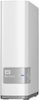
1-7 of 7 Answers
No, the USB 3.0 port on the NAS drive is used for backup of the NAS drive itself. You create a three point backup system by backing up data to the NAS, then an external hard drive connected to the NAS, and to MyCloud. This is a good way to make sure that you do not lose your data just in case multiple things go wrong at the same time. E.G. Natural Disaster, Fire, Etc. Mostly I use this type of backup for a business but it just depends on how important your data is to you. Regards, Valsar
Sorry, there was a problem. Please try again later.The drive is made to attach via a network cable to a router. The USB ports on the drive are to attach another external drive. You need to install the software on each computer and then the drive appears as a drive letter on your computer.
Sorry, there was a problem. Please try again later.I tried and no It won't. That port is for adding storage space to the has drive
Sorry, there was a problem. Please try again later.Almost. Add the software installation and that is it.
Sorry, there was a problem. Please try again later.Yes
Sorry, there was a problem. Please try again later.The computer should recognize it. I don't have a WD NAS drive but I do have an NAS array enclosure at my office and I have it directly plugged into my tower and that is how I use it most of the time.
Sorry, there was a problem. Please try again later.yes will recognize hard drive automatically
Sorry, there was a problem. Please try again later.