“Use to sync with iTunes. I don't use cloud storage for my iTunes account. Everything is in my old dying Windows laptop. I just bought a new MacBook Pro but the storage isn't just enough. Can I transfer all my iTunes files and account info to the MyCloud (NAS), download Apps and music, and be able to sync to my devices wirelessly?”
Answer This Question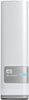
1-5 of 5 Answers
I have my iTunes library on a 4 TB MyCloud drive so the whole family can access it and share content. I don't think you can sync wirelessly though. Don't you need to plug the iPhone/iPad/etc into a USB port for sync'ing?
Sorry, there was a problem. Please try again later.You could make this work if you use advanced file share mounting techniques and mount the MyCloud share as your iTunes folder. An example of the mounting you would need to perform can be found at http://superuser.com/questions/336665/how-to-automount-smb-shared-network-drives-in-mac-os-x-lion
Sorry, there was a problem. Please try again later.You can't sync wirelessly directly to the NAS. You have to go thru a computer.
Sorry, there was a problem. Please try again later.I would give Apple Care support a call on this, they can help you find the best solution, your product comes with 90 days phone support automatically. They are there to help you make this transition. https://www.apple.com/support/macbookpro/contact/
Sorry, there was a problem. Please try again later.The drive has a pretty awesome feature that allows you to stream any music stored on it as an Itunes library. You can turn this feature on through the drive's settings, and point it to the folder where your music is stored. Then, on the my music screen in Itunes, there is a little house symbol in the top left. If you click on that, it should show your hard drive as a library option. Hope this helps!
Sorry, there was a problem. Please try again later.