Customer Ratings & Reviews
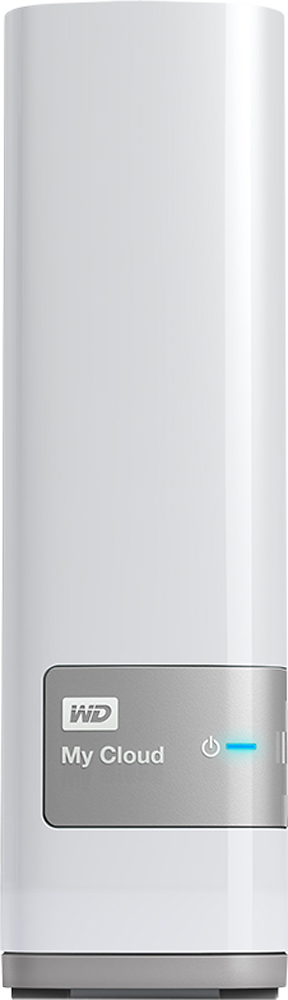
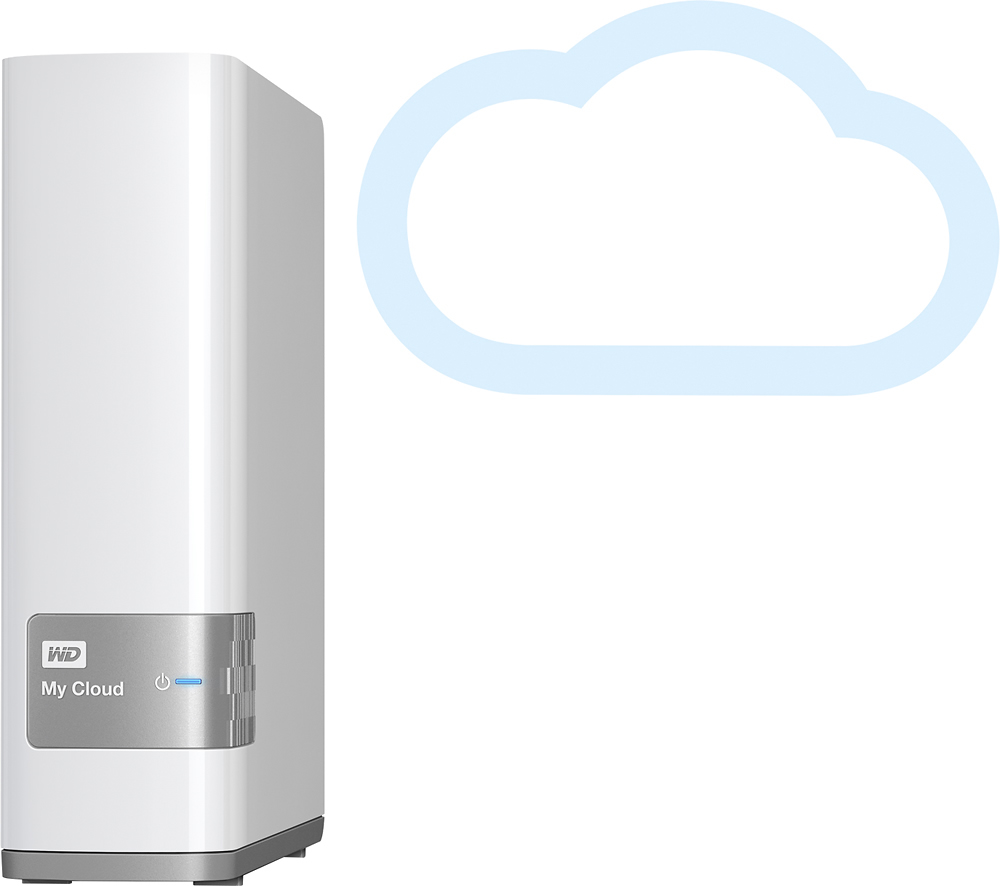

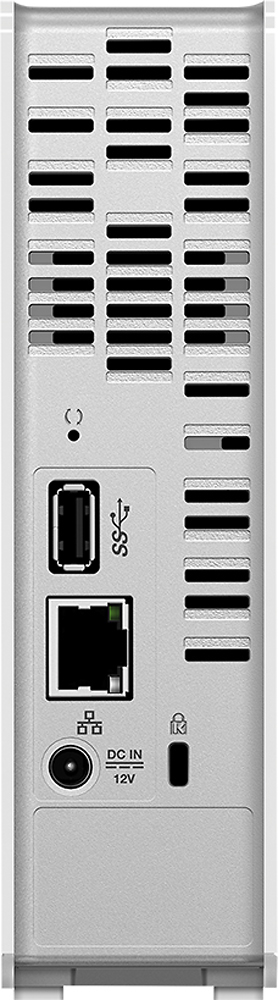
- Model:
- WDBCTL0040HWT-NESN
- |
- SKU:
- 2832018
Customer reviews
Rating 4.2 out of 5 stars with 1848 reviews
(1,848 customer reviews)Rating by feature
- Ease of Use3.5
Rating 3.5 out of 5 stars
Customers are saying
Customers find value in the My Cloud 4TB External Hard Drive's ease of use, large storage capacity, and relatively quick setup. Positive feedback also highlights its performance, remote access capabilities, and competitive price. However, some users experienced challenges with the software and interface, suggesting areas for improvement. The instructions could also benefit from greater clarity and detail.
This summary was generated by AI based on customer reviews.
- Pros mentioned:Ease of use
Rated 5 out of 5 stars
My cloud 4t
||Posted .This reviewer received promo considerations or sweepstakes entry for writing a review.It's so great to work with this hard desk I like it
I would recommend this to a friend Rated 4 out of 5 stars
Nice for data storage !
||Posted .This reviewer received promo considerations or sweepstakes entry for writing a review.I would love it if they provide direct file play streaming videos on computer/laptop, i am only able to play my videos from android app , if they they provide me to play my data online from laptop i would rate it 5 star.
I would recommend this to a friend- Pros mentioned:Price
Rated 5 out of 5 stars
Best size for your money
||Posted .This reviewer received promo considerations or sweepstakes entry for writing a review.Best personal cloud on the market right price! iOS app works flawless once you get it setup!
I would recommend this to a friend Rated 4 out of 5 stars
A little slow when using as a data source
||Posted .This reviewer received promo considerations or sweepstakes entry for writing a review.It was a bit more of a challenge to set this up than I anticipated. When adding several other users, it is even more challenging. A video or two to help decipher the written instructions would be great!
I would recommend this to a friend- Pros mentioned:Ease of use, Performance, Storage
Rated 5 out of 5 stars
EASY - works better than expected
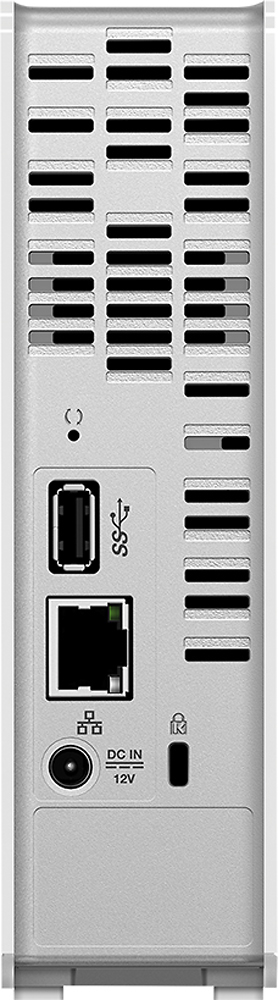
||Posted .This reviewer received promo considerations or sweepstakes entry for writing a review.The WD - My Cloud 4TB Personal Cloud Storage External Hard Drive (NAS) is simply GREAT and a nice price (approx $190) for 4TB of network storage. 1. Easy to install. Literally, take it out of the box, connect the cables. Each device on your network is able to find/access the NAS. 2. Quite fast. The NAS is quite fast - However, be aware that your network speed comes into play, so it is not as fast as a local hard drive. I typically get about 11 Mbs when transferring large files to the NAS. 3. Easy to access. Within the home network, I can access the NAS from a variety of computers/devices: Win7, Win8, Tablet, and SmartTV. The NAS appears as a device on the network (either by IP or by the name "MyCloud". 4. Access from outside my home network. Using the MyCloud application on my Windows 7 PC, I am able to access my NAS from anywhere. It requires a secure login. I am able to transfer files to/from the NAS - using drag/drop. Apps such as Word/Excel/etc can also open files on the NAS simply by double-click the file; however, it does something to open a temporary copy of the file "~97y0798709767-myfile.docx" which is awkward - but when you SAVE the doc it saves to the original file. 5. SmartTV - I store video on the NAS and use my SmartTV to access my video library on the NAS. The performance is very good. 6. Connecting a local hard drive. The NAS has a USB3 port. You are able to connect a hard drive to the USB3 port. This expands the capacity of the NAS. From your PC or over the internet, you can access the internal NAS drive or the externally connected hard drive. There is a way to locally transfer files between the NAS and the connected hard drive - eliminating network traffic - but I was only partially successful doing so. All in all, this is an awesome product. Does exactly what it claims do to. Fast. Nice price. Yes! I would recommend this product.
I would recommend this to a friend - Pros mentioned:Ease of use, StorageCons mentioned:Speed
Rated 4 out of 5 stars
Easy Setup On Multiple Computers
||Posted .This reviewer received promo considerations or sweepstakes entry for writing a review.So far I have installed 3 of these drives and they are relatively easy to install and software is easy to configure if you are somewhat technical. There are some quirks with the software in that I was not able to set up separate file folders for my 2 Macs, they dump all files into one. But for Windows I like that I can easily set up password protected file folders for each computer on the network. But if you do that, each has to have separate user/passwords. What I don't like is how hot this thing gets as I have had very bad experience with WD drive failures over many years. It also is very slow, so when you set up multiple computers at once, it literally can take a couple days to backup all of them. Thankfully the software does it automatically at night. But for the money, this is probably your best consumer grade backup drive for networks.
I would recommend this to a friend - Pros mentioned:Storage
Rated 4 out of 5 stars
Excellent value for the price
||Posted .This reviewer received promo considerations or sweepstakes entry for writing a review.If used correctly, this device can improve the security of your electronic ID and the security of your data. I have been increasingly concerned about the privacy of my data with a fair amount of it stored in various cloud services (Microsoft, Google, etc.), which led me to look at alternate options for keeping my data. This device provides a viable alternative to these services. While setup on my network was not quite as simple / straightforward as the marketing literature would have you believe, it is no rocket-science provided you read the instructions carefully and follow the steps which are very well documented in the user guidelines. The model I purchased (4 TB) is a massive amount of space which would have cost tens of thousands of dollars 10 - 15 years ago, but is now available to us - Joe Public. I have about 6,000 various PDF's and office documents, 4,000 music files (songs) stored in various computers / cloud services and about 16,000 digital photographs (something of an amateur photographer) on separate storage devices. All of these are now in a single place and available for all machines I have granted access to (laptop, desktop, tablets and phones) from any location. The logical concern is: what happens if this storage device fails? Got that covered too with a backup Passport storage device attached to it. WD has been smart enough to create additional software to provide automated backup which you can schedule as you choose, making your single point of failure more secure. Of course, this will not work if you have some disaster (like a fire) which destroys both devices. A final benefit is that my son (who is deployed overseas with the military) is now able to stream music from the storage device provided he has internet access. All in all, great value for the money. Your experience of this product will initially be impacted by how well you read the setup and use instructions so I suggest taking a few minutes going through them before hooking it up to your network.
I would recommend this to a friend - Pros mentioned:Ease of use, Price
Rated 5 out of 5 stars
Just Buy It!!!
||Posted .This reviewer received promo considerations or sweepstakes entry for writing a review.I'm fairly new to this product, but not the tech. I had a coolmax NAS for a while and configured the mess out of that thing through the years, but I have to say that MyCloud 4TB was a way phenomenal upgrade. Right out of the box this was a snap to set up. No issues with the cloud connectivity and setup. I do recommend doing all of 8 (at the time) online video from WD's learning center. I like the fact that when I take a pic on my phone it goes immediately to my drive no matter where in the world I'm at. (albeit you gotta make sure your phone is set to synch wifi & cellular), this comes in handy for those moments when news & history happen right in front of you. The drive is fast and works with both Mac and Win. They have some apps for your phone to make syncing and viewing of your pics easy. I believe this also serves as a music server but haven't attempted that yet. The UI for both windows and Mac is super easy and intuitive. Get it, mess around with it and explore all the features that best suit your needs. Auto Backup is a snap. Can't beat it for the price... did I mention FTP. Also cloud configuration is easy depending on your cable provider, most is just pass through via internet, but if you need to set and do ports there is a video for that as well as SSH setup too!
I would recommend this to a friend - Pros mentioned:Ease of use, Storage
Rated 4 out of 5 stars
Easy to use NAS
||Posted .This reviewer received promo considerations or sweepstakes entry for writing a review.Easily installed onto my network right out of the box. I did set up a static IP to avoid some of the potential issues others have mentioned about losing access to the device. I also turned off the Drive Sleep option as recommended by another reviewer. Loaded a couple of Gigs of photos onto the My Cloud and was able to view them on my Vizio TV with no problems. Have not yet tried to do anything with a mobile device (tablet, Smart Phone).
I would recommend this to a friend - Pros mentioned:Ease of use
Rated 5 out of 5 stars
Excellent product for the novice or the expert
||Posted .This reviewer received promo considerations or sweepstakes entry for writing a review.Drive was very easy to install - took only about 15 minutes from box to complete configuration. I have it shared by multiple computers on both windows and mac and also across various mobile devices. Also using the default streaming capability to play music. Did have to call support for a minor glitch during the install and they answered the phone immediately and helped solve the issue in less than 5 mins
I would recommend this to a friend - Pros mentioned:StorageCons mentioned:Interface, Speed
Rated 3 out of 5 stars
External hard drive
||Posted .This reviewer received promo considerations or sweepstakes entry for writing a review.I have it installed, which didn't go very smoothly. I had to call the company to help me through it, but it's in. It's not a very user friendly interface. I have it connected to a Mac. I still have no idea how to actually USE it. I'm watching videos to try to figure it out. That's how they show you to set it up, by watching videos. I bought it to transfer photos while on vacation, which it says you can send your photos from anywhere in the world. I have been able to send photos to it, but I'm not sure if I'm doing it right. Plus I don't think you can send a lot at a time. I take about 4000 photos on an average trip, and I seriously doubt I would be able to transfer them all while ON vacation. It would take days to do it it seems. It says to attach it to your computer for faster speeds.?? I also bought it because it would be my own personal cloud so that I could stop paying for the iCloud storage. I will continue to work with it, and possibly come back an update my review, but for now's just average until I figure out how it actually works. Not very user friendly or easy to figure out. An IT person would have no problem, but the average Joe Schmo not so much. If all else fails it's still a great design, looks nice. Small, and compact, and a 4 TB capacity external hard drive with which I can back up my computer.
I would recommend this to a friend - Pros mentioned:Storage
Rated 4 out of 5 stars
Its a SIMPLE solution for what I needed
||Posted .This reviewer received promo considerations or sweepstakes entry for writing a review.I wanted a tech solution for this problem and I am not a Tech expert by any means: Over the years I have accumulated a large amount of Home Videos and a Movie Collection, I have several portable hard drives (WD by the way and they work great), when anybody in my family would like to watch something on any given TV, it was a struggle since I needed to copy that file to a USB and then insert it on my xbox, or my BluRay player and hope that it worked. With this I have copied All of that data to the 4TB MyCoud and I have access to it on my ipad, my xbox, etc, around the house, also I travel a lot, i can access and watch my movies in a hotel, streaming is not a big problem, it works, just depends how fast is the connection that you are connected to, the problem becomes if you want to move files or add large files to the MyCloud remotely, that takes a long time.
I would recommend this to a friend - Pros mentioned:StorageCons mentioned:Software, Speed
Rated 4 out of 5 stars
Nice addition to my storage network.
||Posted .This reviewer received promo considerations or sweepstakes entry for writing a review.I bought this to use a cloud storage system. It has plenty of space at 4TBs but the file transfer is slow. Especially over the internet. It has a 3.0 USB port on the back but I wasnt getting anywhere near the kind of speeds that should be associated with this when I plugged a 3.0 USB drive directly into it. It appears the setup is such that when transfering files thru the USB port it goes thru the internet and back into the HDD even tho the drive is plugged directly into it. The software was a little confusing when I first set it up but I was able to figure it out with a little work. Overall I like the drive. Being wireless makes it really easy to work with. I was able to connect it to my laptop and my cell phone easily once it was set up. I had an issue getting it to work over the cloud but with some help from the IT guy at work I was able to figure it out and got it all set up. I can load files from work and they are there when I get home. This is a huge time saver. I also like the feature where you can set up individual accounts so others can access the drive but only the areas where you have allowed them access. So if I have a video that I want to share with a friend in another state I can send them a link and they can access the video on my drive and I dont have to try to send a large file by email or by loading it into facebook. It is perfect for large files. With the wireless network I can also connect it right to my TV so I can watch movies and videos right from the drive thru the DLNA set up. I recommend this to anyone who wants to set up their own personal cloud.
I would recommend this to a friend - Pros mentioned:Ease of use, Storage
Rated 4 out of 5 stars
Great for automatically storing for mltp devices
||Posted .This reviewer received promo considerations or sweepstakes entry for writing a review.We have SEVERAL 'devices' in our household between cellphones, iPads, iTouches, and cameras. Getting it all set up was a lot easier than i expected, but I think that's also the only real fault too. It uploads everything to a new folder for your specified device in the PUBLIC folder. It doesn't seem to allow me to upload the pics from my phone, as an example, to my own personal folder. It downloads them to a folder for my phone within the PUBLIC folder, then I have manually move them to another folder to not everything is public. I think i get why everything defaults to the Public folder, but if they could change the way this works, it would be perfect. Lots of storage (I got the 4TB), super easy to access from where ever (although easier on data if you're on a wifi), and super easy to move download/upload and look at everything.
I would recommend this to a friend - Pros mentioned:Ease of use, PriceCons mentioned:Software
Rated 4 out of 5 stars
Good NAS Drive for the Price
||Posted .This reviewer received promo considerations or sweepstakes entry for writing a review.This drive is really tough to beat for the price. It is easy to set up, works out of the box, and essentially does what it says. There are still some software hiccups along the way, especially on a Mac, but overall it works well.
I would recommend this to a friend - Pros mentioned:Ease of use, Storage
Rated 5 out of 5 stars
Easy Installation and use
||Posted .This reviewer received promo considerations or sweepstakes entry for writing a review.The family needed space for shared pictures and backups. With two kids in college, they also needed space to store their work and be able to access it anywhere. Our last need was for backup space. The 4TB drives gives us everything we need. The setup was easy. Network access was not an issue and internet access was as simple as registering with WD. Best of all, I do not have to have all if my files on a public cloud drive.
I would recommend this to a friend - Pros mentioned:Setup, Storage
Rated 5 out of 5 stars
One solution
||Posted .This reviewer received promo considerations or sweepstakes entry for writing a review.My husband and I have been contemplating for a while the best way to store all of our data, camera photos, scanned documents, both iPhones pictures all to one place. Mostly we have storage in various locations; clouds, hard drives, flash drives, DV-Rs. The WD MyCloud 4T has been a wonderful solution. It backed up our main PCs hard drive and our iPhones pics perfectly and continuously does so with no effort on our part. It was easy to set up and takes up little room on my desk. It would also be easy just to pick up and take with us in the next serious hurricane threat as opposed to the various other storage devices we have been accumulating. We have only had it for about 6 weeks but so far very pleased. I have found I can access my home hard drive with LTE on my mobile devices pretty quickly. Great customer service!
I would recommend this to a friend - Pros mentioned:Ease of use, StorageCons mentioned:Speed
Rated 4 out of 5 stars
If you like HD movies you need this
||Posted .This reviewer received promo considerations or sweepstakes entry for writing a review.Excellent storage space Files accessible anywhere you are Secure connection, preventing intruders Easy to access and operate when remotely far Not so great is that is kind of complicated to configure Tried to transfer large files from remote connection (different cities) and it couldnt finish Friends are accessing and sharing music and photos with extreme easiness In overall its a nice device
I would recommend this to a friend - Pros mentioned:Ease of use, Storage
Rated 5 out of 5 stars
Cloud access without paying a subscription
||Posted .This reviewer received promo considerations or sweepstakes entry for writing a review.I bought this to store music, pictures and other personal files without subscribing to one of those cloud services like DropBox. It was INCREDIBLY easy to setup, INCREDIBLY easy to connect to my and my wife's computers and INCREDIBLY easy to setup on our mobile devices. I love the app for the mobile devices that allows me to look at pictures, listen to music and not only that, immediately upload my photos from my phone camera to the hard drive no matter where you're at as long as you have a data connection on your phone. I love that I can access my entire music library from my phone. No more swapping out songs. I only wish it had an option to shuffle but it does play an entire album. One very minor complaint. Look forward to using this to hooking up more devices to it in my effort to centralize things in my house. Looks like it's easy to expand if needed but at 4TB I am nowhere near ready to expand.
I would recommend this to a friend - Pros mentioned:Performance, Setup, Storage
Rated 5 out of 5 stars
Great bang for the buck.
||Posted .This reviewer received promo considerations or sweepstakes entry for writing a review.Having shopped around for a while, this 4TB has all the space for my entire family of four to individually access our music, photos etc.... If you can afford the extra money, it works out to be better 'bang for the buck' with more than enough room for future needs. Set up and use was easy and the product works as advertised.
I would recommend this to a friend