“Do I need a LAN or will my Wi Fi at home work? I do not know what LAN and Ethernet means.....I have a cable box at home that gives me Wi Fi.....will I be able to make it work only through Wi Fi connection or do I need a LAN installed at home?”
Answer This Question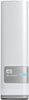
1-10 of 11 Answers
LAN is Local Area Network. That would be your home system. Ethernet are the wired cables that look like bigger phone jacks. WiFi means you don't need those wires. The My Cloud needs to be wired to your cable box, but you can access it with your computer wired to the cable or through your WiFi. So, it sounds like you don't need to buy anything else, as long as you have at least one Ethernet plug on your cable box for the My Cloud.
Sorry, there was a problem. Please try again later.LAN is an acronym that stands for "Local Area Network". Technically this includes your WiFI so, even if you don't realize it, you already have a LAN in your house. The bigger part of your question is regarding Ethernet connection versus WiFi. Ethernet is a type of connection you use to connect directly to your LAN using a wire rather than depending on WiFi. You will need to plug this device in using an Ethernet cable since it does not have any WiFi capability. This is likely intentional since WiFi would be unreliable and slow when transferring large volumes of files. Your cable modem should have Ethernet ports in the back so you should just be able to plug into one of those. One recommendation I would make is to assign a static IP to the device. If the IP changes, then it will effect the ability to connect to it using the MyCloud Dashboard shortcut as this shortcut points to the device by IP. If you're not tech savvy, then I would recomend having someone who is help you out. While configuring a static IP is not absolutely necessary, it can save some frustration down the line.
Sorry, there was a problem. Please try again later.Lan or USB will work. For best performance use gigabit for your lan or usb 3.0
Sorry, there was a problem. Please try again later.all you need to do is be able to plug the wd my cloud into your router via the Ethernet cable.
Sorry, there was a problem. Please try again later.LAN is "Local Area Network" It just means it needs a network cable to plug into. Usually if you have a modem(cable/dsl) it connects via a cable to your wireless router(gives you wifi) That router should have ports on it for additional network cables to be plugged into it.. Just get a Network cable, plug it into one of those ports and the other end into the My Cloud
Sorry, there was a problem. Please try again later.Yes, you can use wi-fi only, with Ethernet you just have to make sure that all of the devices you connect to the "My cloud" sync properly.
Sorry, there was a problem. Please try again later.You plug this into your wireless router. From there, you can access it via any computer attached to your wifi. I should caution you though, some technical knowledge is advised to get everything set up.
Sorry, there was a problem. Please try again later.You do not need LAN. Just plug it into your router that gives you WIFI. There should be at least two slots in back. One is already used to connect to your PC use the other one. The Ethernet is just a bigger cord and bigger plug hole. It looks like a phone plug but bigger. Good luck!
Sorry, there was a problem. Please try again later.Cat5 cable must plug into your network or switch.
Sorry, there was a problem. Please try again later.You need a LAN at home...
Sorry, there was a problem. Please try again later.