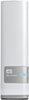
“I'm looking for NAS storage that is compatible with both pc and mac I own a Mac and my husband has a PC. This says that you have to reformat this device to use it with a Mac. Is there a way to use it with both a Mac and a PC?”
Answer This Question
1-10 of 11 Answers
When you reformat the drive set it to FAT32. FAT32 is compatable with both Mac and PC
Sorry, there was a problem. Please try again later.Both Macs and PCs should be able to use drives formatted as FAT32. You will most likely have to reformat this drive while it's connected to a PC.
Sorry, there was a problem. Please try again later.You do not need to reformat a drive to use it with a PC and a Mac. It comes with software for the Mac that allows the Mac to write to the drive in addition to Mac's ability to read the drive.
Sorry, there was a problem. Please try again later.Mine worked out of the box with both Mac and PC. If you do have to format it eXfat, that will work with both.
Sorry, there was a problem. Please try again later.If you do not care about using it for Operating System Files or Time Machine on the Mac, you can use the Mac Disk Formatting Utility preloaded on the HDD to reformat the drive to ex-Fat to be used by either OSX or Windows.
Sorry, there was a problem. Please try again later.Yes, you can reformat the drive to be compatible with both Mac and PC. You will need to use Apple's "Disk Utility" and partition the drive as MS DOS (FAT) and Master Boot Record. This will allow you to swap the drive between Mac and PC.
Sorry, there was a problem. Please try again later.I have a macbook pro and a pc, and I use this drive between them with no problem at all. I don't use the auto backup feature, just as a portable hard drive and have had no issues sharing files between my pc and my mac.
Sorry, there was a problem. Please try again later.The drive will need to be reformatted using exFAT or FAT32 (DOS) format. That way you can use it on either pc or mac without reformatting.
Sorry, there was a problem. Please try again later.I'm a multi platform user as well with multiple HD solutions. If your looking for a NAS I recommend the WD - My Cloud 3TB Personal Cloud Storage HD (NAS) - Model: WDBCTL0030HWT-NESN. The software allows for all OS & mobile access. Internet speeds dictate uo/down speeds. As for the My Passport Ultra you have two options to get it to work on Mac/PC reformat to FAT32, simple but it slows the drives speed considerable. There are 3rd party apps for the Mac to be able to read/write the NTFS formatted drives, Paragon NTFS for Mac OS X and Tuxera NTFS. Only one of those can run at a time but they work. Good luck!
I would recommend:
Sorry, there was a problem. Please try again later.Some drives come with software for the mac to let you keep it formatted for Windows while using it on the mac. I don't believe this one does, but you can purchase it if that is important. Paragon makes software for both Mac and Windows that lets them read the other computer's drives. If you wanted to keep it formatted for windows, you would just need the Paragon software for mac: http://www.paragon-software.com/mac/
Sorry, there was a problem. Please try again later.