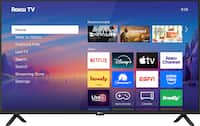
A:Answer The red light on your Westinghouse 24" HD Smart Roku TV (Model WR24HX2210) flashing when the TV is turned on typically indicates one of the following:
Firmware Update: The TV might be updating its firmware or software. This is normal and ensures the TV is running the latest features and fixes. Ensure the TV is connected to Wi-Fi for updates to complete.
Power Issue: The flashing light may signal a temporary issue with the power supply or a loose connection. Ensure the power cord is securely connected to the TV and the wall outlet.
Error Code: In some cases, a flashing red light could indicate an error. If the TV operates normally after turning on, this may not be a concern. However, if the flashing continues or the TV doesn't function properly, it could signal a hardware or software issue.
Troubleshooting Steps:
Restart the TV: Unplug the TV from the power source, wait 5-10 minutes, then plug it back in.
Check for Updates: Go to the TV's settings and look for system updates.
Factory Reset: If the issue persists and the TV doesn't function as expected, you might try a factory reset (accessible in the settings menu). Be aware that this will erase all saved settings.