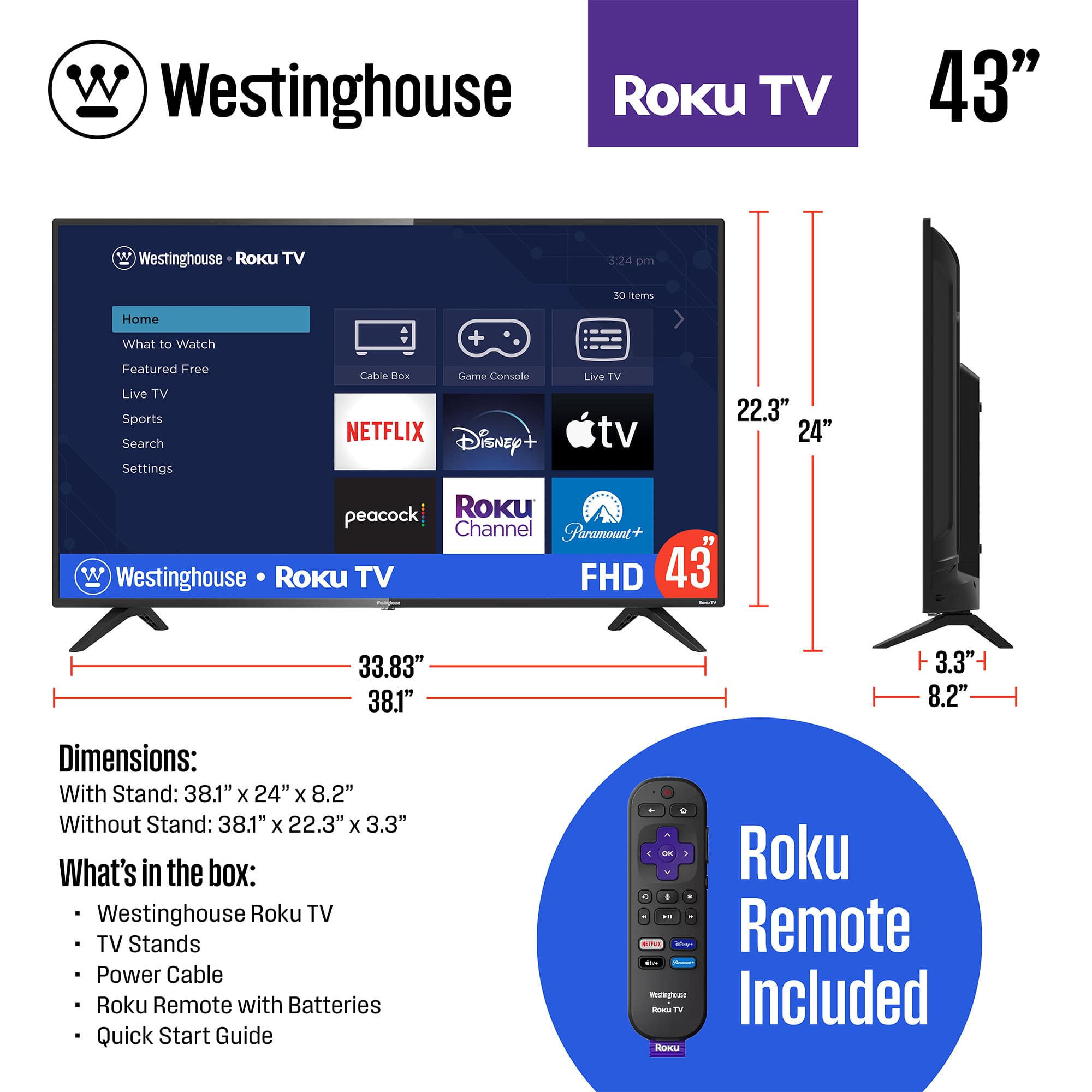
A:AnswerDiagonal Screen Size 42.5"
Product Size (WxHxD) w/ Stand 38.3" x 24.2" x 8.1"
Product Size (WxHxD) w/o Stand 38.3" x 22.5" x 3.7"
Stand Legs Separation Distance 35“
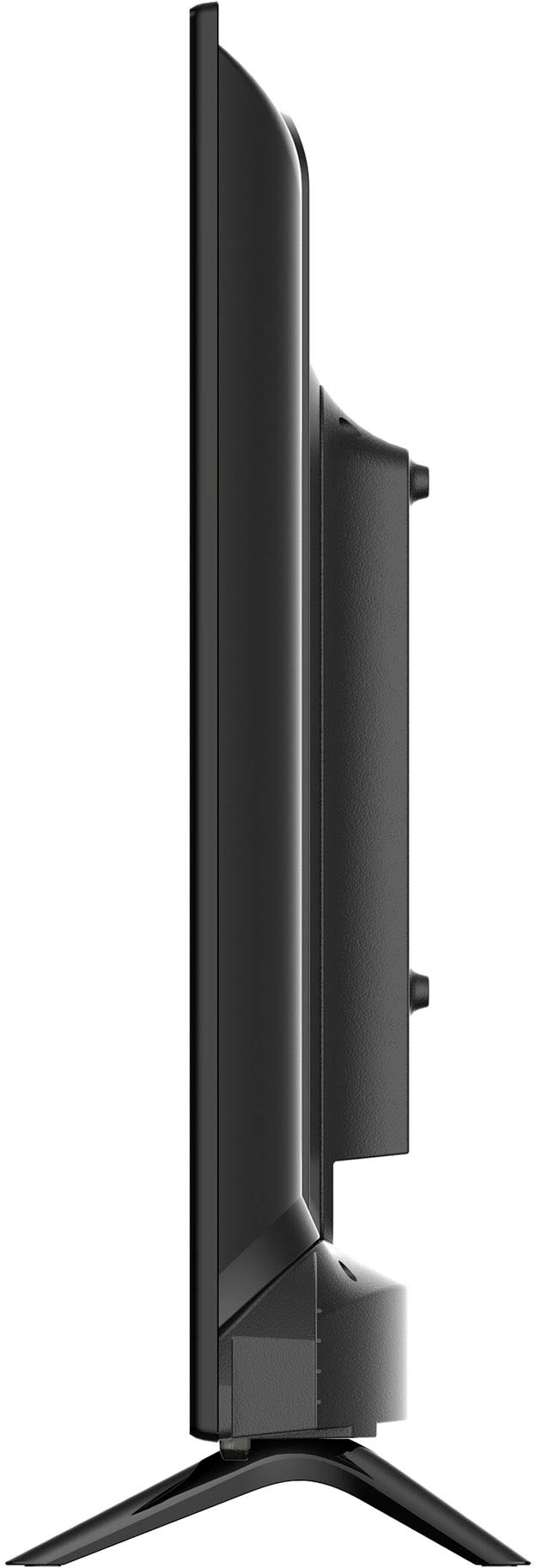
Stand & TV Depth 8.1“
Product Weight w/ Stand (lbs) 16.94 lbs
Product Weight w/o Stand (lbs) 16.28 lbs
Product Box Size (WxHxD) 41" x 24.9" x 6"
Product with Box Weight (lbs) 20.3 lbs
A:AnswerDiagonal Screen Size 42.5"
Product Size (WxHxD) w/ Stand 38.3" x 24.2" x 8.1"
Product Size (WxHxD) w/o Stand 38.3" x 22.5" x 3.7"
Stand Legs Separation Distance 35“
Stand & TV Depth 8.1“
Product Weight w/ Stand (lbs) 16.94 lbs
Product Weight w/o Stand (lbs) 16.28 lbs
Product Box Size (WxHxD) 41" x 24.9" x 6"
Product with Box Weight (lbs) 20.3 lbs
A:AnswerYes. Go the Streaming Channels option in the list at the left of the home screen. Then, search for PBS and add it to your Roku list. PBS is one our favorite channels, so this was one of the first things that I did when setting up our Roku TV.
A:AnswerA qualified yes - depends on what apps/channel that you have subscriptions to. I use UTube TV, which make it fairly easy to search for and add TV shows to the Library.
A:AnswerNot that I am aware of. But, a good question, which is worth exploring - might be an add on app from Chrome, Edge, Safari, etc that will improve any Roku TVs functionality -- suggest doing a Google search; I'm going to.
A:AnswerMeasure the opening in your cabinet, and then the width and height of the TV including the legs or stand of the TV that you are considering. TV screen size is usually expressed in screen diagonal inches, so go on line with the size that you want to get the vertical and horizontal dimensions - most of these dimensions are fairly consistent for most of the various brands for each of the screen sizes out there.