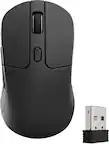
Razer - Basilisk V3 Pro 35K Optical Gaming Mouse with HyperScroll Tilt Wheel - Wireless - Phantom White
Razer - Basilisk V3 Pro 35K Optical Gaming Mouse with HyperScroll Tilt Wheel - Wireless - Phantom White
Color
Phantom White- Razer - Blackwidow V4 75% Wired Mechanical Orange Switch Gaming Keyboard with Hot-Swappable Design - Phantom White$199.99
Related Item

Specifications
- Lighting TypeRGBMaximum Sensitivity35000 dots per inchNumber of Buttons (Total)11Connection TypeWireless
- Key Specs
- Lighting Type: RGB
- Maximum Sensitivity: 35000 dots per inch (Mouse sensitivity is measured in dots per inch (DPI). The higher the DPI, the more sensitive the mouse is and may be more useful for high-density pixel screens. Lower DPI typically means more precision and accuracy in mouse movement.)
- Number of Buttons (Total): 11
- Connection Type: Wireless
- General
- Brand: Razer
- Model Number: RZ01-05240400-R3U1
- Product Name: Basilisk V3 Pro 35K Optical Gaming Mouse with HyperScroll Tilt Wheel
- Color: Phantom White
- Features
- Mouse Type: Gaming
- Lighting Type: RGB
- Customizable Lighting: true
- Maximum Number of Memory Profiles: 5
- Performance
- Mouse Operation: Tilt wheel, Tactile, Button(s)
- Mouse Grip Style: Palm grip, Claw grip (In comparison to many palm and claw grips, ergonomic grip mice are designed for a specific handedness and put the hand and wrist in a position to promote comfort. Customizable grips feature buttons/keys that can be configured to perform specific actions and may also have customizable calibration and sensitivity settings.)
- Handedness: Right-handed
- Tracking Method: Optical (There are several types of computer mice, optical and laser being among the most common. Optical mice detect less detail and provide more precise and accurate movement. Laser mice detect more detail and can be used on a wider variety of surfaces, but are more sensitive to small movements.)
- Maximum Sensitivity: 35000 dots per inch (Mouse sensitivity is measured in dots per inch (DPI). The higher the DPI, the more sensitive the mouse is and may be more useful for high-density pixel screens. Lower DPI typically means more precision and accuracy in mouse movement.)
- Minimum Sensitivity: 100 dots per inch (Mouse sensitivity is measured in dots per inch (DPI). The higher the DPI, the more sensitive the mouse is. Lower DPI typically means more precision and accuracy in mouse movement, but higher DPI may be useful for high-density pixel screens.)
- Number of Buttons (Total): 11
- Number of Thumb Buttons: 3
- Number of Programmable Buttons: 11
- Adjustable Weight: false
- Connectivity
- Connection Type: Wireless
- Wireless Connectivity: Bluetooth, Radio Frequency (RF - 2.4 Ghz/Low Latency) (The manner in which a device sends data to another device over a short distance without the use of wires or cables.)
- Maximum Wireless Range: 33 feet
- Operating System Compatibility: Windows, Mac
- Plug and Play Operation: true
- Number of Devices Connectable Simultaneously: 1
- Power
- Mouse Power Source: Battery-powered
- On/Off Switch: true
- Rechargeable Battery (Mouse): true
- Wireless Charging: true
- Wireless Charging Standard: Qi
- Charging Interface(s): USB-C (The connection for transmitting power to charge the device.)
- Battery Chemistry: Lithium-ion
- Included
- Mouse Pad Included: false
- Dimensions
- Product Height: 1.68 inches (The out of box height of the item. Height is measured as the vertical distance from the bottom of the item to the top as it would be primarily used or placed.)
- Product Length: 5.13 inches (The out of box length of the item. Length is measured as the longest dimension of the item.)
- Product Width: 2.96 inches (The out of box width of the item. Width is measured as the horizontal distance from one side of the item to the other as it would be primarily used or placed.)
- Product Weight: 115 grams (The out of box weight of the item.)
- Warranty
- Warranty - Parts: 2 years
- Warranty - Labor: 2 years
- Other
- UPC: 840272918425
Set your immersion to maximum with the Razer Basilisk V3 Pro 35K—a wireless ergonomic RGB gaming mouse that’s more advanced and customizable than ever. Featuring our most precise sensor and scroll wheel with deeper configuration options, playing your way just took on a whole new meaning.
- Configurable Razer™ HyperScroll Tilt Wheel: Choose between tactile cycling and smooth, free-spin scrolling, or auto-switch between them based on your scroll speed in Smart-Reel mode—now configurable on Synapse.
- Razer™ Focus Pro 35K Optical Sensor Gen-2: Experience best-in-class tracking performance on a wider variety of surfaces including glass, supported by intelligent functions and 1-DPI step adjustments for more granular aim and control.
- Up to 140 Hours on Razer™ HyperSpeed Wireless: Enjoy smooth, lag-free performance for non-stop play or unlock a true 8000 Hz polling rate with the Razer Mouse Dock Pro or HyperPolling Wireless Dongle (both sold separately).
- 13 Customizable Controls: Assign an endless combination of commands and macros across 13 easy-access controls—including its acclaimed multi-function trigger—to execute essential actions like push-to-talk, ping, and more.
- 12-Zone Chroma Lighting with Full Underglow: Customize each zone from over 16.8 million colors and countless lighting effects, and experience greater immersion as they react dynamically with over 200 Chroma-integrated games.
- Razer™ Optical Mouse Switches Gen-3: From an improved 90-million click lifecycle with zero double-clicking issues, to a blistering 0.2 ms actuation with no debounce delay, enjoy reliability and speed that outshines all others.
- Configurable Razer™ HyperScroll Tilt Wheel: Choose between tactile cycling and smooth, free-spin scrolling, or auto-switch between them based on your scroll speed in Smart-Reel mode—now configurable on Synapse.
- Razer™ Focus Pro 35K Optical Sensor Gen-2: Experience best-in-class tracking performance on a wider variety of surfaces including glass, supported by intelligent functions and 1-DPI step adjustments for more granular aim and control.
- Up to 140 Hours on Razer™ HyperSpeed Wireless: Enjoy smooth, lag-free performance for non-stop play or unlock a true 8000 Hz polling rate with the Razer Mouse Dock Pro or HyperPolling Wireless Dongle (both sold separately).
- 13 Customizable Controls: Assign an endless combination of commands and macros across 13 easy-access controls—including its acclaimed multi-function trigger—to execute essential actions like push-to-talk, ping, and more.
- 12-Zone Chroma Lighting with Full Underglow: Customize each zone from over 16.8 million colors and countless lighting effects, and experience greater immersion as they react dynamically with over 200 Chroma-integrated games.
- Razer™ Optical Mouse Switches Gen-3: From an improved 90-million click lifecycle with zero double-clicking issues, to a blistering 0.2 ms actuation with no debounce delay, enjoy reliability and speed that outshines all others.
- Configurable Razer™ HyperScroll Tilt Wheel: Choose between tactile cycling and smooth, free-spin scrolling, or auto-switch between them based on your scroll speed in Smart-Reel mode—now configurable on Synapse.
- Razer™ Focus Pro 35K Optical Sensor Gen-2: Experience best-in-class tracking performance on a wider variety of surfaces including glass, supported by intelligent functions and 1-DPI step adjustments for more granular aim and control.
- Up to 140 Hours on Razer™ HyperSpeed Wireless: Enjoy smooth, lag-free performance for non-stop play or unlock a true 8000 Hz polling rate with the Razer Mouse Dock Pro or HyperPolling Wireless Dongle (both sold separately).
- 13 Customizable Controls: Assign an endless combination of commands and macros across 13 easy-access controls—including its acclaimed multi-function trigger—to execute essential actions like push-to-talk, ping, and more.
- 12-Zone Chroma Lighting with Full Underglow: Customize each zone from over 16.8 million colors and countless lighting effects, and experience greater immersion as they react dynamically with over 200 Chroma-integrated games.
- Razer™ Optical Mouse Switches Gen-3: From an improved 90-million click lifecycle with zero double-clicking issues, to a blistering 0.2 ms actuation with no debounce delay, enjoy reliability and speed that outshines all others.
Whats Included
- Razer Basilisk V3 Pro 35K
- HyperSpeed Wireless Dongle + USB Dongle Adapter
- USB Type A to USB Type C Cable
- Important Product Information Guide
- Razer Basilisk V3 Pro 35K
- HyperSpeed Wireless Dongle + USB Dongle Adapter
- USB Type A to USB Type C Cable
- Important Product Information Guide
- Razer Basilisk V3 Pro 35K
- HyperSpeed Wireless Dongle + USB Dongle Adapter
- USB Type A to USB Type C Cable
- Important Product Information Guide
Product Manuals
Q: Does this plug in to charge with USB-C? Or is it a swappable battery?
A: Its charges thru plug in USB-C, Doesn't use batteries.
Compare similar products

Set your immersion to maximum with the Razer Basilisk V3 Pro 35K—a wireless ergonomic RGB gaming mouse that’s more advanced and customizable than ever. Featuring our most precise sensor and scroll wheel with deeper configuration options, playing your way just took on a whole new meaning.
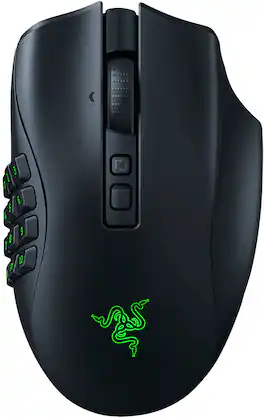
Designed to dominate in MMO, battle royale, FPS, and more, the multi-genre master returns stronger than ever. With 3 swappable side plates, 19+1 programmable buttons, a Razer HyperScroll Pro Wheel, and Razer HyperSpeed Wireless, the Razer Naga V2 Pro packs the power to rise above every genre.

The king returns to raise the game. Enter the Razer Basilisk V3 Pro—the most advanced gaming mouse. Armed to the teeth with industry-leading technology, unlock your maximum potential with a weapon that pushes the known limits of performance, customization, connectivity, and control.

Become the deadliest version of yourself with the Razer DeathAdder V4 Pro—an ultra-lightweight wireless ergonomic mouse that’s the perfect esports specimen. Upgraded on all fronts with our most cutting-edge tech, feel the immediate impact as every advantage you have comes into play.
| Pros for Razer - Basilisk V3 Pro 35K Optical Gaming Mouse with HyperScroll Tilt Wheel - Wireless - Phantom White | |||
|---|---|---|---|
| There were no pros for this product— | Battery Life, Overall Performance, Button Configuration, Comfort, Wireless | Overall Performance, Ergonomics, Battery Life, Weight, RGB Lighting | Weight, Battery Life, Overall Performance, Ergonomics, Scroll Wheel Quality |
| Cons for Razer - Basilisk V3 Pro 35K Optical Gaming Mouse with HyperScroll Tilt Wheel - Wireless - Phantom White | |||
| There were no cons for this product— | Price, Size, Weight, Software | Price, Size, Lag, Mouse, Charging Dock | Connectivity |
Specs
Reviews
Customer Images
The vast majority of our reviews come from verified purchases. Reviews from customers may include My Best Buy members, employees, and Tech Insider Network members (as tagged). Select reviewers may receive discounted products, promotional considerations or entries into drawings for honest, helpful reviews.
- Rated 5 out of 5 stars
The Ultimate Wireless Gaming Companion
I’ve been using the Razer Basilisk V3 Pro for the past couple of weeks, and it’s hands down one of the best gaming mice I’ve ever tried. The 35K sensor is insanely accurate, and paired with the HyperScroll Tilt Wheel, it’s perfect for both quick flicks in FPS games like CS:GO and smooth scrolling through long menus in open-world games like GTA V. The ergonomic design is super comfortable, even during long gaming sessions, and it feels like it was molded for my hand. The Chroma RGB lighting is gorgeous and syncs seamlessly with other Razer gear, but it’s more of a flex than a functional feature. Battery life is solid, and the wireless connection feels as fast as wired, which is a big win. If I had to nitpick, I’d say it’s on the pricier side, and the scroll wheel can feel a little too free at times, but that’s personal preference. Overall, it’s a beast for anyone looking for a top-tier gaming mouse with pro-level features. Definitely worth picking up if you’re serious about gaming!
This review is from Razer - Basilisk V3 Pro 35K Optical Gaming Mouse with HyperScroll Tilt Wheel - Wireless - Black
GDSKS Posted
- Rated 5 out of 5 stars
Best choice for my needs.
Previous mouse: Razer Basilisk Ultimate Reason for purchase: needed a replacement since the scroll wheel was overshooting and rebounding, right click switch was not maintaining input on hold action. Didn't have time to try to RMA. No other mouse fits my hand (thin, long fingers) the way this one does. It works for me in a lighter half-claw-grip configuration, but a larger mousepad facilitates elbow-centric movement. The thumb rest is perfect for preventing friction with the mousepad. It also allows me to use all 3 side buttons comfortably without bending the final joint on my thumb uncomfortably. The scroll action feels way better than the Basilisk Ultimate, and can keep some good momentum when flick scrolling. I have never had a scroll wheel that functions properly and consistently, so this is refreshing. I do not personally use sensitivity switching, but I think it would be easy for someone who does. Battery life is noticeably better, and not just because it's a new mouse. I would recommend turning RGB off altogether to save battery life. My single biggest criticism for this product specifically is the lack of dock included. You can however use the mouse while it's plugged in. The upgrade to a usb 3.0 from the micro usb was a good choice. We will see how the side rubber holds up. After 3+ years of use of the previous mouse, there was major rubber grip wear on either side. Razer software could use some responsiveness and stability improvements, but otherwise works fine.
This review is from Razer - Basilisk V3 Pro 35K Optical Gaming Mouse with HyperScroll Tilt Wheel - Wireless - Black
TroyL Posted
- Rated 5 out of 5 stars
Great mouse if you like em heavy
Overall, great mouse. It's heavy at 160+ grams, but I like a heavy mouse and was my main driver for selecting this model. If customization is important to a person, it's got plenty of that and is relatively easy to use. It does need charged every day, though, so be prepared for that.
This review is from Razer - Basilisk V3 Pro 35K Optical Gaming Mouse with HyperScroll Tilt Wheel - Wireless - White
EmilyA Posted