Customer Ratings & Reviews
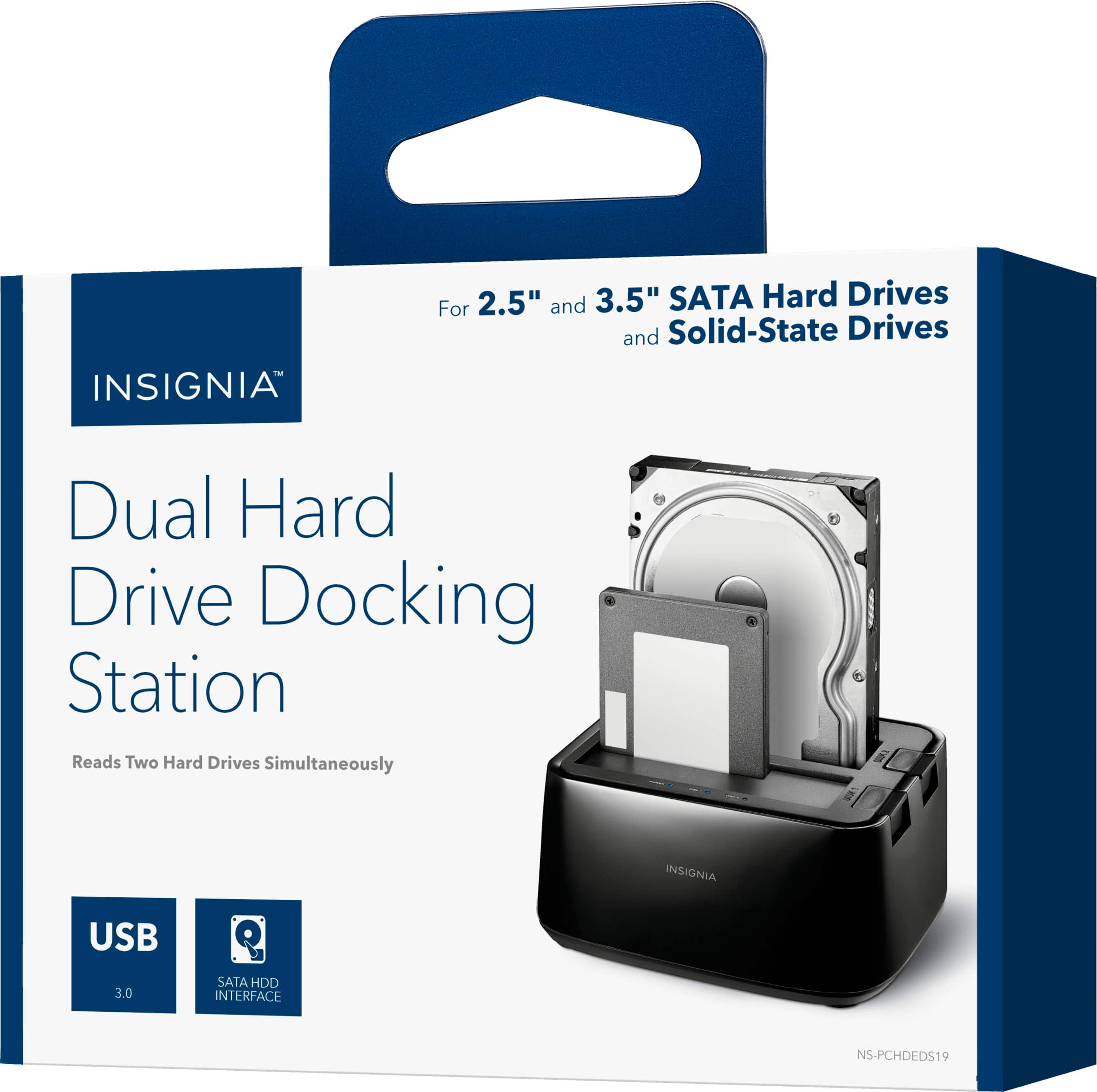
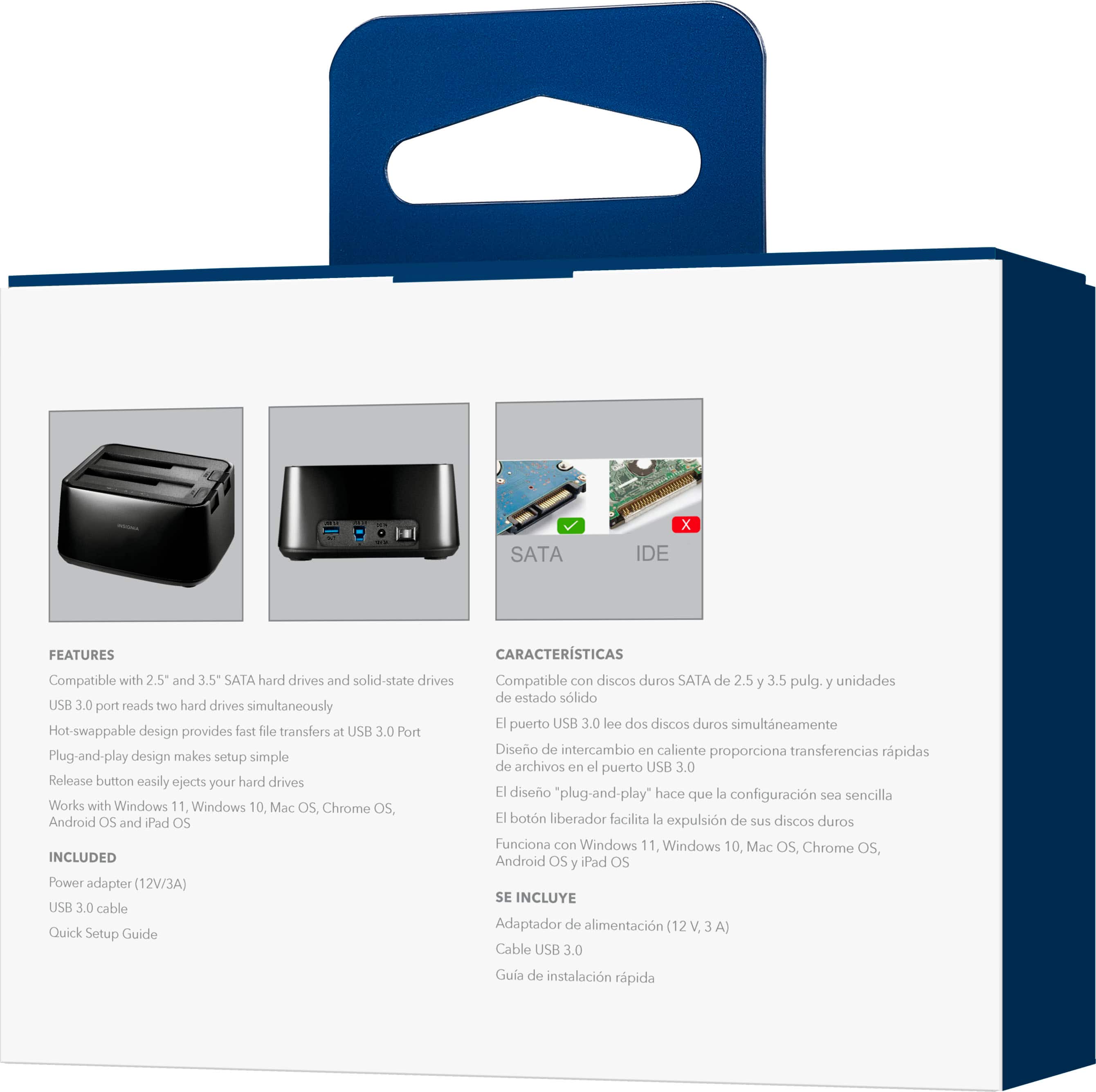

- Model:
- NS-PCHDEDS19
- SKU:
- 6153102
Rating by feature
- Value
Rating 4.5 out of 5 stars
- Quality
Rating 4.5 out of 5 stars
- Ease of Use
Rating 4.6 out of 5 stars
Customers are saying
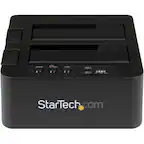
Customers admire the 2-Bay HDD docking station for its ease of use, fast data transfer speeds, and overall performance. The device's compatibility is also impressive, effortlessly accommodating various hard drives. However, some customers have noted concerns about the size, power issues, and loose connections.
This summary was generated by AI based on customer reviews.
- Pros mentioned:Data transfer
Insignia HDD Docking Station: A Convenient
||Posted . Owned for less than 1 week when reviewed.This reviewer received promo considerations or sweepstakes entry for writing a review.Review: I recently had the pleasure of using the Insignia HDD Docking Station, and I must say that it exceeded my expectations in every way. This device proved to be a reliable and convenient solution for accessing and transferring data from hard drives, making it an essential tool for anyone working with multiple storage devices.
I would recommend this to a friend - Pros mentioned:Data transfer, Ease of use
Easy Docking Station to Use
||Posted .This reviewer received promo considerations or sweepstakes entry for writing a review.This docking station was relatively easy to use. It allows you to transfer data from 2 separate hard drives. I was able to use it with both my laptop hard drive and desktop.
I would recommend this to a friend - Pros mentioned:Ease of use
Works perfectly!
||Posted . Owned for 3 weeks when reviewed.This reviewer received promo considerations or sweepstakes entry for writing a review.It works perfectly! You can even boot computers off of drives you have installed in it. I use it for my dead laptop’s hard drive. It’s fast, reliable, and easy to use!
I would recommend this to a friend - Pros mentioned:Data transfer
Easy File Transfer
||Posted . Owned for 3 weeks when reviewed.This reviewer received promo considerations or sweepstakes entry for writing a review.Power Supply went out in my old desktop and needed to quickly get files from my hard drives. This made the Transfer process quick and easy. I have even been able to recover files from crashed hard drives. Docking Stations are indispensable………
I would recommend this to a friend Works as you would expect
||Posted .This reviewer received promo considerations or sweepstakes entry for writing a review.Its a powered usb3 external sata3 hdd docking station with an extra usb3 port on the side. I've only used it with a single 2.5" drive so far but I have many more 3.5" size drives up to 6TB each to test with. Speeds are reliable, I've cloned my internal ssd to hdd at maximum hdd speed without issues. I can see this being used easily for external drives with various content, usb3 interface is not posing any bottlenecks for hdds but it may slow down SSDs in this use case. I don't have time to test ssd to ssd transfer so I don't know maximum speed for that one, it will max my normal slower hdd without problems however.
I would recommend this to a friend- Pros mentioned:Data transfer
Seems to work as described
||Posted . Owned for 2 months when reviewed.This reviewer received promo considerations or sweepstakes entry for writing a review.This docking station allows you to insert two internal SATA drives and connect them to your PC or laptop. I actually only had one SATA drive so I can't say if you can transfer data from one docked drive to another docked drive but I was able to transfer data from the docked drive to my PC so it did what I needed it to do. As for build quality, it seems sturdy enough. My drive is half-height so it was a bit wiggly in the bay but the connection never dropped.
I would recommend this to a friend - Pros mentioned:Ease of use
Excellent docking station!
||Posted . Owned for 1 month when reviewed.This reviewer received promo considerations or sweepstakes entry for writing a review.This docking station was perfect for pulling old photos and documents off some old hard drives I had laying around. It's simple to use and reasonably priced!
I would recommend this to a friend - Pros mentioned:Ease of use
Great Help And Time-Saver
||Posted . Owned for 3 weeks when reviewed.This reviewer received promo considerations or sweepstakes entry for writing a review.What a fantastic piece of hardware. It allowed me to plug in the two hard drives from my previous PC and instantly have access to all my data - without all the work of transferring it to me new machine. What a great time-saver - not to mention it allows me to have the additional hard drive space of my old drives.
I would recommend this to a friend - Pros mentioned:Ease of use
Worked perfectly. Quick and easy.
||Posted . Owned for 1 month when reviewed.This reviewer received promo considerations or sweepstakes entry for writing a review.I bought this when my computer died. The hard drive was still working so I took it out of the tower and popped it in here. I plugged the dock into a laptop and within a minute I had access to all my files. It showed up in my file explorer like any other drive. It was very easy to transfer my files to my new computer. Here's a hint if you've never used one of these. It took me a few minutes to figure out that I needed to remove a small screw on either side of my hard drive to get it to fit into the dock. The drive should sit firmly in the dock. If it's wobbly, you haven't seated it properly.
I would recommend this to a friend - Pros mentioned:Compatibility, Ease of use
Easy as having a cup of coffee!
||Posted . Owned for 1 month when reviewed.This reviewer received promo considerations or sweepstakes entry for writing a review.Works as promised. Just drop the H drive in and you're good to go! Nothing complicated. Works seamlessly. H drive info shows up on your desktop or laptop screen.
I would recommend this to a friend - Pros mentioned:Data transfer
Economical, versatile and it works!
||Posted . Owned for 3 weeks when reviewed.This reviewer received promo considerations or sweepstakes entry for writing a review.Purchased and picked up curbside. It replaced an older IDE SATA to USB adapter that couldn't read the partitions on a newer hard drive. Plugged the drive into this docking station and was able to see all partitions and recover all the data we thought we'd lost. What a relief! And the price was just right.
I would recommend this to a friend - Pros mentioned:Overall performance
perfect to cloning
||Posted . Owned for 1 month when reviewed.This reviewer received promo considerations or sweepstakes entry for writing a review.did what i needed to do, cloned about 30 HHD to SSD laptop without issues
I would recommend this to a friend Useful device when you have a bunch of hard drives
||Posted . Owned for 2 weeks when reviewed.This reviewer received promo considerations or sweepstakes entry for writing a review.These things are a godsend if you have hard drives laying around but dont want to install them in to your PC and want to be able to easily swap from drive to drive. Well worth the purchase price.
I would recommend this to a friend- Pros mentioned:Overall performance
Transfer Data
||Posted . Owned for 3 weeks when reviewed.This reviewer received promo considerations or sweepstakes entry for writing a review.Excellent product was able to transfer all files to new computer
I would recommend this to a friendBrand response from InsigniaCustomerSupport
Posted .Thank you for the great feedback! We’re happy to know the product worked well for your file transfer and made moving to your new computer smooth and efficient. We appreciate you taking the time to share your experience.
Keith | Insignia Support
- Pros mentioned:Data transfer, Usb
Works perfect with Xbox one X
||Posted .This reviewer received promo considerations or sweepstakes entry for writing a review.Great unit.USB 3 WITH Fast transfer speeds.Wall wart is a little big and needs to elininate off switch,and make it automatic to save Power.
I would recommend this to a friend - Pros mentioned:Data transfer
Best docking station I have yet!
||Posted .This reviewer received promo considerations or sweepstakes entry for writing a review.Over the years I have purchased hard drive docking stations - I have two other single drive units and one dual drive unit. They all had some good features but two were USB 2.0 and I wanted a dual USB 3.0 driver - this unit meets my needs at a reasonable price. I have not found a hard drive that won't read in it. Transfers speeds are quite reasonable - much faster than the USB 2.0. I am very happy with this dock.
I would recommend this to a friend - Pros mentioned:Data transfer
Docking Data
||Posted . Owned for 2 weeks when reviewed.This reviewer received promo considerations or sweepstakes entry for writing a review.I was told I could use this to get all the stuff off of my old hard drive that I tore out of my old tower and then I could bring it right back. After taking off the necessary data, I used it to format the drive and use that drive as backflow/storage for my videos. No way am I parting with this thing! In fact, Might just order another drive and run them both with different stuff.
I would recommend this to a friend - Pros mentioned:Ease of use
Insignia™ - 2-Bay HDD docking station
||Posted .This reviewer received promo considerations or sweepstakes entry for writing a review.It's a Good docking station, can use two more hard drives at once
I would recommend this to a friendBrand response from InsigniaCustomerSupport
Posted .Thank you for your feedback. We’re glad to hear that the docking station is working well for you and that you're able to use two hard drives at once. We designed this product to offer flexibility and efficiency, and it's great to know it's meeting your expectations.
Keith | Insignia Support
- Pros mentioned:Compatibility
Excellent for data recovery!!
||Posted . Owned for 3 weeks when reviewed.This reviewer received promo considerations or sweepstakes entry for writing a review.I had an ssd conk out in my secondary desktop so I read the reviews and purchased this docking station. The reviews were all positive and I took the chance and am not disappointed. I was able to troubleshoot the failed drive without having to place it in another pc, which was awesome. I also had two mechanical drives I pulled from a couple of desktops years ago and I placed them in the dock and immediately had access to all the files on the drive so now I can move them to external storage. Works with mechanical and ssd drives. A must have for all pc enthusiasts!!
I would recommend this to a friend - Pros mentioned:Ease of use
Fabulous!
||Posted . Owned for 1 year when reviewed.This reviewer received promo considerations or sweepstakes entry for writing a review.Fabulous device. Works great. Saved me a lot of time transferring data from my old computer. Just popped the old drives into the bays and plugged it in. Presto!
I would recommend this to a friendBrand response from InsigniaCustomerSupport
Posted .Thank you for sharing your fantastic experience with the Insignia™ 2-Bay HDD Docking Station! We're thrilled to hear that it worked so seamlessly and saved you a lot of time transferring data. It's always great when a product simplifies tasks so effectively. If you have any more feedback or need assistance, we're here for you.
-Paul | Insignia Support
https://www.bestbuy.com/site/best-buy-brands/support/pcmcat1693515381920.c?id=pcmcat1693515381920