Customer Ratings & Reviews
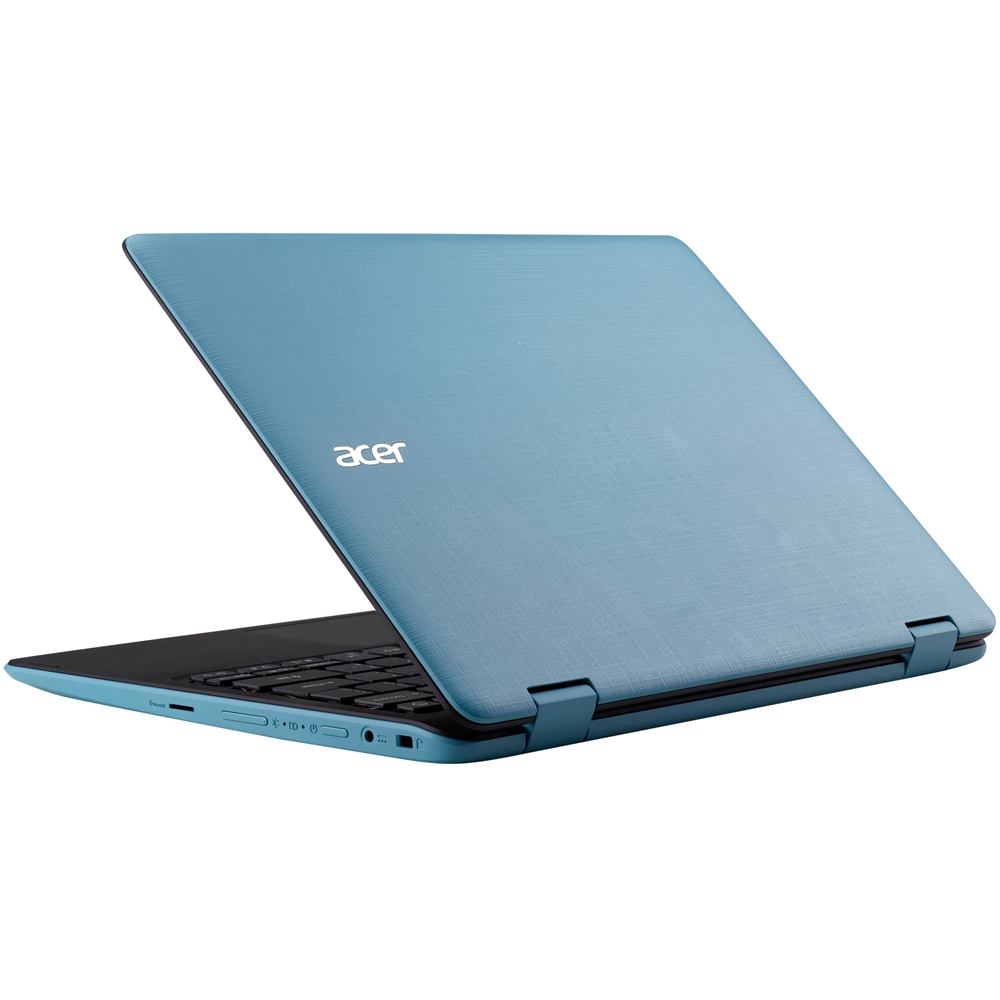
- Model:
- NX.GL2AA.001
- SKU:
- 5901204
to a friend
Customers are saying
Customers are impressed with the lightweight and portable design of this 2-in-1 touchscreen laptop, praising its compact size and ease of travel. However, many customers express concerns regarding the limited storage capacity and memory, impacting performance and the ability to install updates or additional applications. Some also note that the device can experience slowdowns and overheating.
This summary was generated by AI based on customer reviews.
- Cons mentioned:Speed
Great little laptop
||Posted .This reviewer received promo considerations or sweepstakes entry for writing a review.Runs a little slow, but it’s expected. Great laptop for the price.
I would recommend this to a friend - Pros mentioned:Weight
Nice, very nice
||Posted .This reviewer received promo considerations or sweepstakes entry for writing a review.Great laptop, good investment, everything I need and lightweight.
I would recommend this to a friend Memory
||Posted .This reviewer received promo considerations or sweepstakes entry for writing a review.It was Great but its only 4GB need to upgrade 8 GB or more
I would recommend this to a friend- Cons mentioned:Storage
great price, nice laptop
||Posted .This reviewer received promo considerations or sweepstakes entry for writing a review.A small laptop w/o much horsepower. Perfect as it is. Has only 32 GB storage, you can store it all on google drive or a flashdrive. Just remove other programs that you don’t need to liberate some storage. It Works perfectly for what I bought it for.
I would recommend this to a friend - Cons mentioned:Memory
no memory
||Posted .This reviewer received promo considerations or sweepstakes entry for writing a review.I thought that this would be just enough to teach someone how to navigate a computer But there is not enough memory to install any apps that would be useful to them. Disappointed. On the bright side it was CHEAP!
No, I would not recommend this to a friendBrand response from TeamAcer
Posted .Dear Shari,
Thank you for taking the time to write this review. We are sorry to hear you are unhappy with the storage on your system. Acer has posted a support article with information on how to do your Windows Updates on models with 32GB storage. Here is the link: https://us.answers.acer.com/app/answers/detail/a_id/38036 and if you need further assistance with this please contact PlanetROI who provides warranty service and support for the recertified products. Contact information should be included in box with the Leap. They will be happy to provide assistance with your Acer and offer repair if it is needed. Here is their contact information in case you need:
844.433.8476
[email protected]
Best regards,
Acer America
- Pros mentioned:Size
Great starter laptop!!
||Posted .This reviewer received promo considerations or sweepstakes entry for writing a review.It's is very compact and convenient. Everything works perfectly. I will definitely purchase my next laptop from you guys!!
I would recommend this to a friend - Cons mentioned:Storage
OK for web browsing. Boots up quick.
||Posted .This reviewer received promo considerations or sweepstakes entry for writing a review.Fine for browsing the web. Disk space taken up by pre-loaded software. Removed much of it, but still lacks in disk space. Added Micro SD card for music files, but can't download other apps due to disk limitations.
No, I would not recommend this to a friendBrand response from TeamAcer
Posted .Dear Mark,
Thank you for taking the time to write this review. We are sorry to hear you are unhappy with the storage on your Acer laptop. Acer has posted a support article with information on how to do your Windows Updates on models with 32GB storage. Here is the link: https://us.answers.acer.com/app/answers/detail/a_id/38036 and if you need further assistance with this please contact PlanetROI who provides warranty service and support for the recertified products. Contact information should be included in box with the computer. They will be happy to provide assistance with your recertified Acer and offer repair if it is needed. Here is their contact information in case you need:
844.433.8476
[email protected]
Best regards,
Acer America
Good for the internet and small things
||Posted .This reviewer received promo considerations or sweepstakes entry for writing a review.Just to be on the internet its fine, you will need to add more memory if you like to download app. Also a lot of apps are not compatible with this tablet it uses Microsoft store not the Google play store. Does not replay a laptop or desktop.
I would recommend this to a friend- Pros mentioned:Weight
Acer is Aces
||Posted .This reviewer received promo considerations or sweepstakes entry for writing a review.This Acer is a nice little machine. It is fairly lightweight, thin, and very powerful. It converts easily to usage as a tablet, as well. I am looking forward to using it even more.
I would recommend this to a friend - Cons mentioned:Memory
Not enough memory
||Posted .This reviewer received promo considerations or sweepstakes entry for writing a review.Memory filled up (gave a RED indication on memory %) when I added the Microsoft Office 365 that I purchased with it. No room left for anything, certainly not pictures. Had to return both the computer and the "Office". Had to argue to get the refund on the "Office" software because I tried to install it (used the KEY). Finally received every penny.
No, I would not recommend this to a friendBrand response from TeamAcer
Posted .Dear Derf,
We are sorry to hear you are unhappy with your Acer Aspire 1 laptop. This is not the experience we want our customers to have and we would like to help you get this resolved. There is a support article we posted that addresses this issue: https://us.answers.acer.com/app/answers/detail/a_id/38036 We also posted a Youtube video that will walk you through this process that you might find helpful:
https://youtu.be/kF-vE1Fh69Y
if you need further assistance with this please feel free to contact Acer warranty support. Contact information is posted here for your convenience: https://www.acer.com/ac/en/US/content/service-contact
We appreciate you taking the time to write this review.
Thank you
Acer America
Nice 2in1 that won’t hurt the wallet
||Posted .This reviewer received promo considerations or sweepstakes entry for writing a review.My only recommendation is to buy a memory card at the same time and use that for all your storage. Otherwise, it’s fast, light, and will get the job done for everyday use.
I would recommend this to a friend- Cons mentioned:Memory
Good for ???
||Posted .This reviewer received promo considerations or sweepstakes entry for writing a review.I purchased this as a laptop/ tablet to do a few things while working. The memory that comes with the product is basically FULL. I couldn't update the operating system due to lack of memory. I couldn't use an SD card to expand the memory. My daughter uses it to draw & watch videos.
No, I would not recommend this to a friendBrand response from TeamAcer
Posted .Dear Dexter,
We are sorry to hear you are unhappy with the storage on your recertified laptop. Acer has posted a support article with information on how to do your Windows Updates on models with 32GB storage that may help you. Here is the link: https://us.answers.acer.com/app/answers/detail/a_id/38036
If you need more storage you can certainly use a USB flash drive or external hard drive. If you are within your warranty period and need further assistance please contact PlanetROI who provides warranty service and support for the recertified products. Contact information should be included in box with the computer. They will be happy to provide assistance with your recertified Acer and offer repair if it is needed. Here is their contact information in case you need:
844.433.8476
[email protected]
Best regards,
Acer America
Hard drive is too small, get the 64 GB version.
||Posted .This reviewer received promo considerations or sweepstakes entry for writing a review.I saw the small "C" hard drive on this (32GB) but couldn't resist the price. I thought I could (and did) install a 64GB Micro SD card (D drive), but after Microsoft 10 did all its updates, I only have 1 GB left and can no longer receive updates due to "not enough disk space". I deleted everything possible except the operating system. I'm currently looking at ways to remove portions of Windows 10, like Cortana. Other than that it works good.
No, I would not recommend this to a friendBrand response from TeamAcer
Posted .Dear Lewis,
We are sorry to hear you are unhappy with the storage on your system when running Windows Updates. Acer has posted a support article with information on how to do your Windows Updates on models with 32GB storage. Here is the link: https://us.answers.acer.com/app/answers/detail/a_id/38036 and if you need further assistance with this please contact PlanetROI who provides warranty service and support for the recertified products. Contact information should be included in box with the computer. They will be happy to provide assistance with your recertified Acer and offer repair if it is needed. Here is their contact information in case you need:
844.433.8476
[email protected]
We appreciate you taking the time to write this review.
Best regards,
Acer America
- Pros mentioned:Portability
Good basic laptop
||Posted .This reviewer received promo considerations or sweepstakes entry for writing a review.Reasonable price for a good working laptop. I use for school and easy to carry around.
I would recommend this to a friend - Pros mentioned:Portability
A wonderfully compact laptop.
||Posted .This reviewer received promo considerations or sweepstakes entry for writing a review.The Surface is very compact- easy to travel with and does everything I need it for.
I would recommend this to a friend Awesome
||Posted . Owned for more than 2 years when reviewed.This reviewer received promo considerations or sweepstakes entry for writing a review.Great product was like new. Great for surfing the web .
I would recommend this to a friendGreat Laptop for student
||Posted .This reviewer received promo considerations or sweepstakes entry for writing a review.I bought this laptop for my daughter. She loves it. It is very low, fast and confortable. No so big no so small.
I would recommend this to a friend- Pros mentioned:Portability
Good laptop for beginners
||Posted .This reviewer received promo considerations or sweepstakes entry for writing a review.We love the easy adaptation from laptop to tablet, is no heavy.
I would recommend this to a friend - Pros mentioned:Portability
great open box item
||Posted .This reviewer received promo considerations or sweepstakes entry for writing a review.worth for on the go laptop/tablet, great open box item
I would recommend this to a friend - Cons mentioned:Storage
No Space
||Posted .This reviewer received promo considerations or sweepstakes entry for writing a review.This laptop was so limited with space that there wasn’t even enough room to update the software. It was new out of the box and we didn’t even do anything but press a button to update. I wouldn’t even keep it for my son because nothing could be downloaded.
No, I would not recommend this to a friendBrand response from TeamAcer
Posted .Dear MJenk,
Thank you for taking the time to write this review. We are sorry to hear you are unhappy with the storage on your system when running Windows Updates. Acer has posted a support article with information on how to do your Windows Updates on models with 32GB storage. Here is the link: https://us.answers.acer.com/app/answers/detail/a_id/38036 and if you need further assistance with this please feel free to contact Acer warranty support. Contact information is posted here for your convenience: https://www.acer.com/ac/en/US/content/service-contact
Best regards,
Acer America

















